


Start from: The Workforce module.
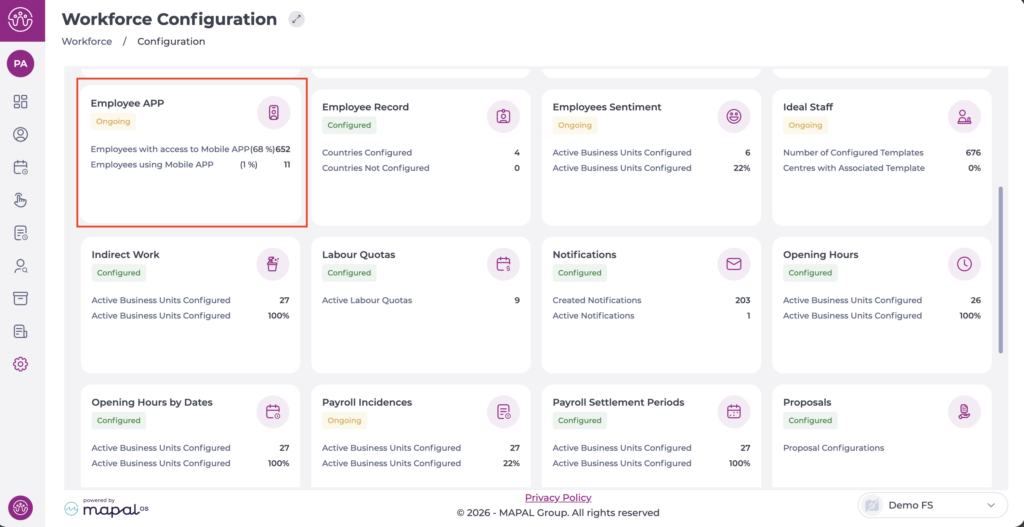
- Select Configuration > Employee App from the main menu.
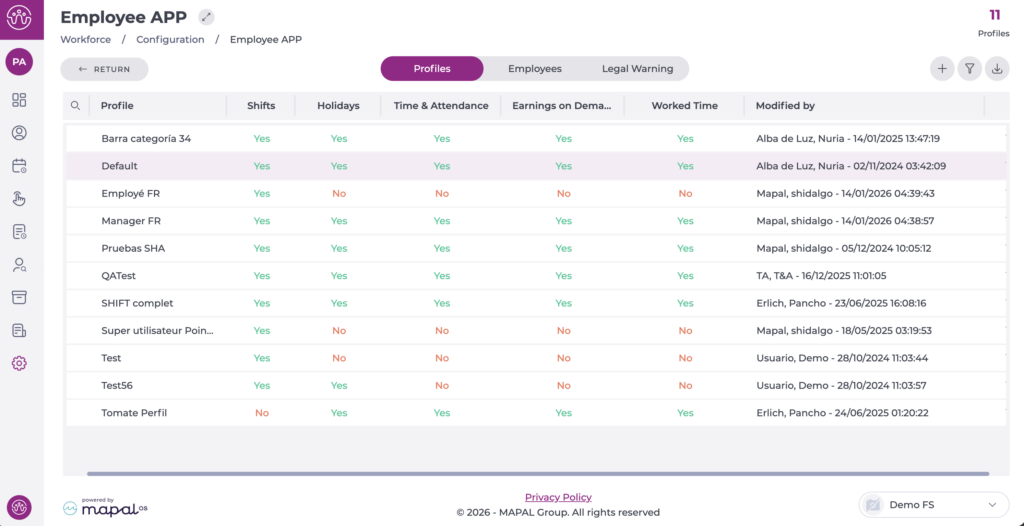
On the Profiles tab, you can see the list of profiles already created.
- Select the profile you want to edit.
In the pop-up window, begin editing the Holidays section by enabling the corresponding checkbox.
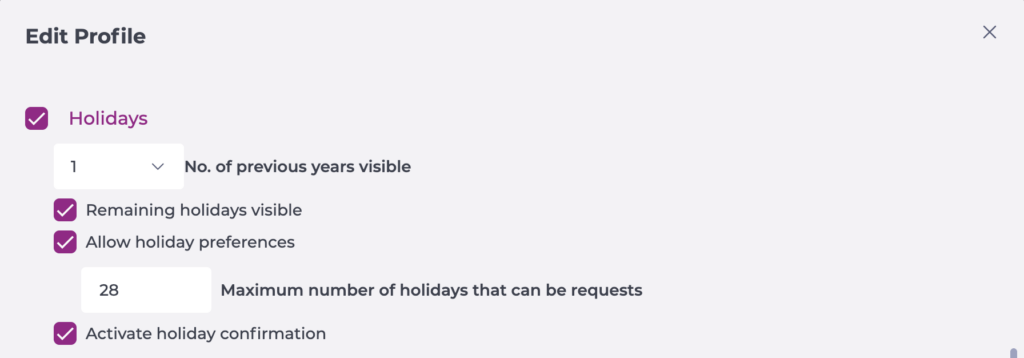
- Set the number of previous years you want to be visible.
- Select Remaining holidays visible if you want employees to see their remaining days.
- Select Allow holiday preferences and then configure the maximum number of days they can request.
- Select Activate holiday confirmation if you want the employee to receive an update once their holidays are confirmed.
Select Accept to save the configuration you have defined OR Cancel to discard the changes.
