


Start from: The Workforce module.
- From the main menu, go to Configuration > Configurations by business unit.
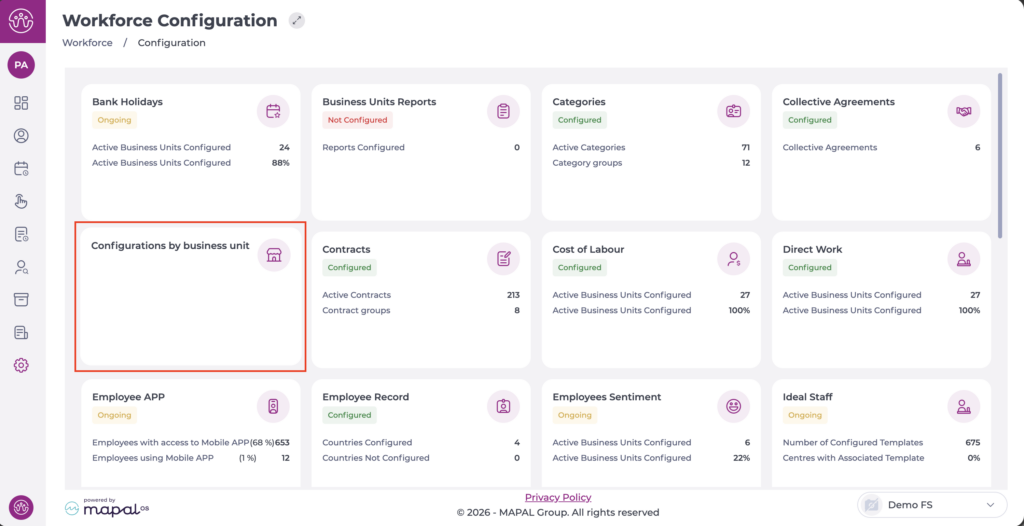
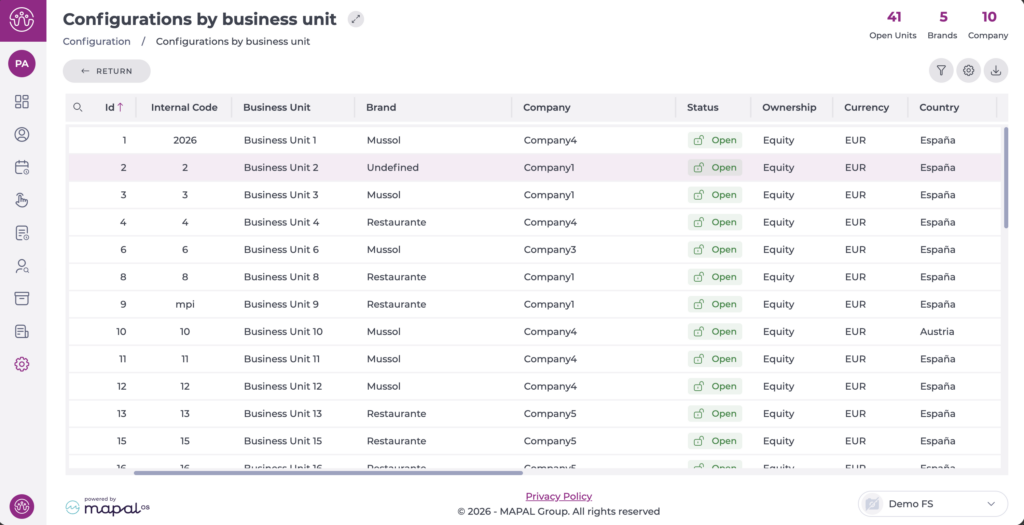
- Select the business unit you want to configure and a pop-up will open.
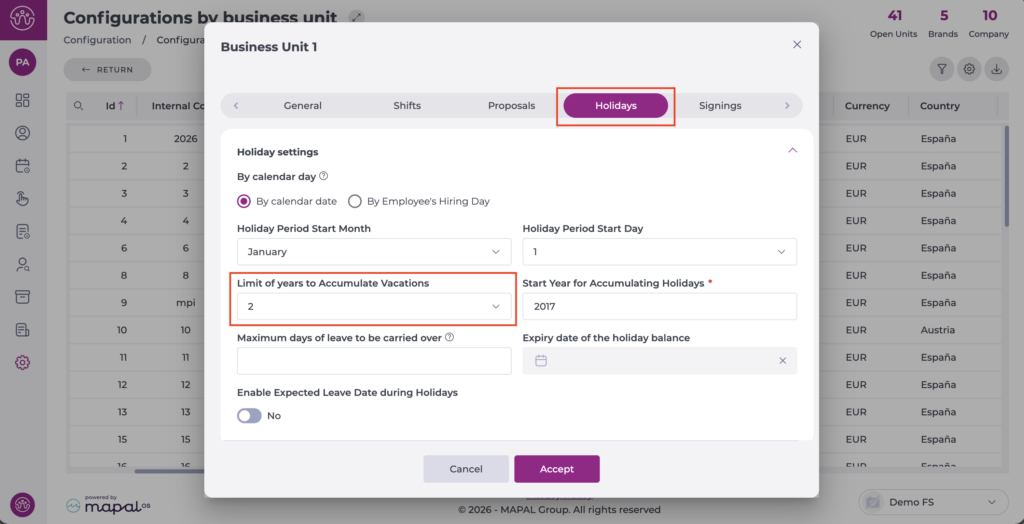
- Select the Holidays tab.
- Locate the Limit of years to accumulate vacations field and select the correct value, with a maximum of 4 years.
Note: If an employee is entitled to 15 holiday days per year and only takes 10 of those days, they will carry over the remaining 5 days to the following year; so they will have 20 accumulated holiday days for that year in total.
Holiday carryover can be configured from one to four years back, depending on the employer's needs and preferences.
