


Start from: the Workforce dashboard.
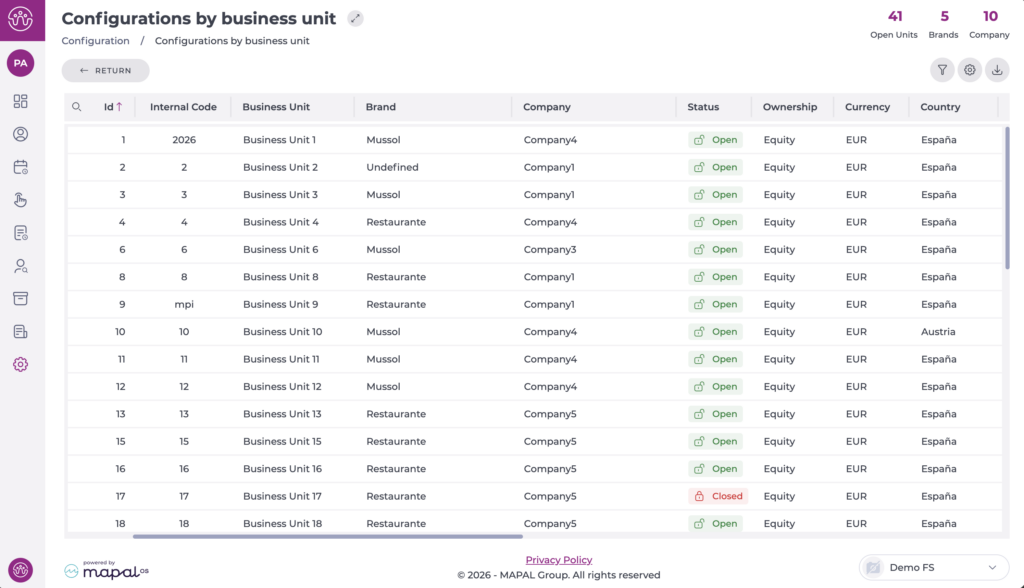
- From the main menu, go to Configuration > Configurations by business unit.

- Select the business unit you want to configure. A pop-up window opens.
- Select the Shifts tab.
- Locate the Optimisation section.
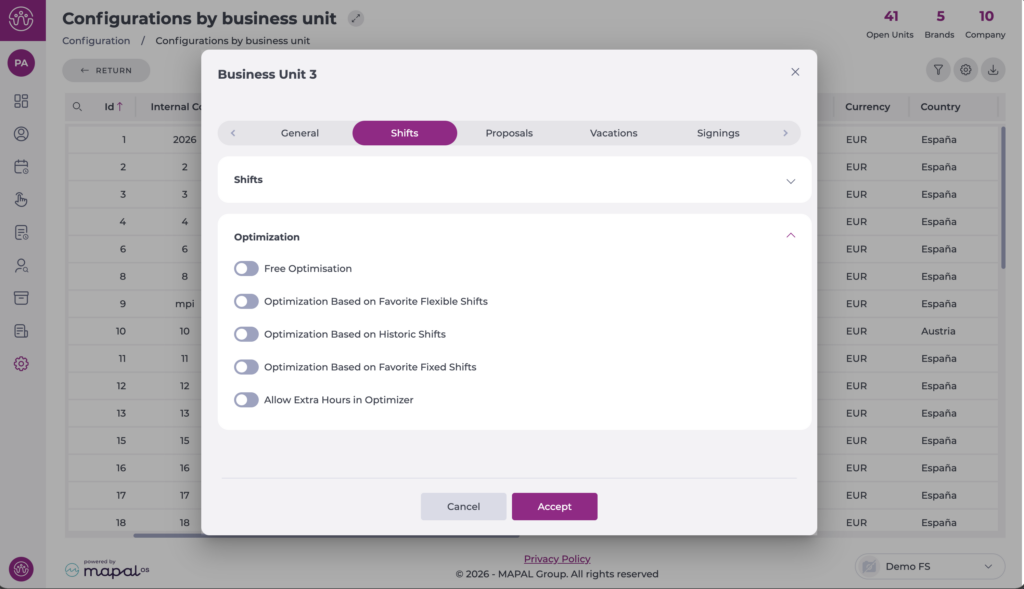
- Select the optimisation type or types you want to enable.
- Select Accept to save your changes.
Once configured, the functionality can be used from Weekly ROTAs. For more information on generating schedules with optimisation, see Generate a schedule with optimisation.
