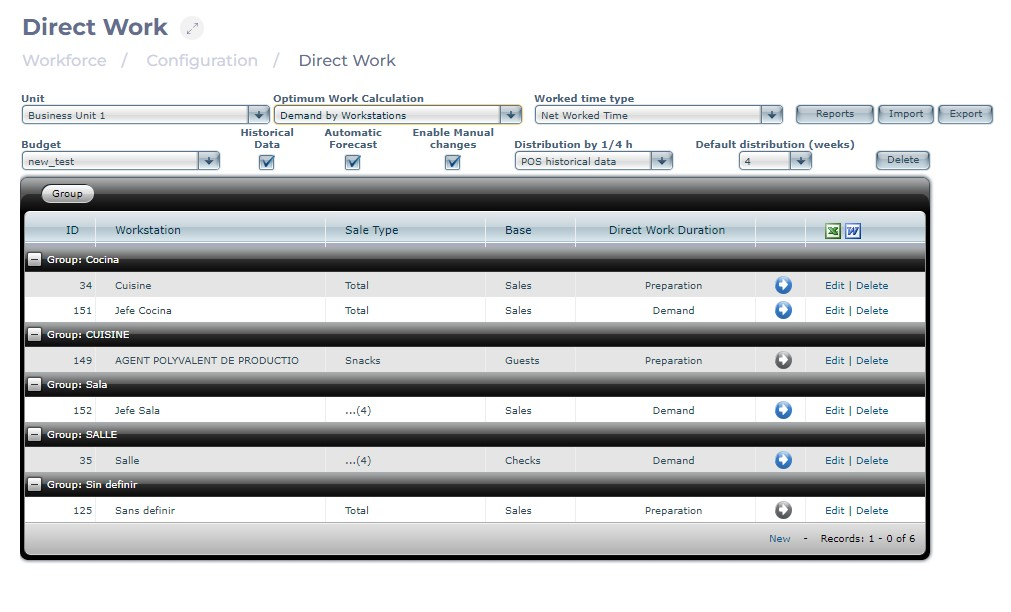
Start From: The Workforce module
-
Select Configuration > Direct Work from the main menu.
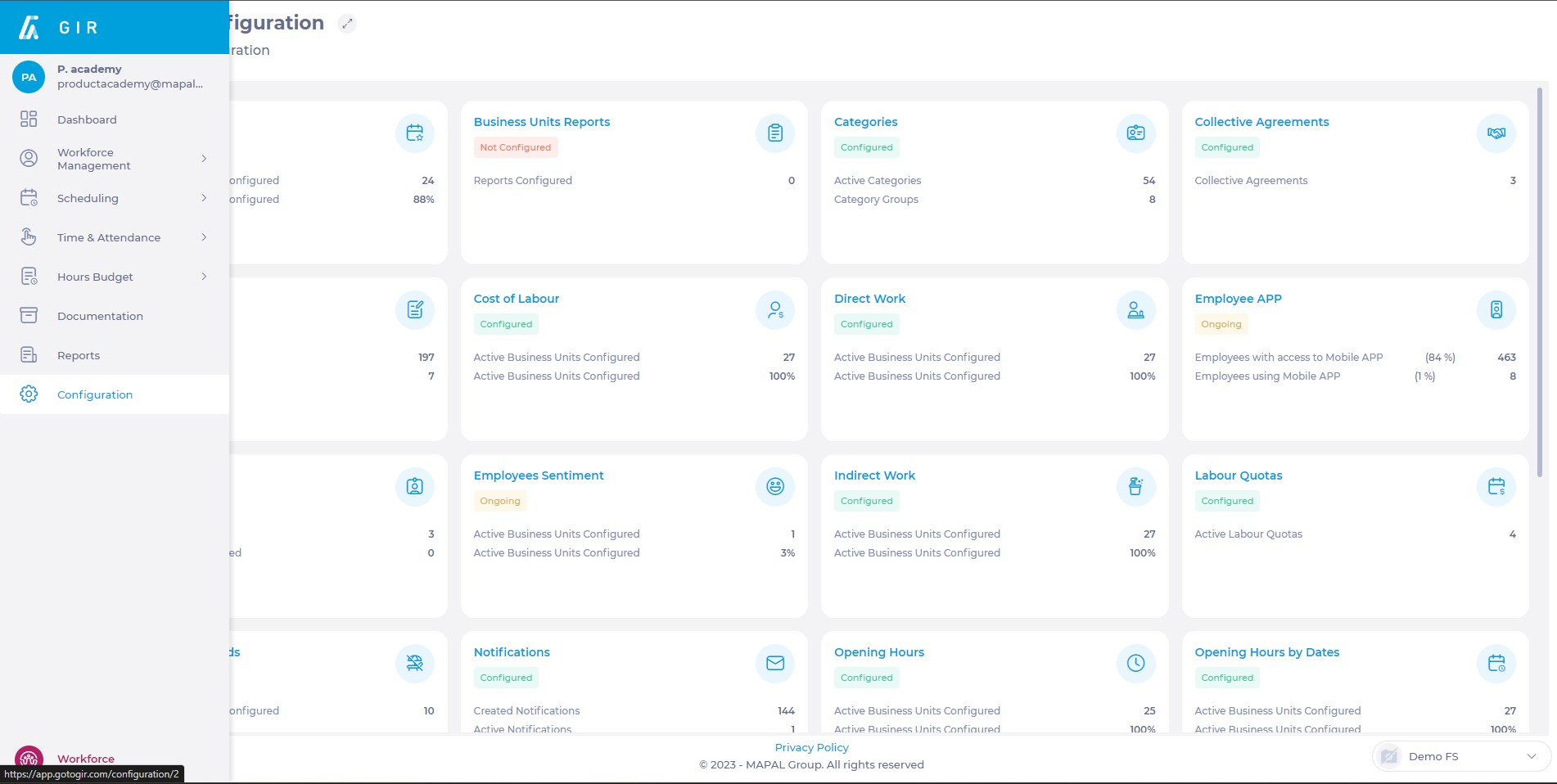
-
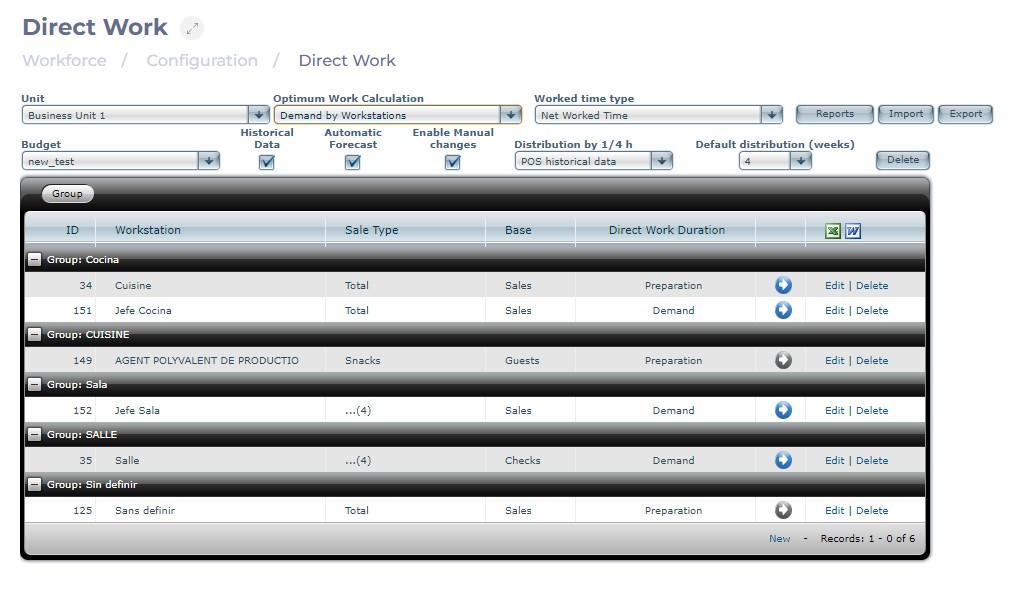
Select the Unit to create the direct work estimate.
-
Select Demand by workstations as the work calculation type.
-
Select the Worked time type:
-
Net Worked Time, displaying worked hours during a shift, excluding unpaid breaks.
-
Labor Compliance Time, showing all planned hours during a shift, including unpaid breaks.
-
Note: You can select the reports to be available for printing during the shift. You can also Import and export direct work tables as needed.
-
Select the Budget type from the available options. Options include:
-
Historical data: Enables using sales history for shift estimates when the checkbox is marked.
-
Enable manual changes: Allows modifications to the selected sale.
-
-
Select the source of information from which data will be obtained to perform the distribution by 1/4 hours. By default, it will be POS Historical Data.
-
Default distribution (weeks): you can choose the default number of weeks that the system will consider when conducting the distribution.
Note:
-
The Delete button removes all configured work positions.
-
The Edit option allows adjustments to direct work duration, the basis for work, and types of sales considered.
-
The Delete option removes the selected record.
-
The New option creates a new record in the direct work table.
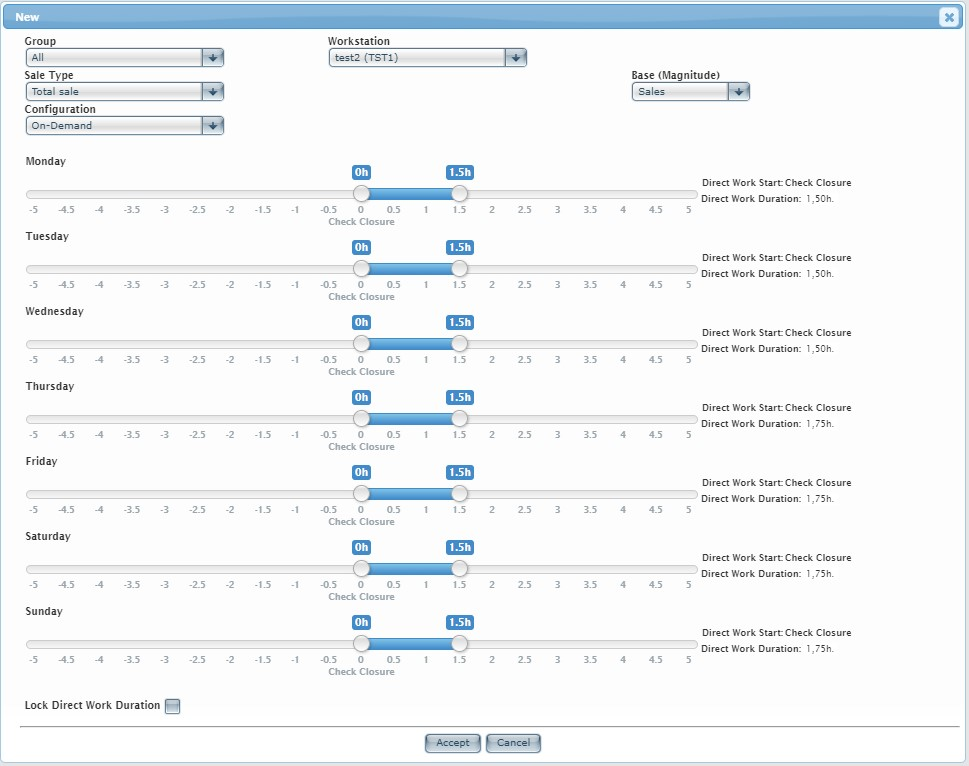
When starting the task of defining the direct work table by job positions, the system presents the following screen:
-
Define key values for:
- Group: Choose from possible job position groupings.
- Workstation: Select from the available job positions.
- Sales type: Choose between total sales across all channels or select a specific sales type.
- Base (Magnitude): Specify the foundation for direct work configuration.
-
Select one of two Configuration possibilities:
-
On-demand: Use when configuring demand during opening hours. Direct work duration defines how long an event (e.g., a customer or ticket) impacts a job position. For instance, in a typical restaurant, a waiter's direct work duration is around 1.5 hours, while a cook can finish a table in 0.5 hours. Set against the ticket's opening time, the temporal range can extend backward or forward.

-
During preparation periods: No need for a temporal ruler to define direct work duration. This is because we're specifying that an employee is needed (with a half-hour estimate) for direct work during a preparation period, performing work necessary for subsequent sales, counted as direct work. This job position might be specifically for preparation. This configuration requires defining preparation periods in the center's schedule.

-
Select Lock Direct Work Duration to prevent modifications to direct work duration on the shift screen.
As you record direct work estimates by workstations, you will see a summary screen showing each job position's group, sales type, basis, and duration of work (or preparation).