


Start from: The Workforce module.
- Select Workforce Management > Workforce 2.0 from the main menu.

- Select the Configuration button.
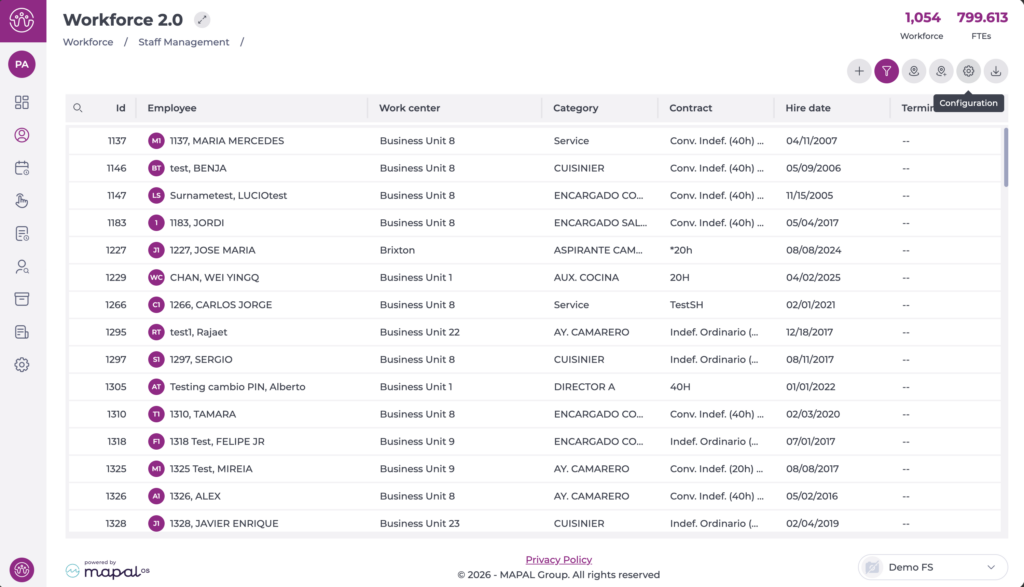
A new window will open on the right where you can make configuration changes:
- Select the eye button to hide or show specific information columns according to your needs. The open eye means the column is displayed, while the closed eye indicates the column is hidden.
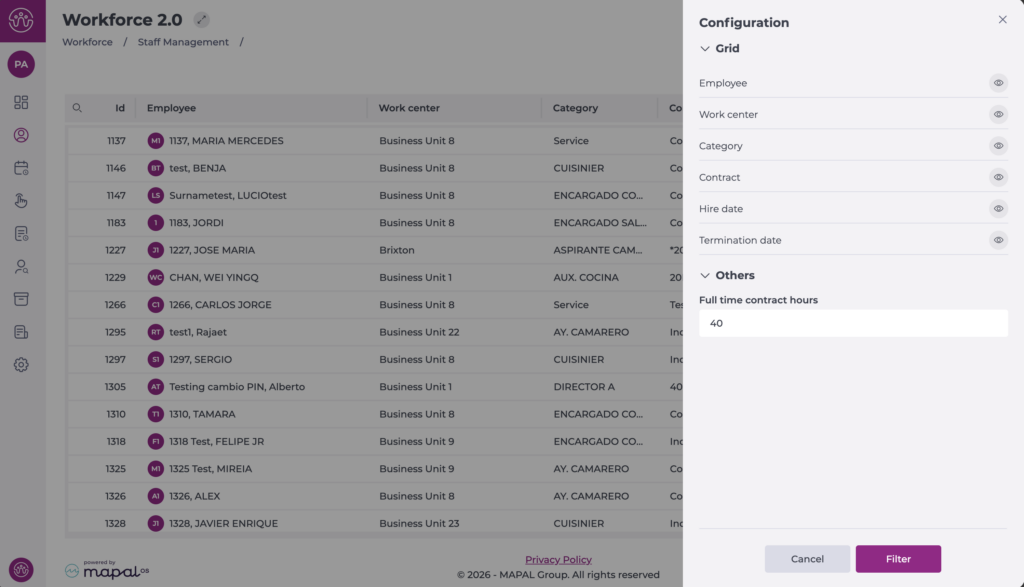
- It is also possible to configure full-time contract hours in the Other section. The value entered will determine the calculation displayed at the top of the dashboard as FTEs.

