


Start from: The Workforce module.
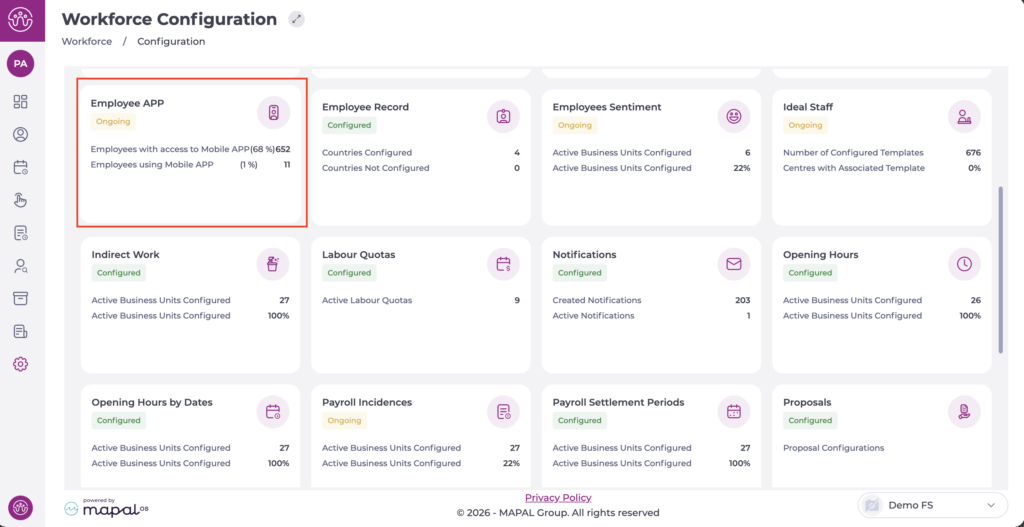
- Select Configuration > Employee App from the main menu.
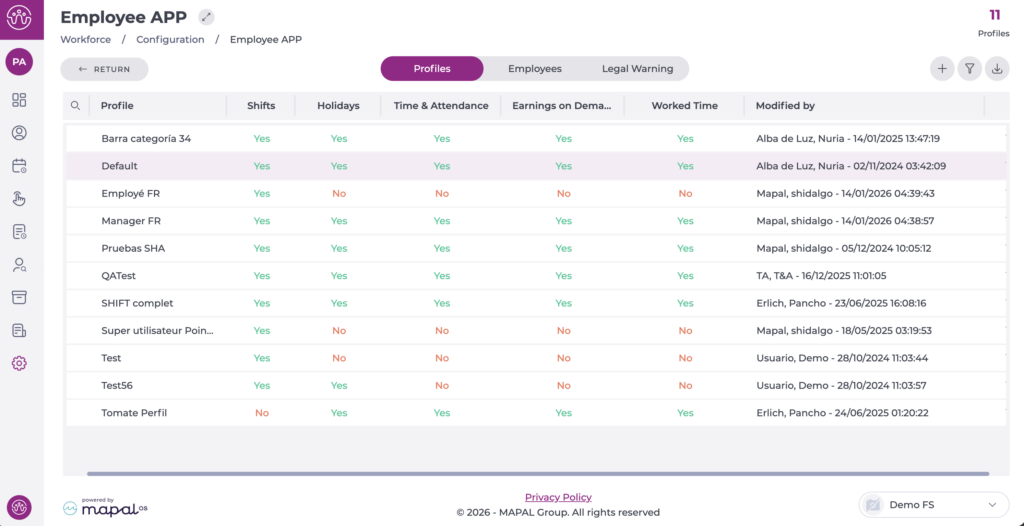
On the Profiles tab, you can see the list of profiles already created.
- Select the profile you want to edit.
In the pop-up window, begin editing the Labour compliance section by enabling the corresponding checkbox.
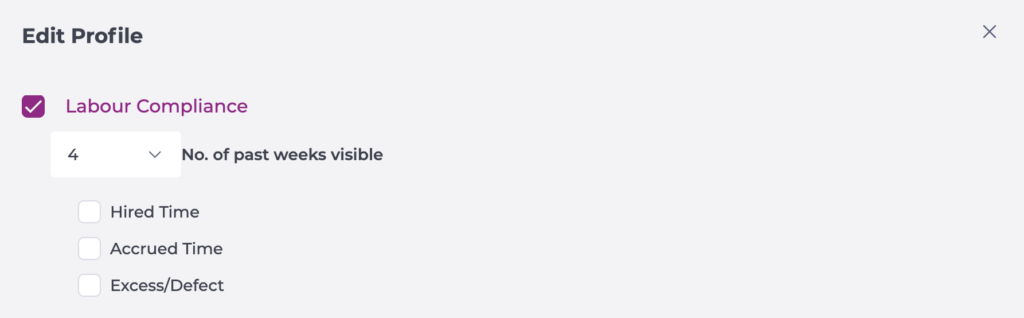
- Set the number of past weeks visible.
- Select the options Hired time, Accrued time and/or Excess/Defect, so that the hours in each case are visible according to the indicated reference period.
Select Accept to save the configuration you have defined OR Cancel to discard the changes.
