


Start from: The Workforce module.
- Navigate to Configuration > Employee App.
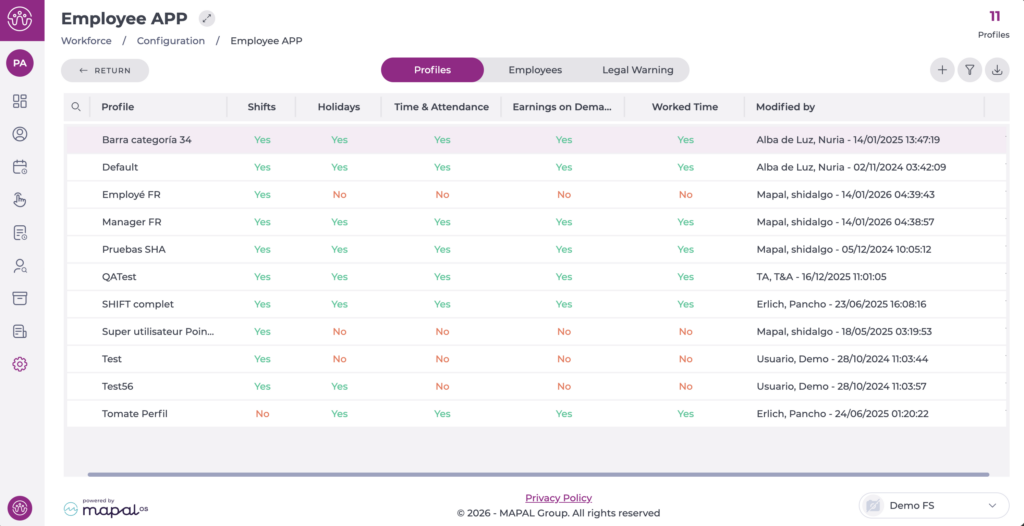
On the screen, you can see three tabs that allow you to view and adjust the configuration as needed.
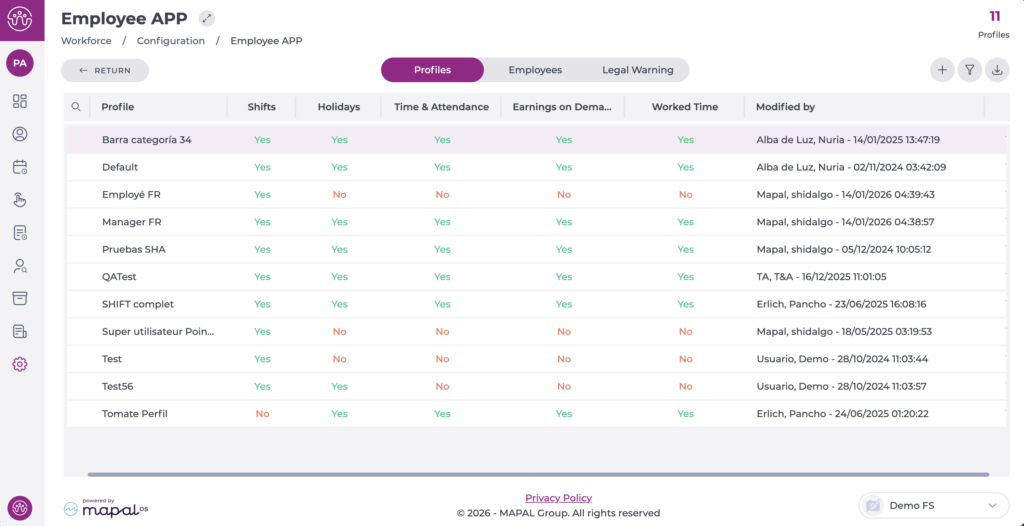
- Profiles: This tab lists all available profiles. From here, it is possible to modify the configuration of a profile as needed.
- Employees: This section is intended for assigning profiles to employees, either individually or in bulk. It also allows you to review the employee's legal acceptance dates upon first access to the app.
- Legal Warning: This tab is where you can specify the legal warning that employees must accept before using the app. This warning is editable and can be adjusted according to the needs and legal parameters that govern the company.
Filters are available on all tabs, along with the option to export the information in Excel or CSV format.

