


Start from: The Workforce module.
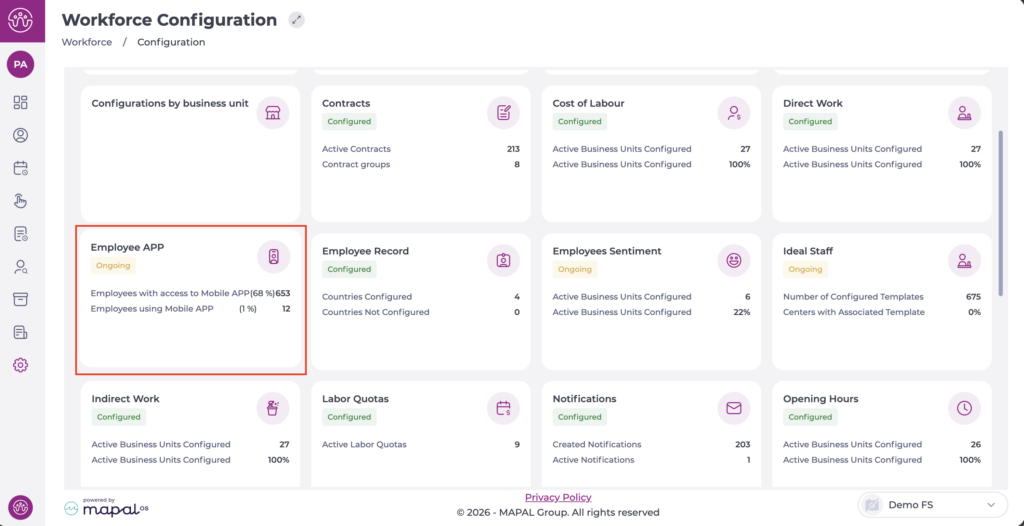
- Select Configuration > Employee APP from the main menu.
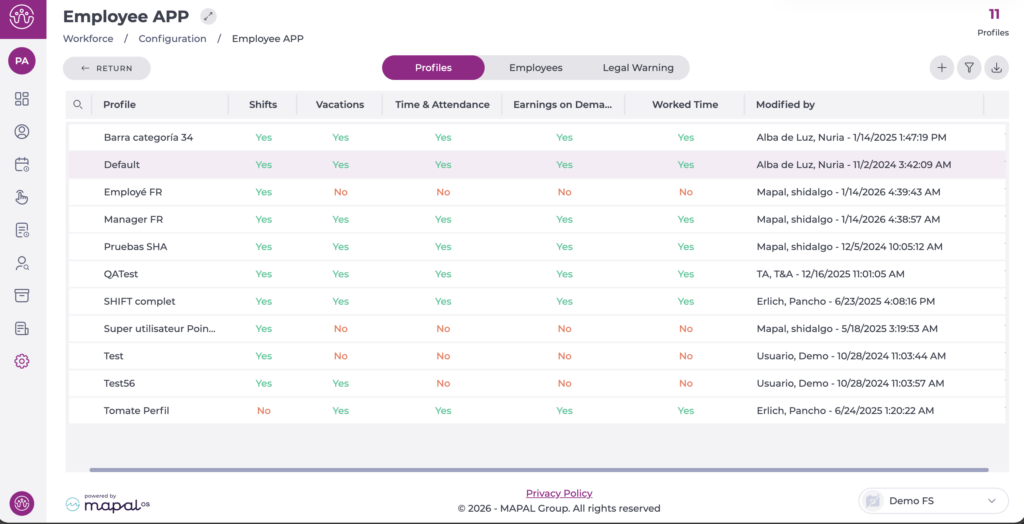
- Select the Profiles tab to view all created profiles.
- Select the profile to which you want to assign employee registration.
- Scroll down to the Time & Attendance section.
- In the Time Clock, select the corresponding option:
- Allow allocation of centre to employees.
- Allow employee record.
- Authorise sign in alerts.
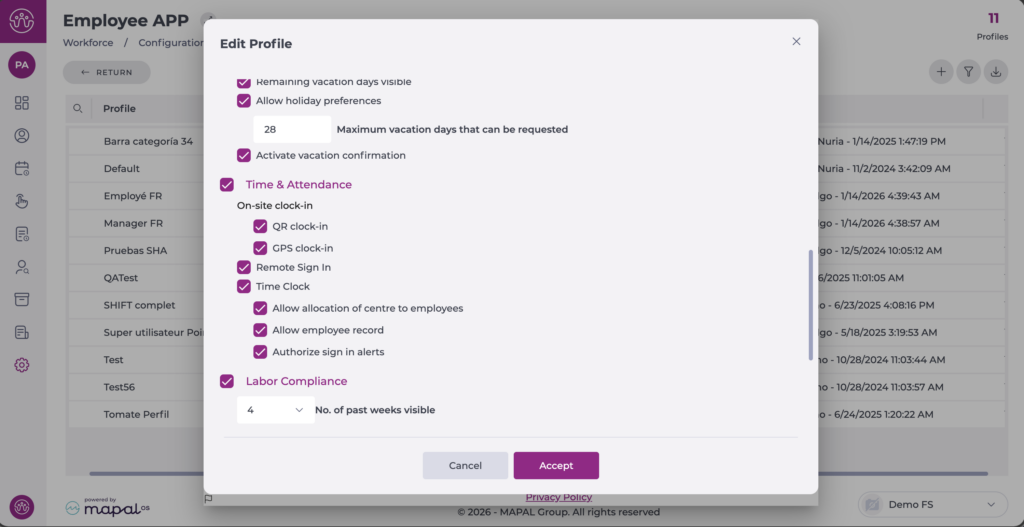
- Select Accept to save the changes or Cancel to discard them.
Note: Remember to assign the corresponding profile to users from the Employees tab. For more information, see Assign employee app profile.
