


Start from: SmartHub app.
Configure WiFi on the device
- Tap anywhere in the application to open the main menu.
- Select the menu in the top-left corner to open the options, then choose Settings.
- Enter the following credentials:
- Username: test1234
- Password: test1234
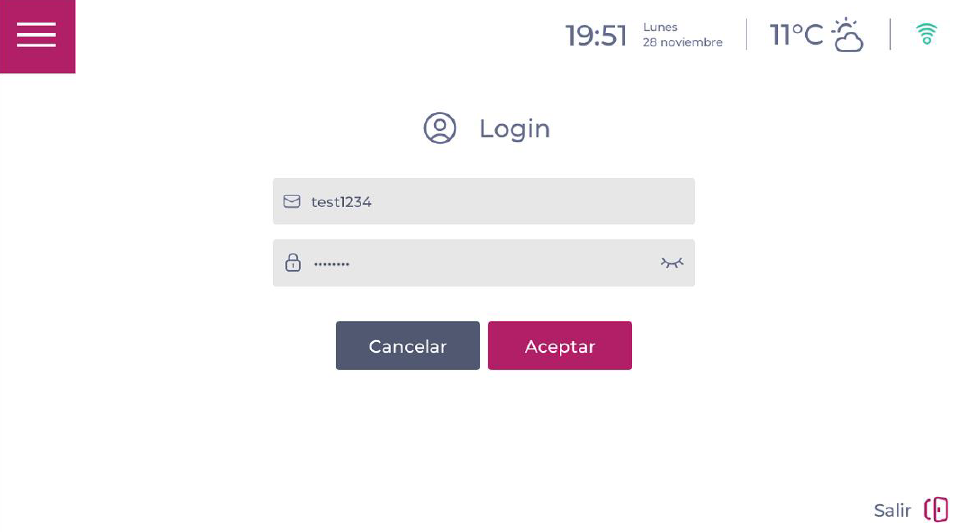
- Select OK and enable Android mode.
- Swipe from the bottom of the screen to the top to access Android apps and settings.
- Select Settings and go to Network & Internet.
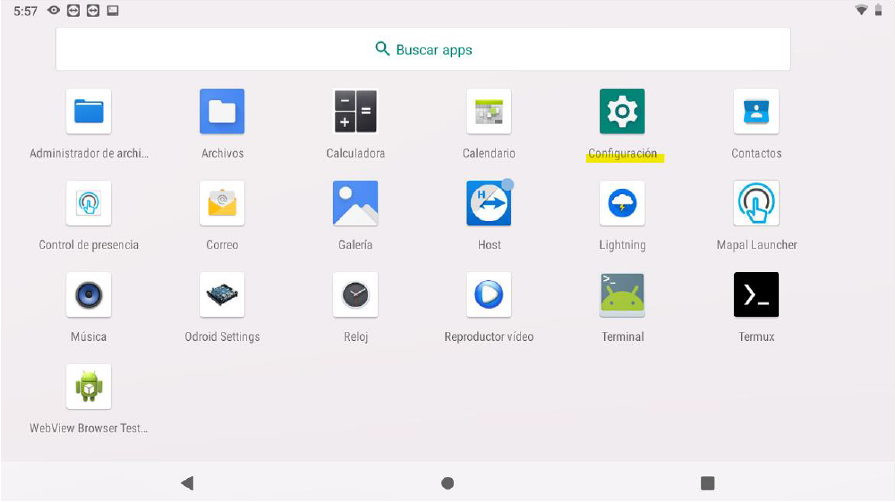
- Select WiFi and configure the network you want to connect the device to.
- Once connected to the internet, return to the Apps screen and select Time & Attendance to open the clock-in application.
Wired network configuration
To connect the device using a network cable, you must unscrew the rear wall-mount plate and connect the network cable.
