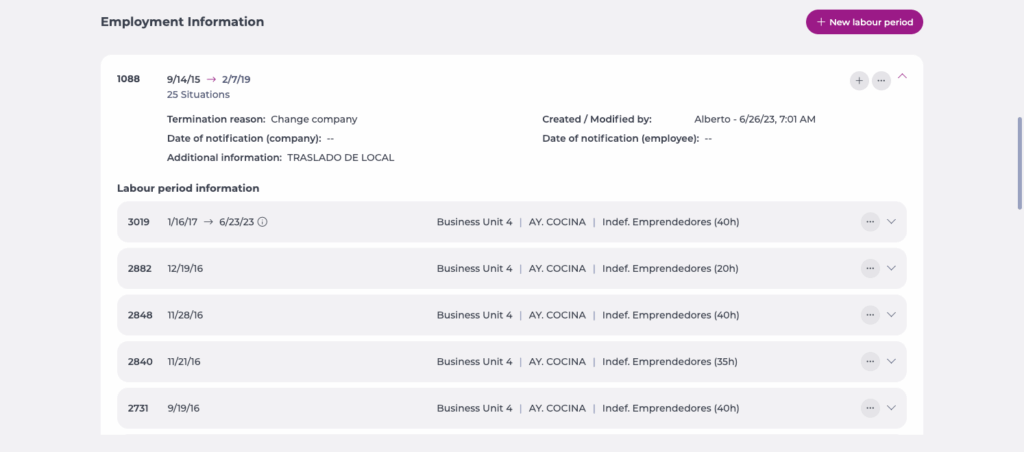
Start from: The Workforce module.
- Select Workforce Management > Workforce 2.0 from the main menu.
- Use the filters at the top of the screen to refine the employee list. For full filtering guidance, see Filter the employee grid.
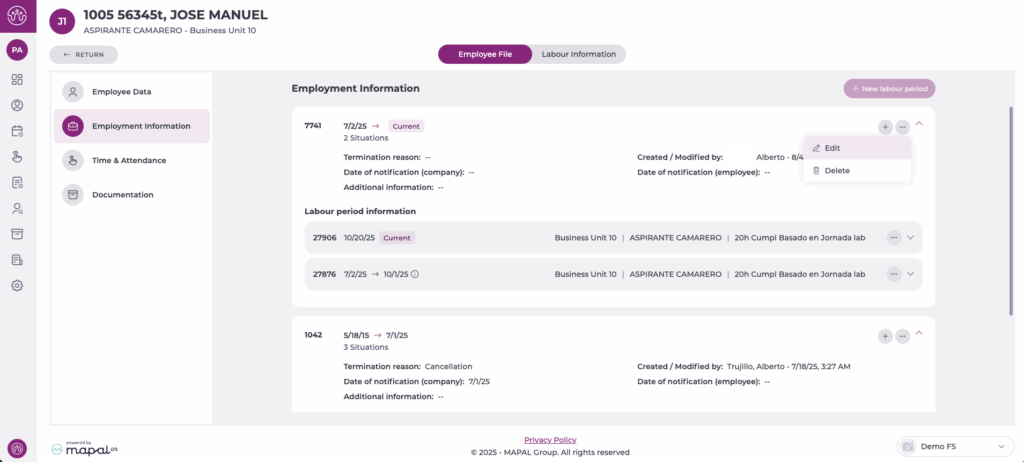
- Select the specific employee from the grid.
- Choose Employment Information from the left-hand menu.
- Select three dots menu next to the working period you want to update and select Edit.
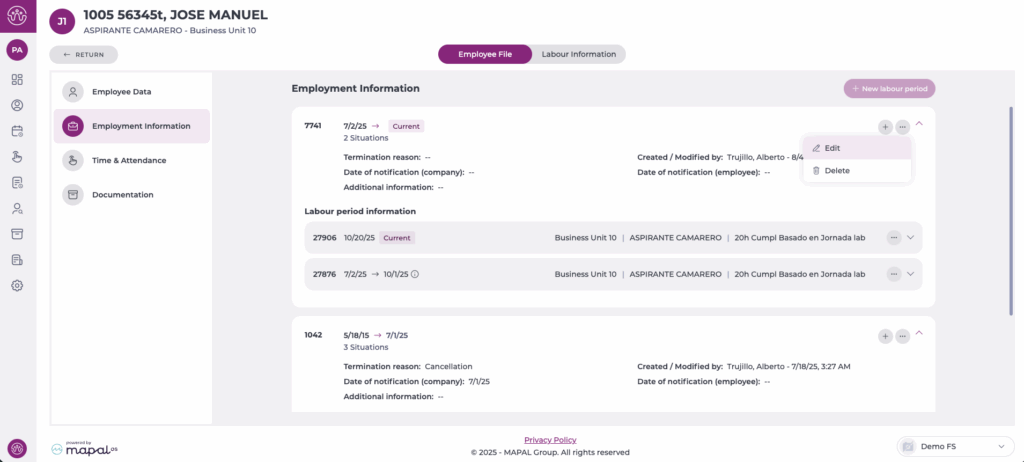
- The Edit working period box will appear. Fill in the following fields:
- Termination date: the effective date on which the employee’s employment ends. This is the last day the employee will be available to work.
- Termination reason : select the applicable reason from the dropdown list. Available reasons are:
- Cancellation: the contract is cancelled before the employee formally starts work.
- Change Company: the employee moves to another legal company within the organisation.
- Dismissal From: the employee is dismissed by a previous or transferring entity, often in subrogation scenarios.
- Dismissal Telegram: the employer communicates the dismissal through an official written notice such as a telegram.
- Employee Resignation: the employee voluntarily resigns with appropriate notice.
- Employee Resignation Without Notice: the employee resigns immediately without giving prior notice.
- Employer Dismissal: the employer terminates the employee for performance, behaviour, or organisational reasons.
- Employer Dismissal Within Probation Period: the employer ends the contract during the initial probation period.
- End of the Contract by the Company: the company ends or does not renew a temporary or fixed-term contract.
- Exhaustion IT: the employee’s employment ends after exhausting temporary incapacity benefits.
- Leave of Absence: the employee enters a long-term leave that ends their active employment status.
- Low Fixed Discontinuous: the fixed-discontinuous (seasonal or intermittent) contract comes to an end.
- New Contract: the current contract ends because a new one will start immediately afterward.
- Not Overcoming Period Test Employee: the employee does not successfully pass the trial or test period.
- Permanent Disability: employment ends because the employee has been declared permanently unable to work.
- Retirement: the employment ends because the employee retires either voluntarily or by reaching retirement age.
- Subrogation: the employee legally transfers to another company due to a subrogation process.
- Worker Death: employment ends due to the employee’s death.
- Date of notification (company): the date on which the company formally notified the employee.
- Date of notification (employee): the date on which the employee formally notified the company.
- Additional information: any extra details related to the termination.
- Select Accept to confirm, or Cancel to exit without saving.
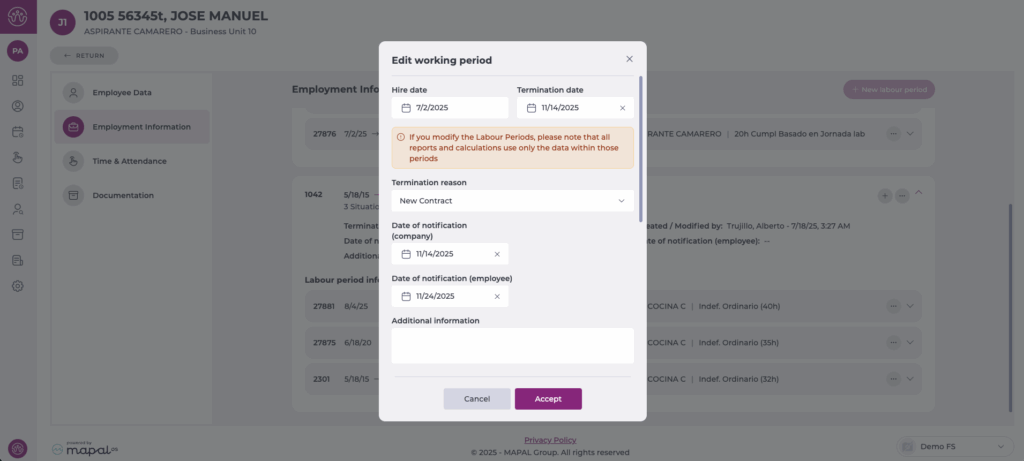
After saving the changes, the employment information panel shows the termination details for the employee.