


Start from: The Configuration module.
Assign Business Units through Mapal OS
For companies in Mapal OS, you must manage access to the centers in the Mapal OS Settings module.
- Select Settings > Center Management > Centers from the main menu
- Select the center you want to manage > Users.
- Here you can add the user you want to grant access to.
Note: if you're not sure whether you are on Mapal OS, contact your customer success manager.
Assign Business Units through GIR
- Select Users > Assign Business Units from the main menu.
- Find the relevant Business Unit on the list and select Users to open the Users panel.
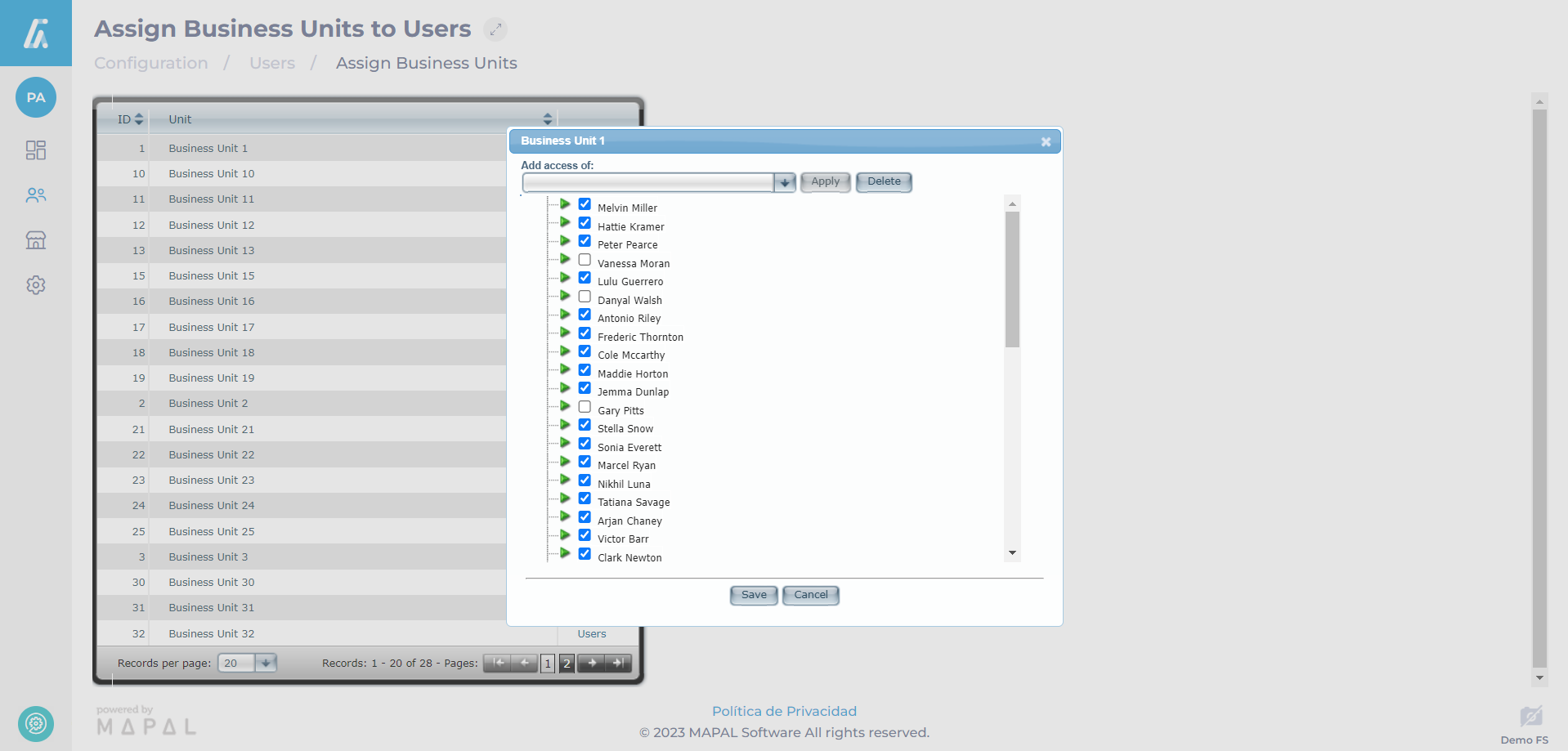
- Check the boxes for each User’s name you want to assign this business unit to.
Note: You can add all of an existing business unit’s users to the current selection by using the Add access of dropdown menu at the top of the list. Select the Business Unit you want to match and select Apply. This will check all the boxes for the users assigned to that existing business unit.
- Select Save to save all changes and return to the Assign Business Units page OR select Cancel to discard the changes and return to the Assign Business Units page.
Note: All assigned users for each business unit can be edited here, so checking or unchecking Users from this list will assign those Users to, or remove them from the selected business unit.
The selected users have been assigned to the business unit, granting them access according to the role assigned to each user.
