


Algunas empresas eligen renombrar 'evaluaciones' a algo que funcione mejor para su empresa. Si Evaluaciones es parte de tu paquete y tienes problemas para localizarlo en tu sistema, contacta con tu Customer Success Manager de Mapal.
Empieza desde: un formulario de evaluación nuevo.
Ajustes de aprobación
Los ajustes de aprobación se encuentran en el Paso 1 de la página de Editar evaluación.
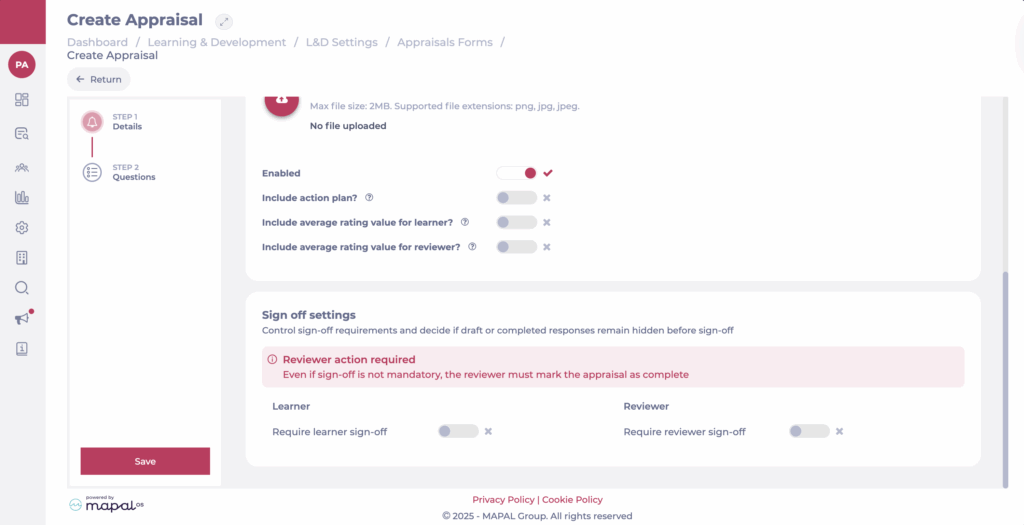
La configuración de aprobación controla quién necesita aprobar una evaluación y decide si las respuestas en borrador o completadas permanecen ocultas antes de la aprobación.
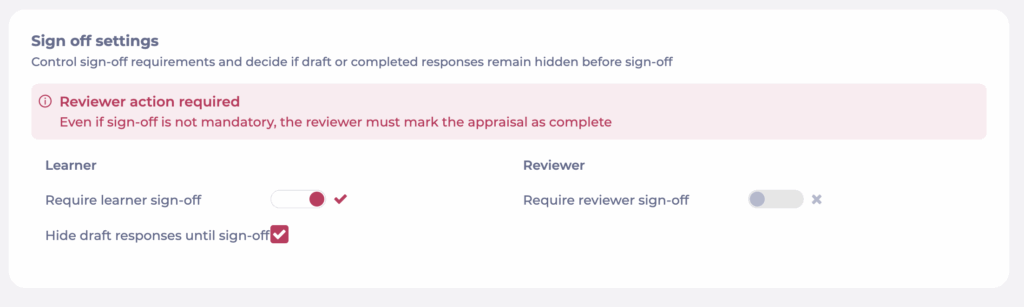
Alumno
- Requerir aprobación del alumno: Activa si el alumno debe aprobar formalmente su evaluación.
- Ocultar respuestas en borrador hasta la aprobación: Cuando está habilitado, el revisor solo verá las respuestas del alumno después de que el alumno apruebe.
Revisor
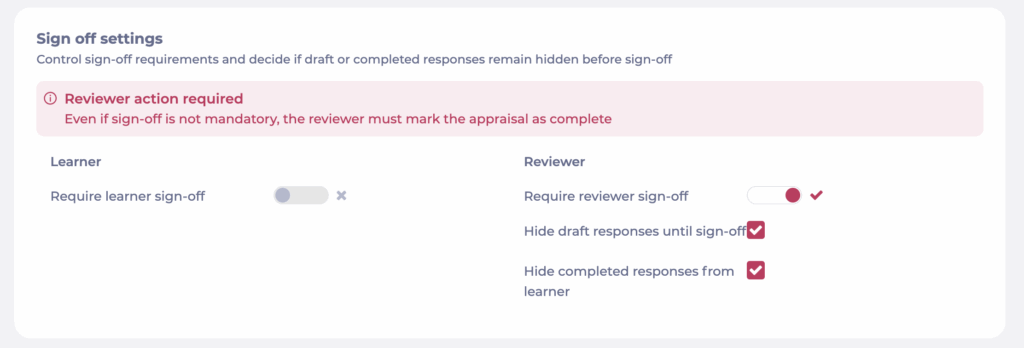
- Requerir aprobación del revisor: Activa si el revisor debe aprobar la evaluación antes de que se marque como completada.
- Ocultar respuestas completadas del alumno: Las respuestas del revisor permanecen ocultas para el alumno, incluso después de la aprobación.
- Ocultar respuestas en borrador hasta la aprobación: Cuando está habilitado, el alumno solo verá las respuestas del revisor después de que haya aprobado.
Elegir los ajustes correctos
- Usa sin aprobación requerida para evaluaciones ligeras donde las respuestas pueden compartirse abiertamente.
- Usa aprobación del alumno requerida cuando quieras que los alumnos confirmen su aportación antes de compartirla con su responsable.
- Usa aprobación del revisor requerida cuando la validación final por parte del responsable sea esencial.
Observaciones: Incluso si la aprobación no es obligatoria, el revisor siempre debe marcar la evaluación como completada.
- Combina ambos interruptores para aprobación dual completa cuando se requiera responsabilidad de ambas partes.
Observaciones: Cuando se habilita la firma dual completa (requerida tanto para el alumno como para el revisor), las respuestas en borrador no serán visibles para ninguna de las partes hasta que hayan firmado.
