


Start from: The Easilys menu.
- Select Supplier Orders > Supplier Invoices.
- Select the invoice with the Validated status for which you want to indicate its payment status.
- In the General tab, click the Partially paid or Paid button.
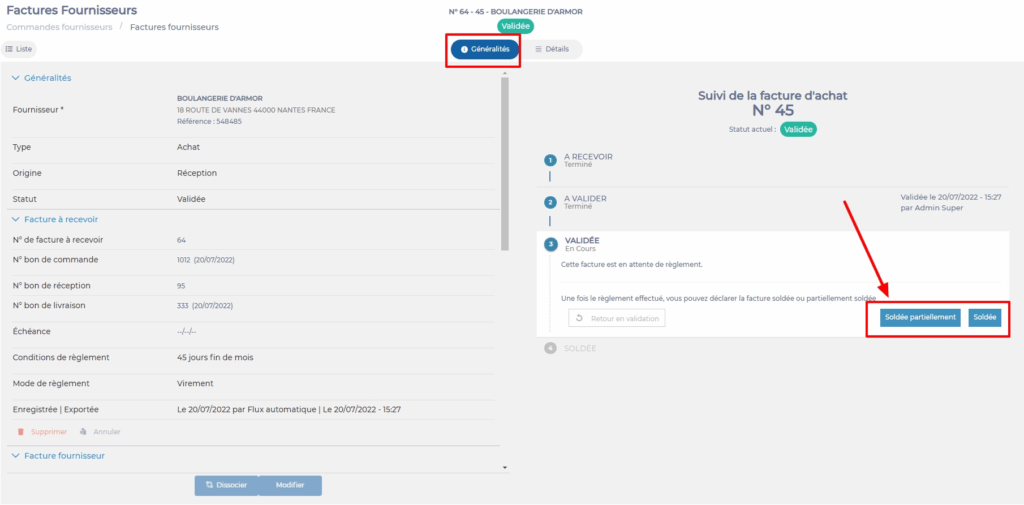
Note: When an invoice changes to Partially paid status, it will be possible to select Paid once the payment is completed.
Note: Consider the Comments section available in the General tab of the invoice to possibly enter the reasons for partial payment and maintain a more precise tracking history.
