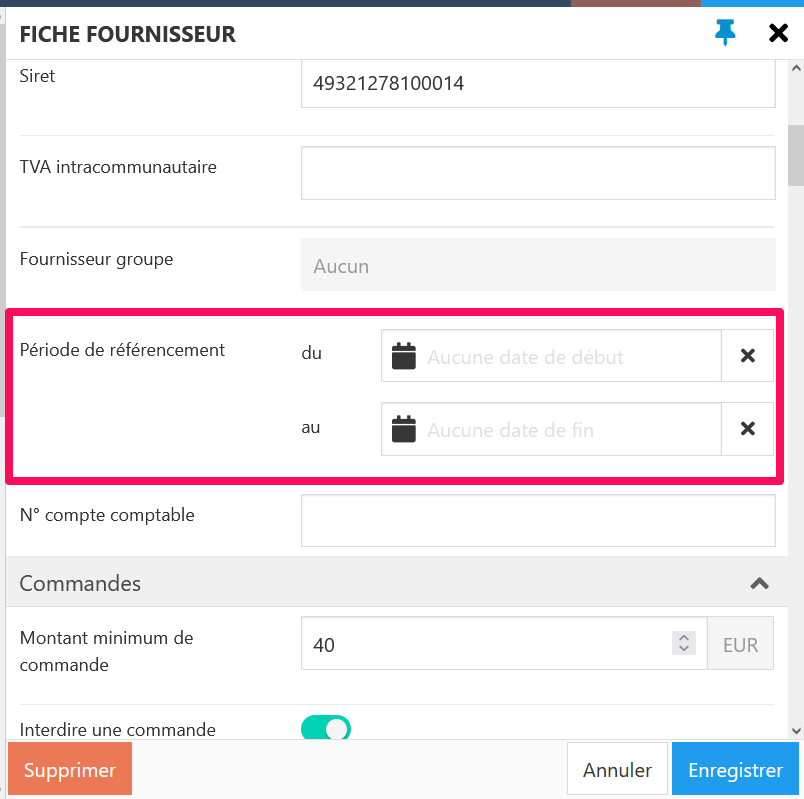
Start from: The Easilys menu
When using this option, the supplier will also no longer be active in the rest of the application. It will therefore no longer be possible to place orders with the supplier even if their price lists are still active.
Modify the referencing period
It is entirely possible to modify the referencing period even once the end date has passed in order to be able to order from the supplier again. To do this:
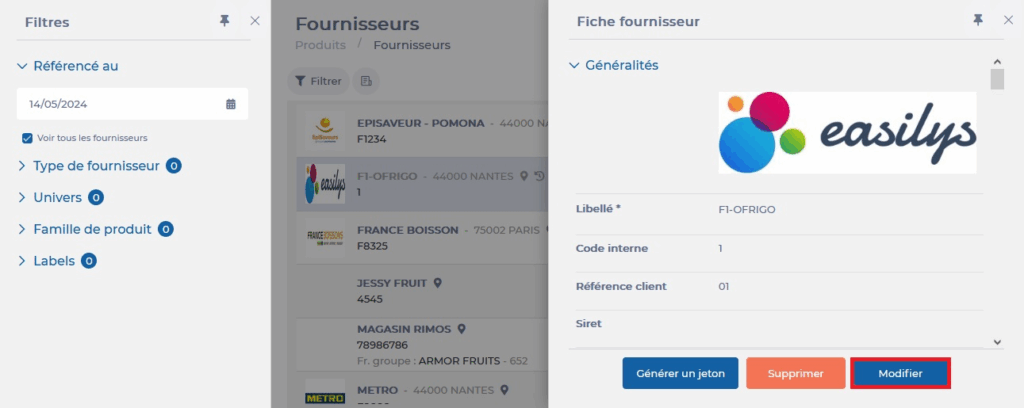
- Select the tabs Products > Suppliers.
- Check the "View all suppliers" filter.
- Select the grayed-out supplier record.

- Select Modify.
- In the "Referencing period" section, modify the dates then select Save.