


Note: you must create your training structures before you add your job titles.
Start from: The Flow Learning dashboard.
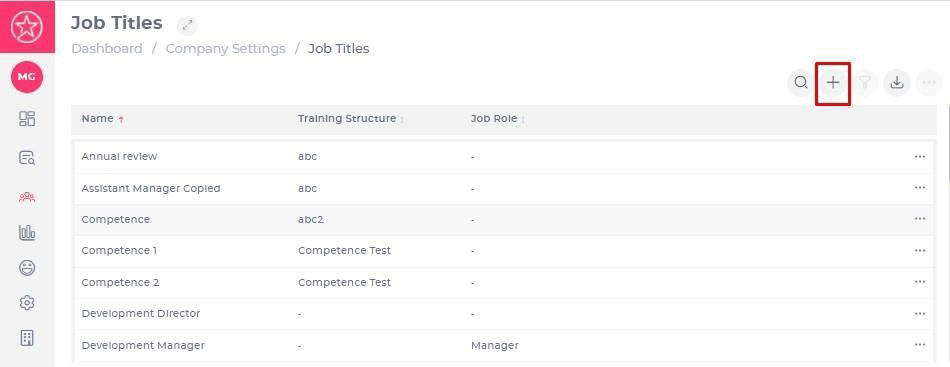
- Navigate to Company > Job Titles.
Adding a Job Title
- Select Add at the top right-hand corner of the page.
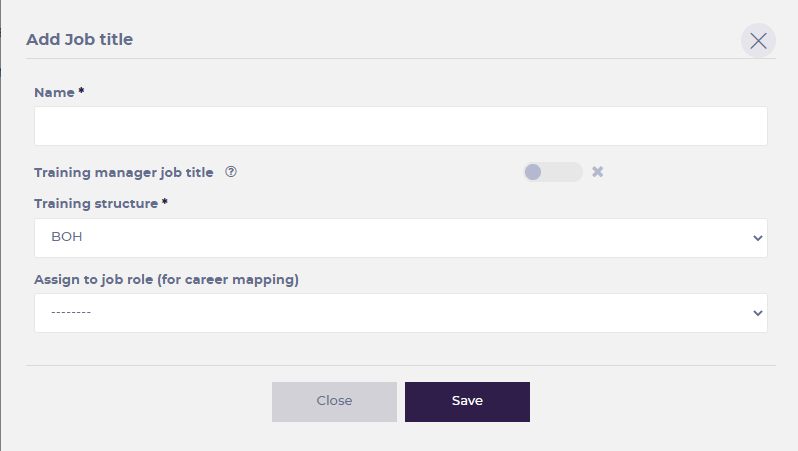
- Enter the following details.
- Name (mandatory) – what your job title is.
- Training manager job title – is this job title associated with a TM? If this option is selected, every single person added to the system with this job title will automatically be made a Training Manager as well as a Learner.
- Training structure (mandatory) – which training structure you want this assigned to.
- Assign to job role – this is linked to the career mapping functionality in our LXP package.
- Select Save to confirm your changes.
Editing job titles
You can also edit existing Job Titles by clicking the name of the job title. Here you can change all fields.
Training Manager job titles
For companies using Mapal OS as the source of truth, Training Manager job titles are configured directly in Mapal OS to ensure data consistency across all systems.
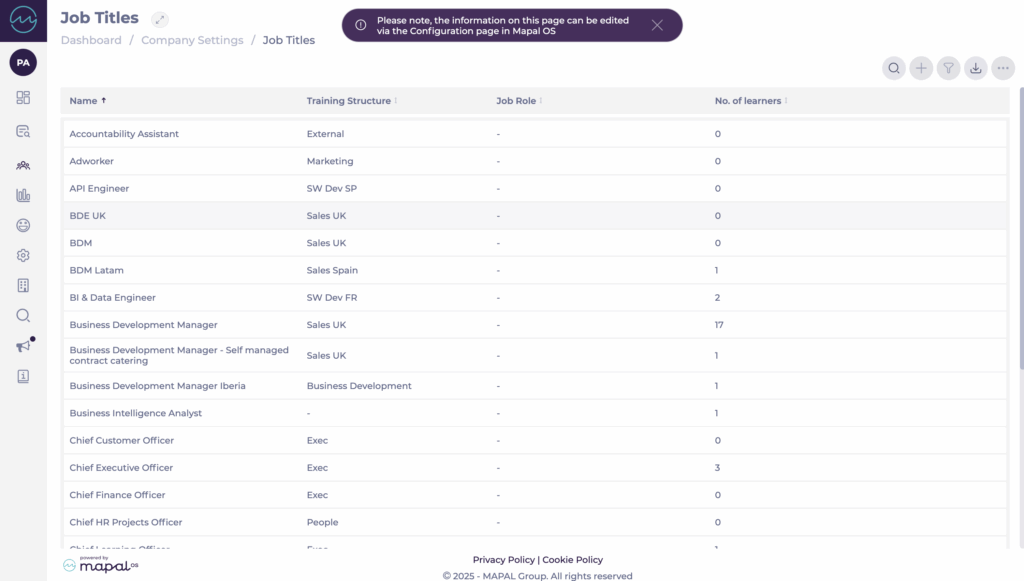
In these cases, the Training Manager Job Titles tile located at Company > User Settings in Flow is read-only. This means changes to Training Manager job titles must be made in Mapal OS, and edits made in Flow will not sync back.
If your company’s setup does not use Mapal OS as the source of truth, you can continue managing Training Manager job titles in Flow as usual.
To learn more about how to configure job titles in Mapal OS, see Manage job titles in Mapal OS.
