


Start from: The Workforce module.
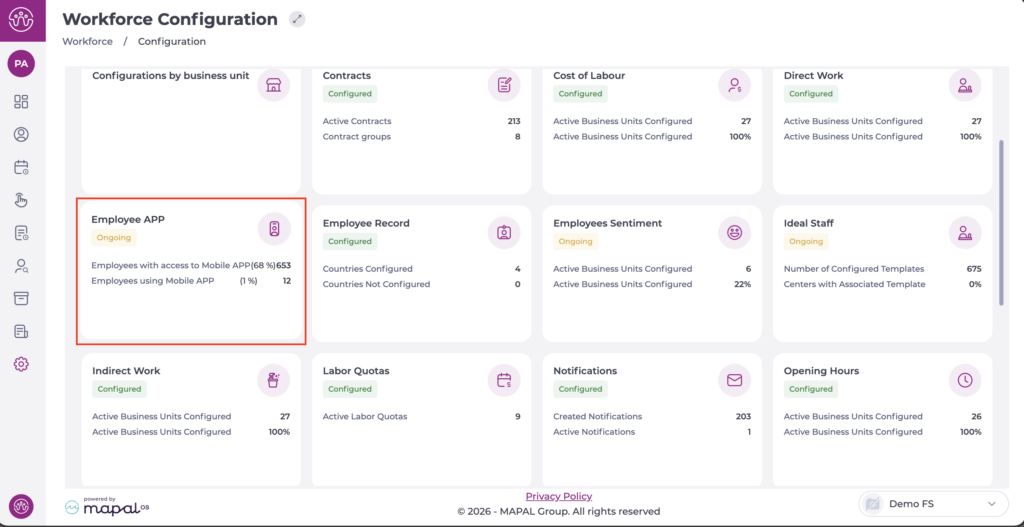
- Select Configuration > Employee APP from the main menu.
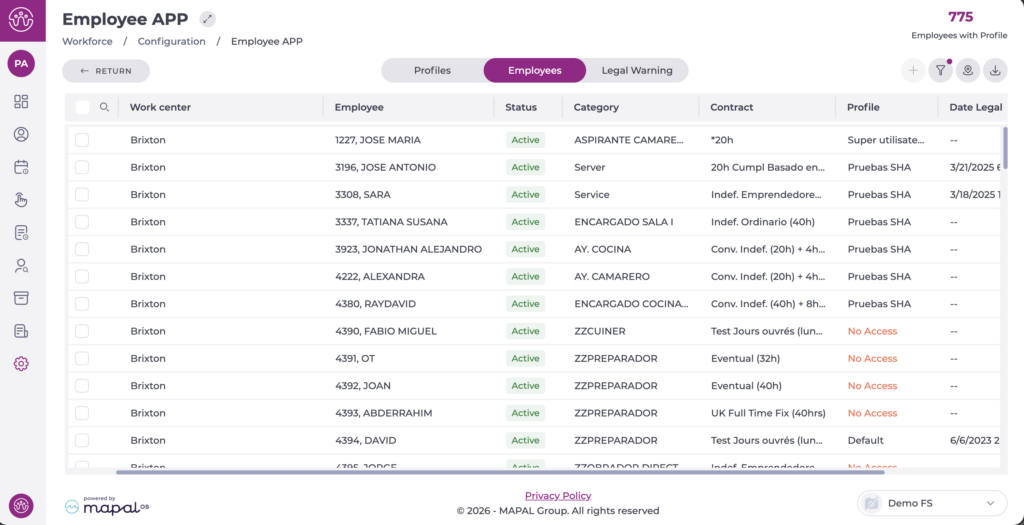
- Select the Employees tab to view a list of all employees.
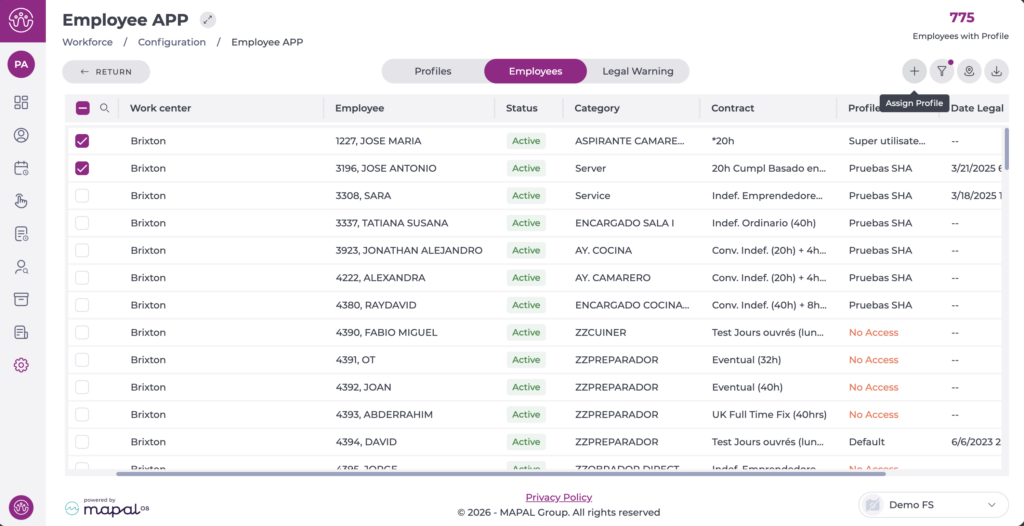
- Select the checkbox of the employee or employees to whom you want to assign a profile. You can filter to narrow your search.
Note: You can select more than one employee to perform a bulk action.
- Select the + icon to open the Assign profile window.
- Choose from the dropdown list the application profile you want to assign to the selected employee(s).
- Select Accept to finalise the action or Cancel to discard it.
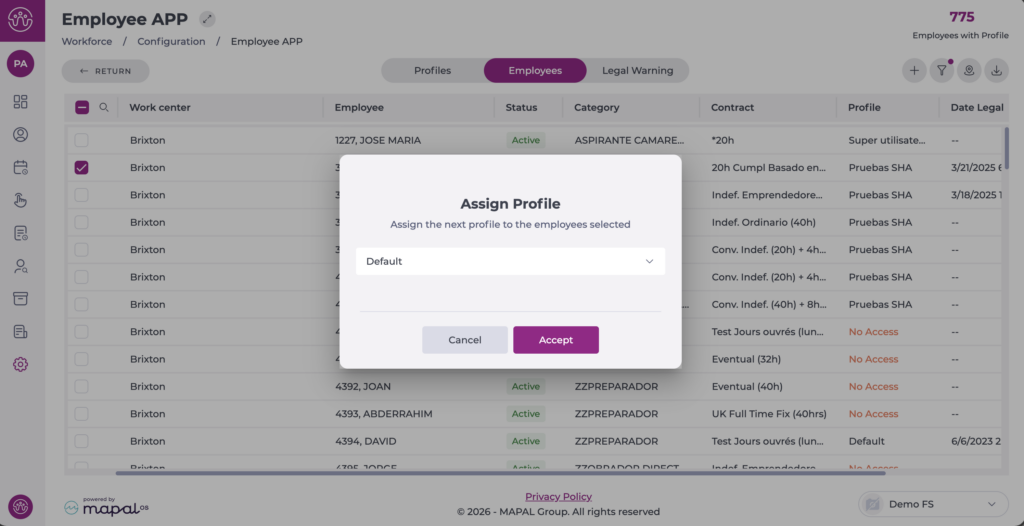
The Employee's new profile will be updated immediately when you save the change.
Note: Employees who do not have an email address in their Personal profile will not be able to access the mobile application. The email address is mandatory as the User login for the application.
