


Start from: The Easilys menu.
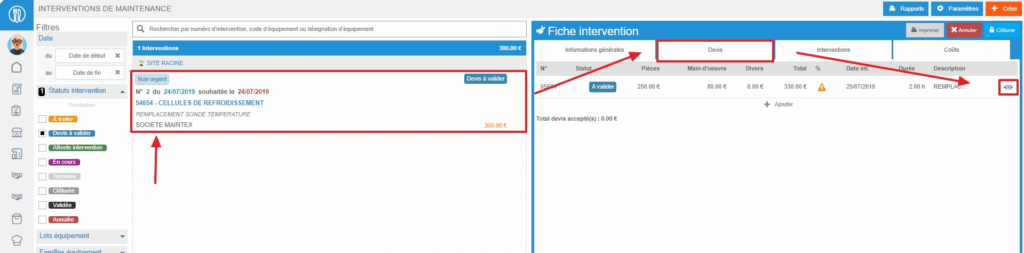
- Select the Equipment > Interventions tabs.
- Select the work order.
- Select the small eye-shaped icon, on the right in the table at the top of the "Quotes" tab, to view the quote sheet.
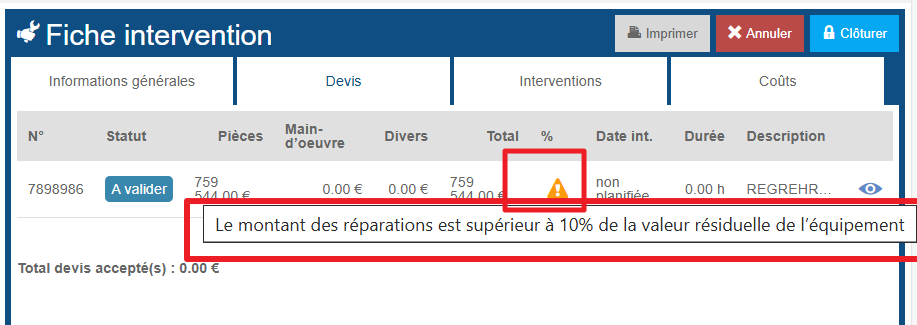
Important to know: If an orange warning triangle is visible on the quote line, it means that the quote amount is higher than the threshold defined on the equipment record. When you hover over the triangle, a message will display the percentage set for this threshold.
- Select Reject or Accept at the bottom right of the quote sheet.
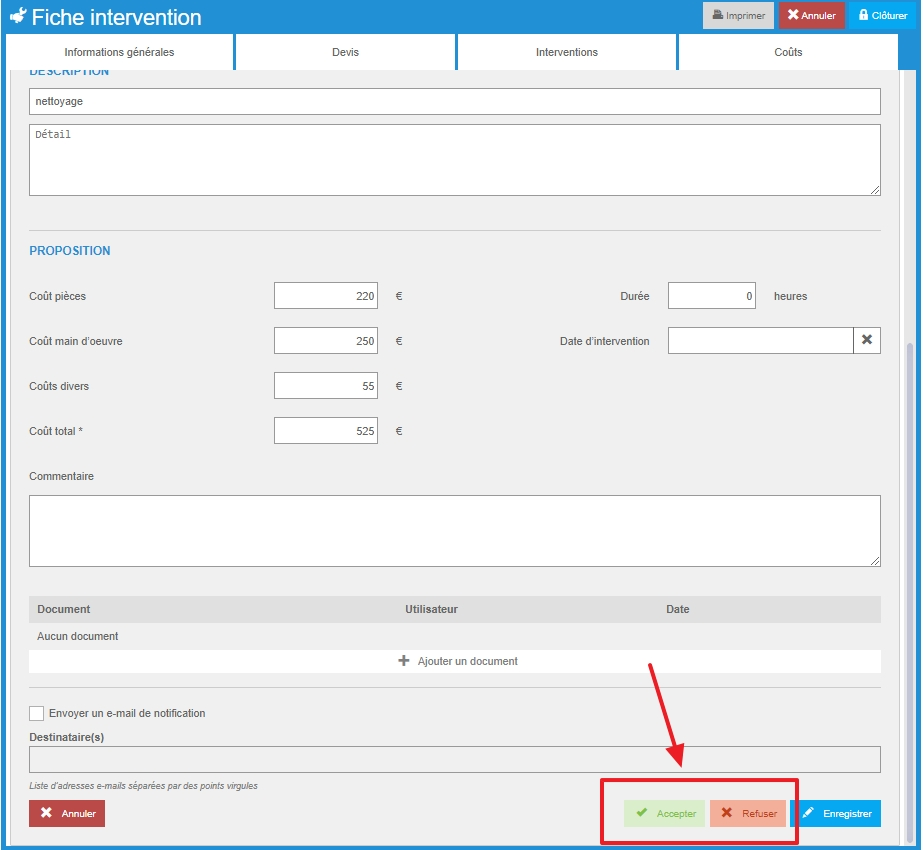
Note that you may not be able to "Accept" or "Reject" a quote if you do not have validation rights or if the amount of the quote exceeds the set limit.
If you reject a quote, you can add a comment to explain the reasons for the rejection. Your maintainer can then propose another quote.
The work order will change to status "Awaiting intervention" as soon as a quote is accepted.
