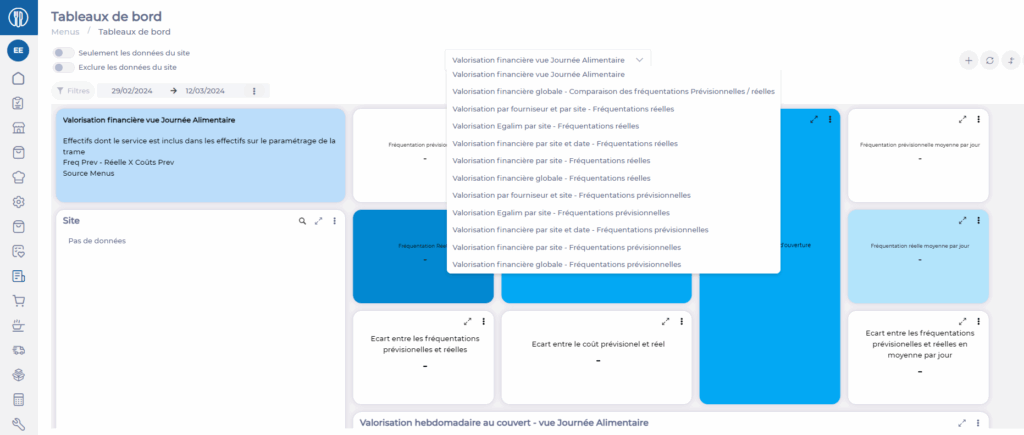
Start from: The Easilys menu.
The business metrics available on menu templates allow you to monitor the profitability of the proposed menus by quickly getting a preview of revenue and projected and/or actual margins.
You can access these business metrics by using the Metrics button or the Detailed business metrics mode as well as Detailed metrics by recipe, which provide a more detailed table of metrics than the one available directly on the menu template.
Prerequisites for viewing business metrics
1. Set the target selling price (PVC), target cost price (PRC), or target gross margin (MBC) via financial administration
- Select the Menus > Menus tabs.

- Go to a menu template with a "By recipe" sales mode on which you want to set up financial administration.
- Select Mode then Financial administration.
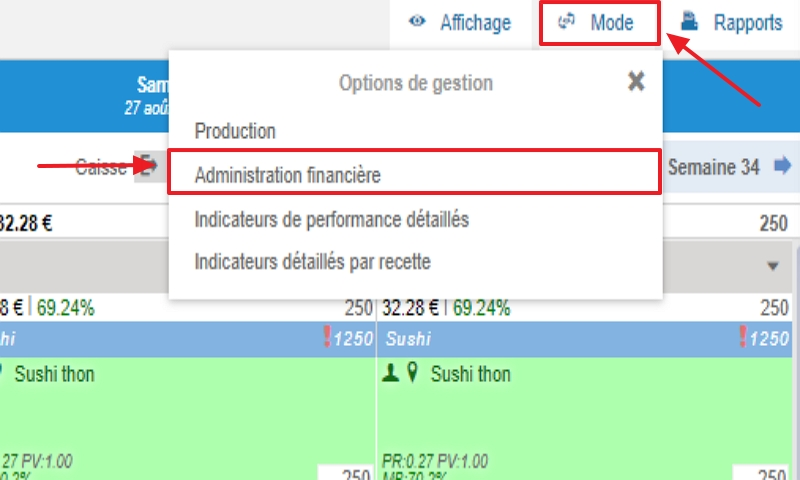
- Choose the editing mode:
Material cost: You will then need to complete the PVC and PRC in the table.
Gross margin: You will then need to complete the PVC and MBC.

- Complete the table by entering the target selling price (PVC), target cost price (PRC), or target gross margin (MBC) for the food day and/or service and/or meal item as needed for your level of detail.

- Once finished, you can return to the menus by selecting Mode then Production.

2. Forecasted and/or actual headcounts must be entered on the menus.
See the article Complete the forecasted and/or actual headcounts for a menu to learn more.
3. Recipes on the menus must have a selling price.
See the article Manage recipe selling prices to learn more.
Viewing the metrics
- Select the Menus > Menus tabs.
- Go to a menu template with a "By recipe" sales mode.
- To check the sales mode, select the menu template, select the cogwheels, then select Edit the selected menu template.


Note: If a menu template is in "None" or "By meal" sales mode, the application will not be able to calculate revenue and margin.
- To view the business metrics table, select Metrics.

- You can select the period you want to view by entering a start and end date.
- You can view the performance of all your menu templates combined by checking the Visibility box.
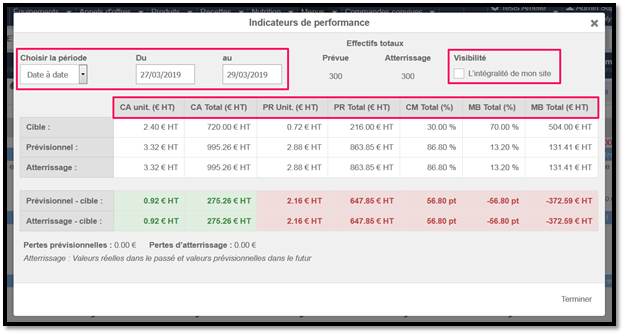
CA: Revenue
PR: Cost price
CM: Material cost
MB: Gross margin
The calculations in the TARGET row are based on the figures entered in the financial administration screen.
The calculations in the FORECAST row are based on the recipe selling prices and the forecasted headcounts for the meals and recipes in the menu.
The calculations in the ACTUAL row are based on the recipe selling prices and the actual headcounts for the meals and recipes in the menu.
To obtain forecasted losses and/or landing losses and/or actual losses, you must enter the Average loss rate in the My budgets screen.
- For more detailed tables, select Mode. Choose the Detailed business metrics mode or Detailed metrics by recipe.

- To return to the menus after viewing the metrics, select Mode then Production.

Note: There are other business metrics for menus available in MENU > DASHBOARDS.