


Note: Every action within the application is subject to user permissions. If you are unable to perform the actions described in the articles you are consulting, it may be because the required permissions are not enabled for your user profile. Contact the Support team or your administrator for more information.
Start from: The Easilys menu.
You may have manually linked an isolated FAR to an isolated FF. If this link was made in error, you can unlink them. Note that it is not possible to unlink a FAR from an FF if their association did not result from a manual link. A FAR and an FF can be linked without going through manual association if you enter the FF directly from an already generated invoice by adding the FF number in the General tab.
- Select Supplier Orders > Supplier Invoices.
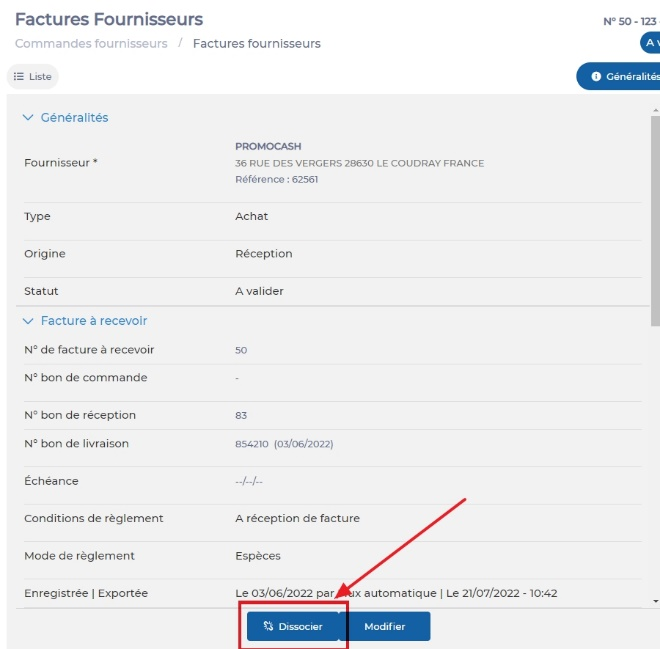
- Select the invoice resulting from the association of a FAR and an FF.
- Select Disassociate, visible at the bottom left of the General tab of the invoice.
The FAR and the FF are now separated.
