


Note: Actions performed on the Easilys platform are subject to user access permissions. If you are unable to carry out the actions described in the articles, it may be because you do not have the necessary permissions activated on your user profile. Contact the Support team, or your administrator, for help.
Start from: Supplier orders > Supplier orders
Open the comparison
- Select the order basket to compare. The Order details window opens.
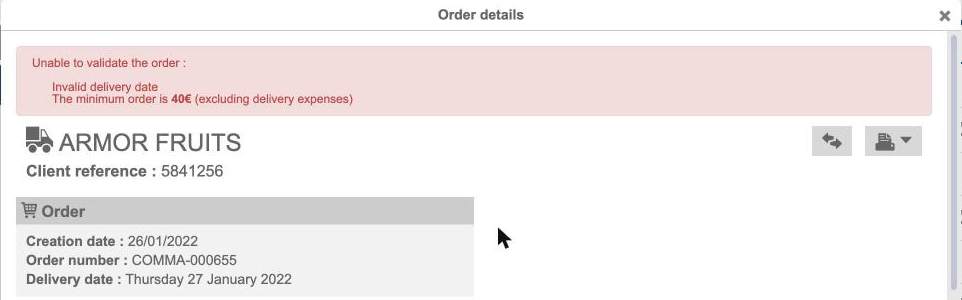
- Select the Compare icon, to the left of the report print button. The Order comparison window opens.

- Select the supplier to compare with the basket of the supplier shown on the left. The comparison is displayed.
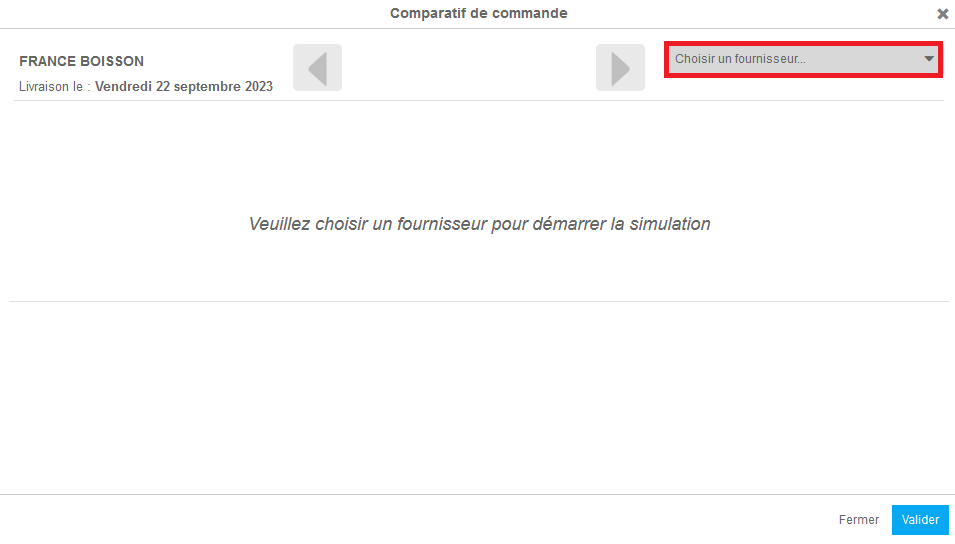
Note: You can change the delivery date for Supplier B.

Read the comparison
- The left column shows the supplier products available from Supplier A.
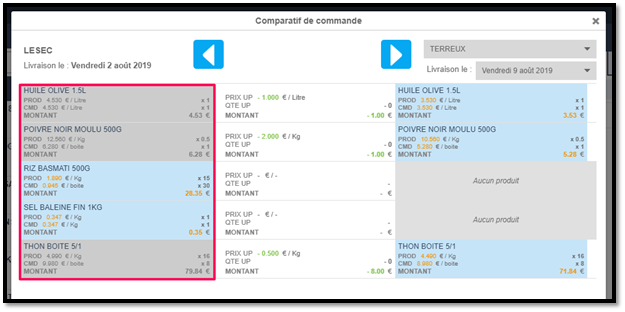
- The right column shows the supplier products available from Supplier B.
Note: If a product isn't available from Supplier B, No product is displayed.

- The middle column shows the differences in price, quantity and amount depending on the supplier product chosen.

Note: By default, the cheapest supplier product is selected, from Supplier A or Supplier B.
Choose the products
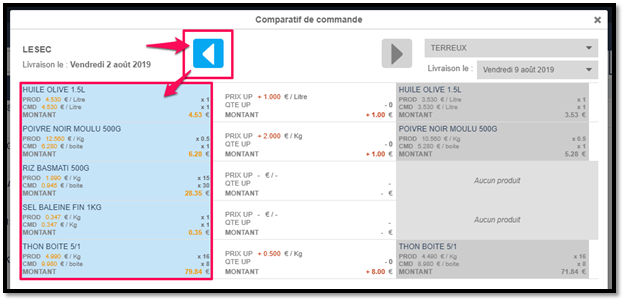
- Select a supplier product to choose it: it turns blue and the other supplier's product is greyed out.
- To choose all the supplier products available from a supplier at once, select the blue arrow.
Check the amounts
- Subtotals and totals take into account the selected supplier products (in blue) and each supplier's delivery costs.

- The initial amount of the basket in preparation is shown for reference.

- The total amount after your selection is shown, including delivery costs for both suppliers.

- The differences between the initial order and the new one are shown.

Validate the comparison
- To place the orders as they appear in the comparison, select Validate.
Supplier A's basket is updated automatically so that it only contains the supplier products selected in its column. A new basket is created for Supplier B with the supplier products selected in its column, on the delivery date chosen in the comparison.
