Start from: The Easilys menu.
- Select Equipment > Interventions.
- Select the intervention record.
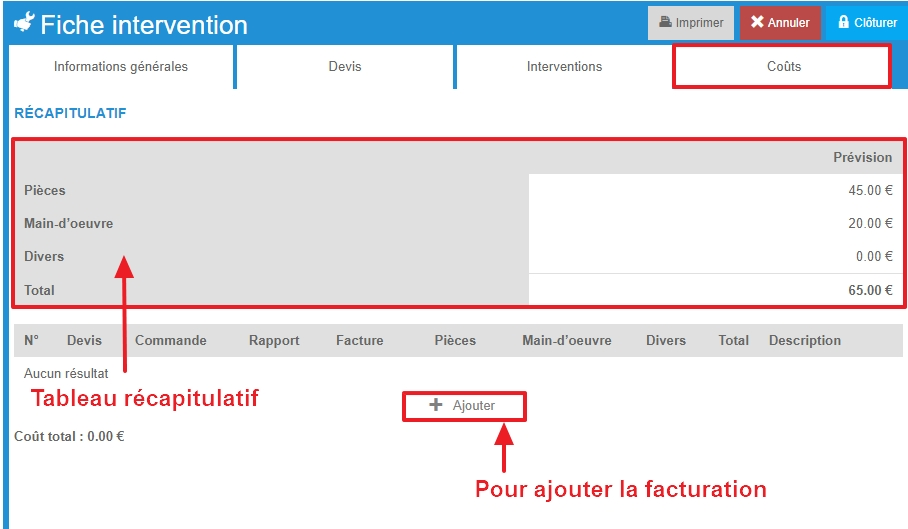
- Go to the "Costs" tab of the intervention record.
The table summarizes the projected and actual costs according to the elements that have been entered throughout the management of the intervention.
- Select + Add to add a billing record.
The blank "Costs" record is displayed on the screen.
- Complete the requested information. Those followed by an asterisk are mandatory.
- Select Save to validate the addition of the costs record.