Starting from: The Easilys menu.
- Select the tabs Equipment > Interventions.
- Select Settings at the top right of the screen.
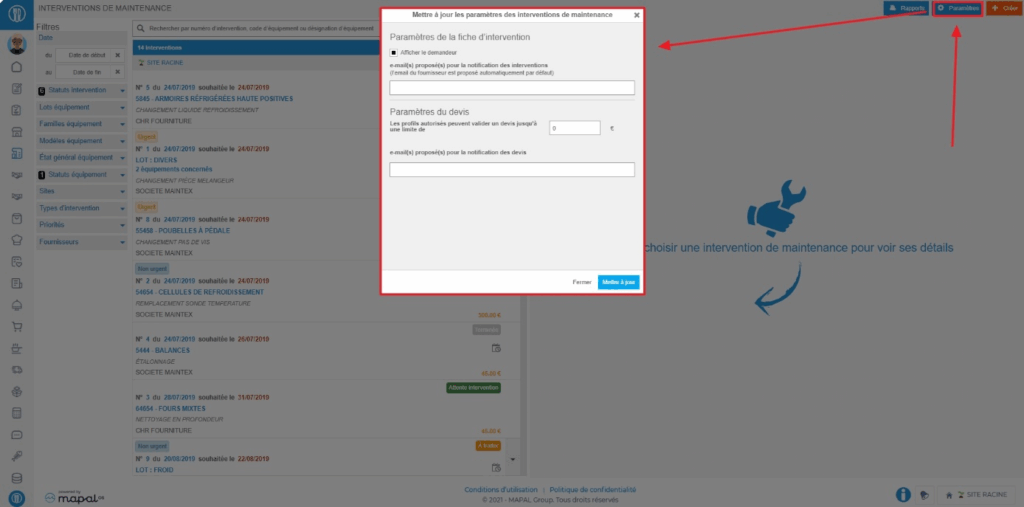
- To configure email notifications, add the addresses (separated by a semicolon) to notify in the box under "proposed email(s) for intervention notification".
- To set a quote limit beyond which it will be impossible for validator profiles, subject to the limit, to accept or reject quotes, enter the amount in the designated box.
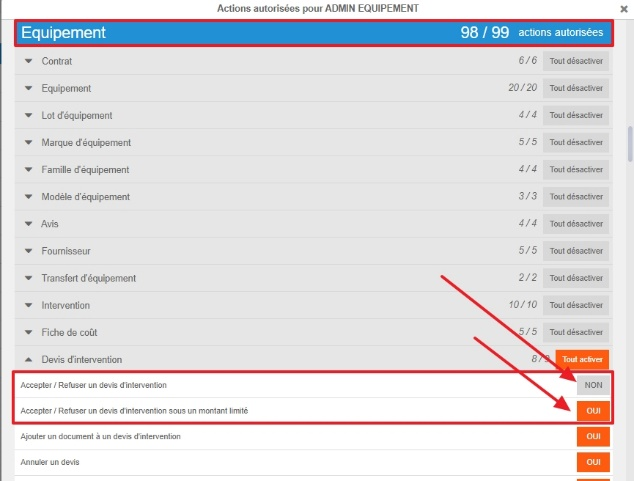
A validator profile subject to the limit is a profile whose right "Accept / Reject an intervention quote under a limited amount" is activated and the right "Accept / Reject an intervention quote" is deactivated.