


Start from: The Easilys menu.
To learn more about tags, refer to the article What is a tag and what is it used for?
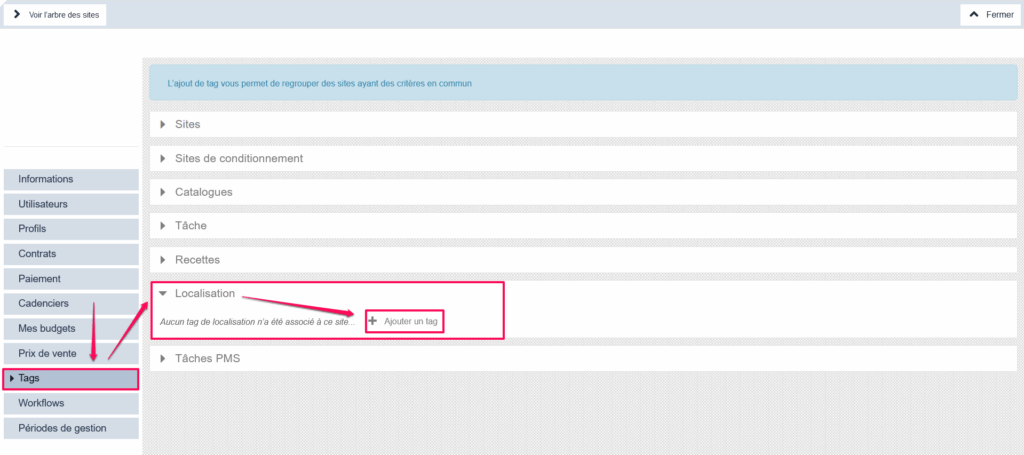
“Location” tags let you define which area, region, country, and so on a site or a supplier is linked to. For sites, you must add the “Location” tag in the site settings, in the “Tags” tab, as shown below. For suppliers, the location tag must be completed in the supplier record: Understand all parameters of the supplier form.
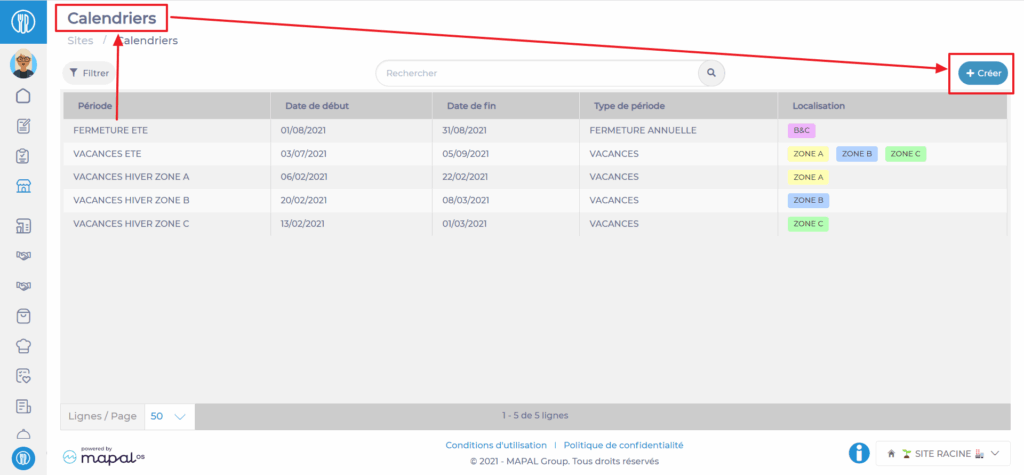
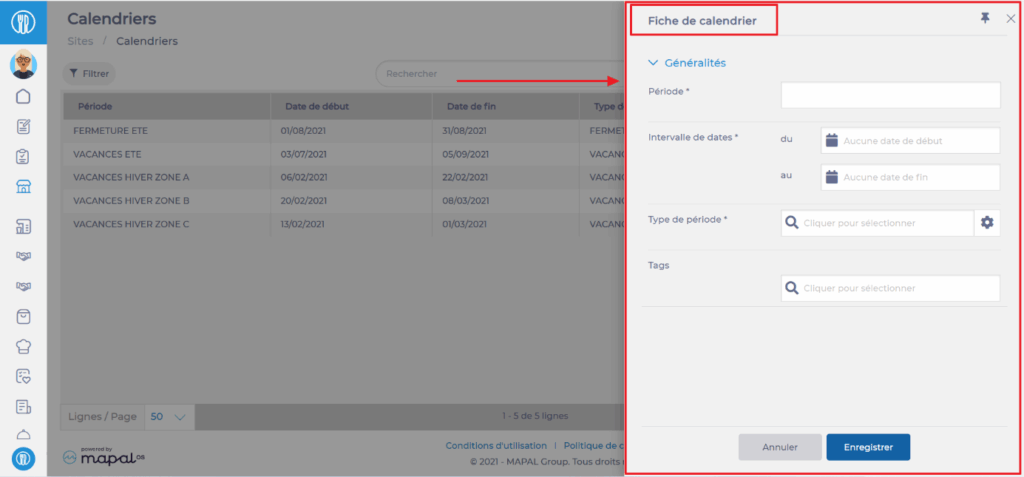
These tags let you categorise periods from the Calendars screen (Sites tab), and so define which periods can apply to the menu templates of sites carrying the same tag.
This lets you:
- manage school holiday periods according to the geographic zone of the establishments.
- manage headcount forecasts and attendance rates according to the period.
- ensure the public holidays for a site's location are taken into account when creating raw material orders.
Do you want to learn more about period management?
Managing different periods or how to make Easilys adapt to calendar uncertainties.
