Note: Each action that can be performed in the application is subject to access permissions. If you are unable to perform the actions recommended in the articles you are reading, this may mean that the necessary permissions are not enabled for your user profile. Contact the support team or your administrator to find out more.
General principle
In Easilys, the yield of a product can be defined at several levels:
- At product level (default value)
- Directly within a recipe (specific case)
The Smart Yield screen allows you to manage an intermediate level: defining rules that automatically adapt the yield of a product based on its context of use (recipe type, preparation method, etc.).
Take the example of carrots:
- A yield is defined at product level (linked to peeling)
- But this yield can vary depending on use:
- Raw grated carrot
- Cooked carrot
The Smart Yield screen allows you to define these differences centrally, without having to modify each recipe and with a clear view of the yield rules.
1. Create a Smart Yield rule
- Select Recipes > Smart Yield.
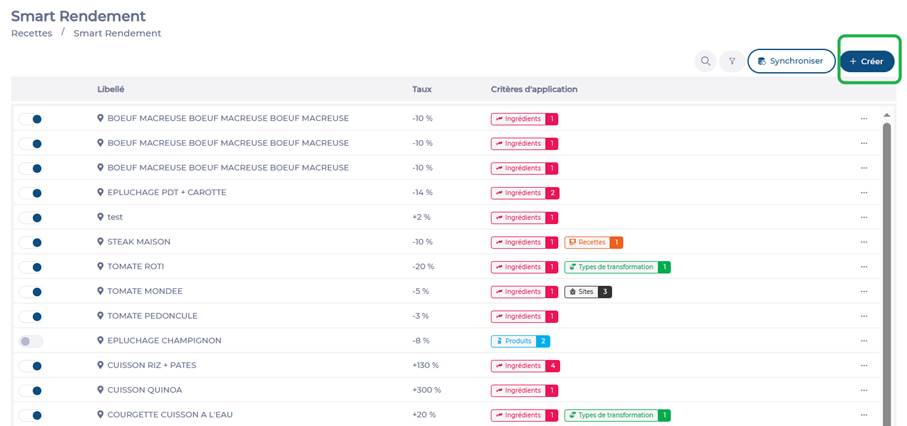
- Select + Create.
- Enter the Name of the rule*.
- Complete the Scope of the rule section by filling in the necessary fields to specify what should be affected by this rule.
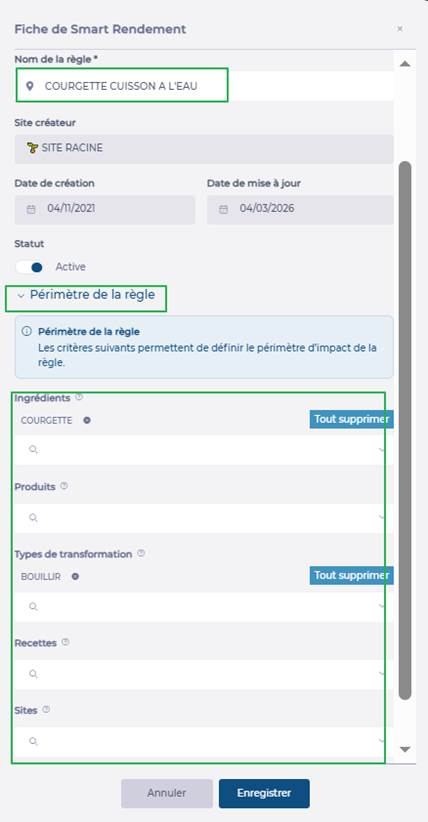
Note: If you specify one or more sites, the rule applies to those specific sites only. Child sites of those sites are not affected.
- Complete the Impact of the rule section by entering the percentage (positive or negative) corresponding to this rule. Refer to the examples displayed on the screen for guidance.
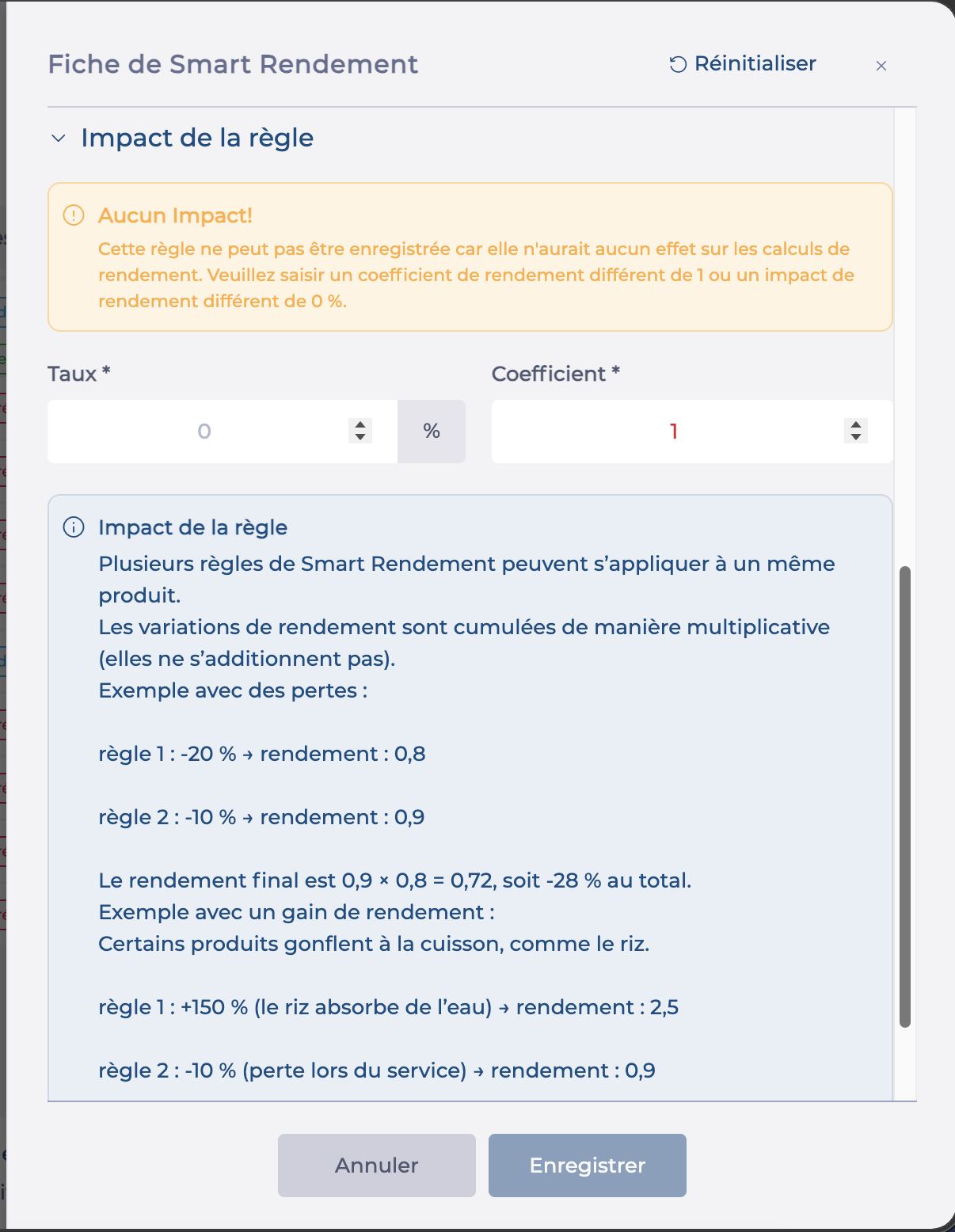
- Select Save.
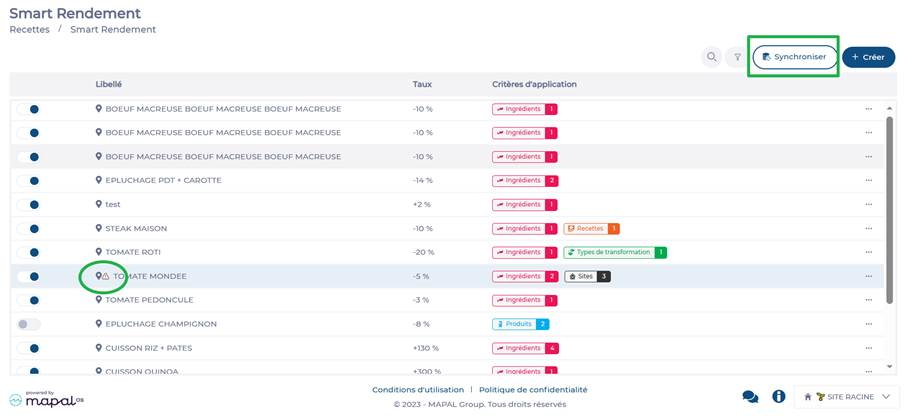
- Select Synchronize if you wish to recalculate recipe coefficients immediately.
2. Impacts and priorities
What happens when a rule is defined?
When you create a Smart Yield rule for a product, once synchronisation is complete:
- The coefficient entered on the product is no longer used.
- The yield is then defined solely by the rule.
This allows you to apply a more precise yield, adapted to the actual use of the product in the recipe.
What if there are multiple rules?
If several rules apply at the same time:
- They are all taken into account.
- The system uses them to calculate a final yield.
What if a coefficient is defined directly in a recipe?
If a coefficient is entered directly in a recipe, on the line of an ingredient or a product:
- That value takes priority.
- It overrides the rule calculation for that specific case.
3. Edit a rule
- Select Recipes > Smart Yield.
- Use the filters and/or the search by name field if necessary to locate the rule you wish to edit.
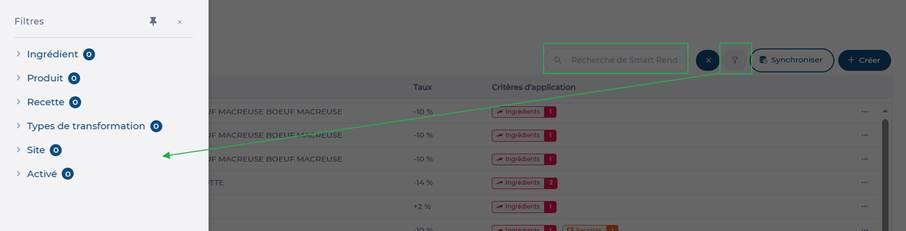
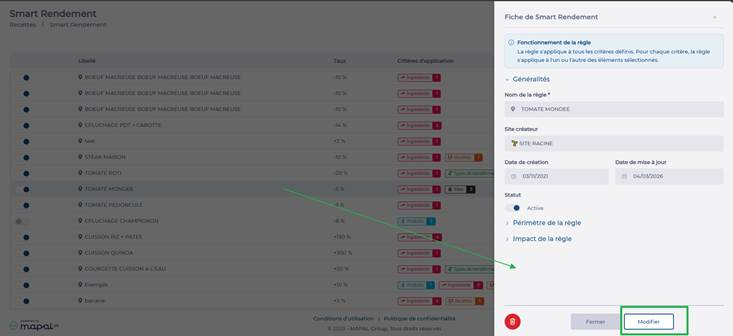
- Select the rule to edit.
- Select Modify.
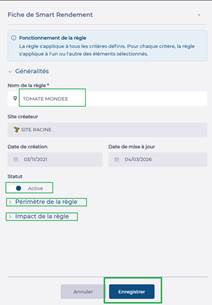
- Make the required changes in the relevant sections.
- Select Save.
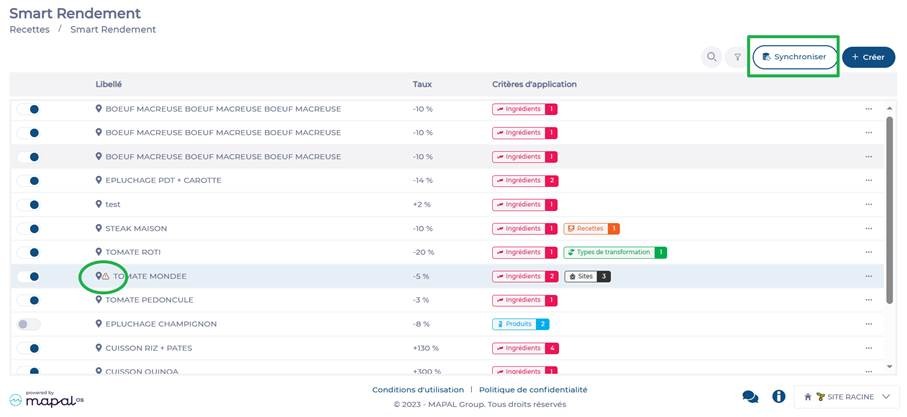
- The edited rule appears in the list with a /!\ icon indicating that it has not yet been applied. It will be applied during the next synchronisation (automatic, usually overnight, or manual).
- Select Synchronize if you wish to recalculate recipe coefficients immediately.