
Start from: The Easilys menu.
- Select the Products > Suppliers tabs.
- Select the existing supplier record you want to detach from the list.
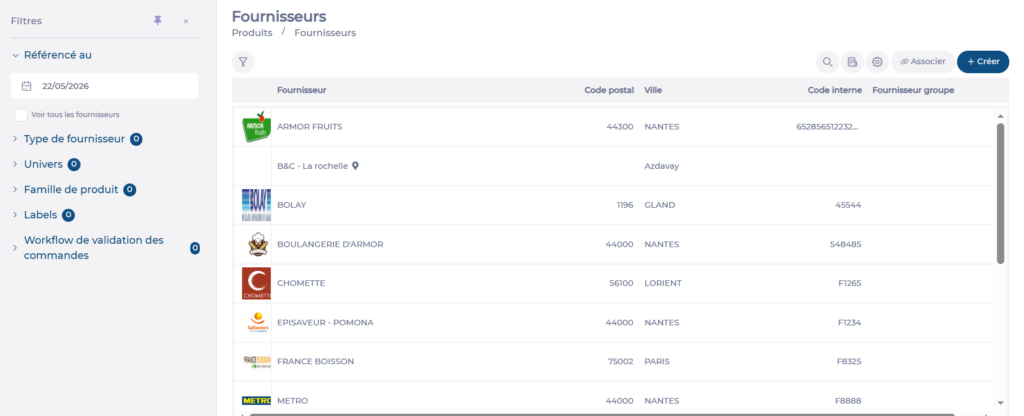
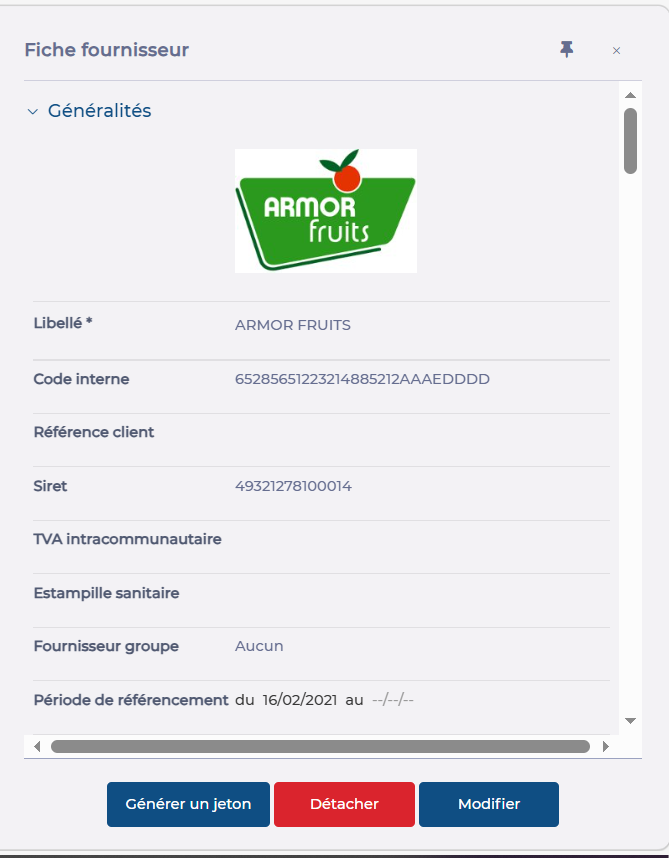
The supplier record is displayed on the right of the screen:
- Select Detach.
- Confirm.


You may want to detach a supplier from a site so that this site can no longer place orders with this supplier.
Start from: The Easilys menu.
The supplier record is displayed on the right of the screen:
The referencing period allows you to indicate from which date to which date the supplier…
There is an option in the supplier file, labelled "A reception status is 'Pending' until…
Orders created in Easilys should respect the minimum order deadline set by your supplier so…
As a restaurant manager, you may want to specify the delivery days for suppliers so…
Certain products subject to a Smart Delivery rule must be delivered on the day of…
As the manager of a restaurant, you're having trouble ordering certain products for future dates.…
As a Restaurant Manager, it is important to understand how supplier records work, as they…
As a restaurant manager, when you create a supplier on a site, you must identify…
There may be different reasons why one of the supplier files no longer appears in…
Enable the ability to send pre-orders to a supplier in order to anticipate needs and…
