


Start from: The Easilys menu.
- Select Recipes > Recipes management.
- Select the recipe you want to duplicate.
- Select the icon of two overlapping sheets, at the top right of the section.
The Duplicate window appears on the screen.
- Select Duplicate.
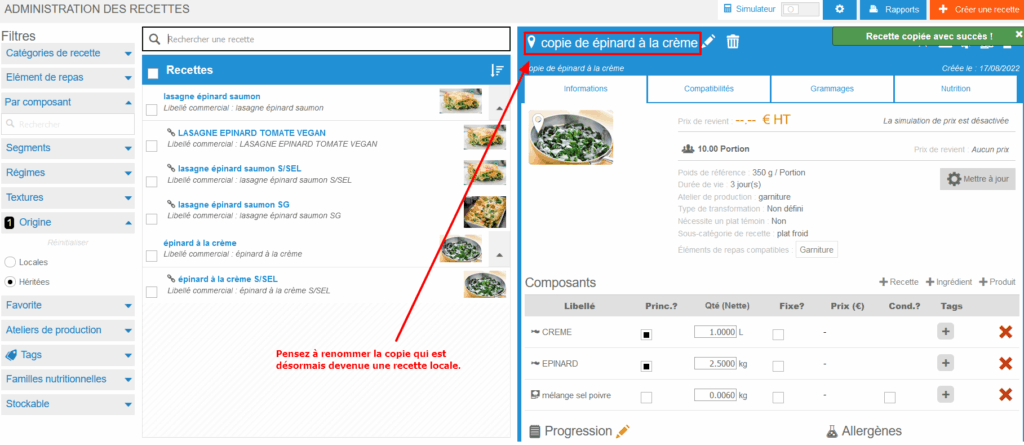
A recipe sheet named as follows copy NAME OF THE DUPLICATED RECIPE appears:

Note: Do you have the possibility to manage recipe variations? Rather than duplicating your recipe to have a version without salt or without meat, favor recipe variation. To learn more, see the article Decline a recipe to have different versions compatible with different segments, textures and/or particular diets.
