


Imagine that the supplier BOLAY has a national price definition, but different depots across France from which orders can be placed. If Easilys manages kitchens in different regions of France, those kitchens will need to place orders with different depots, but at the price set at national level.
To achieve this, you will need to:
- Create a BOLAY supplier on the root site.
- On the root site, create the different depots (BOLAY-NORD, BOLAY-SUD, etc.) as suppliers, making sure to select the BOLAY supplier in the Group supplier field of their main record. Having a group supplier in their record makes them depot suppliers.
- Create and manage one or more price lists attached to the BOLAY supplier on the root site, to manage the prices of the products that can be ordered from BOLAY. There is no need to manage price lists for the depot suppliers, because the products of the BOLAY group supplier can be ordered automatically from all the depot suppliers linked to it.
- Attach the appropriate depot supplier to the child sites: for example, BOLAY-SUD for the Marseille sites and BOLAY-NORD for the Lille sites.
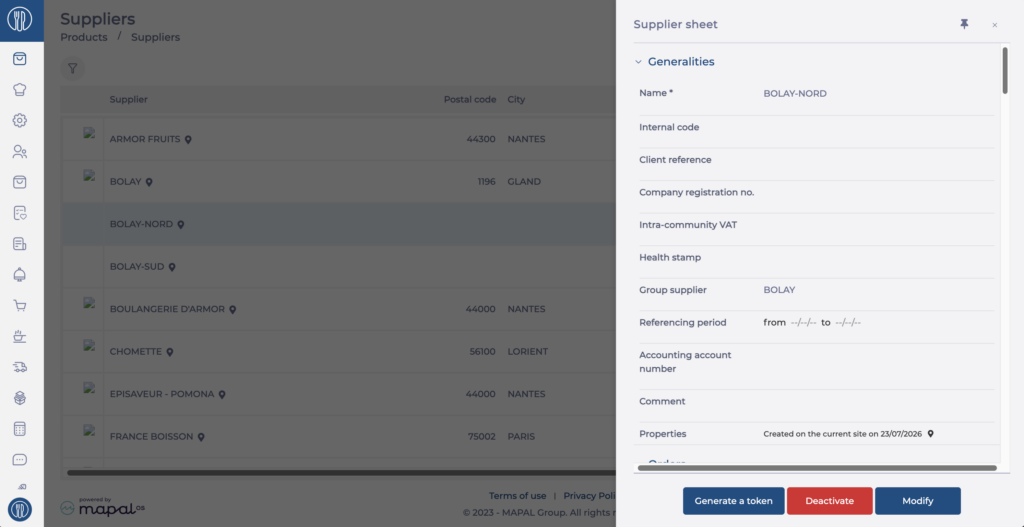
Note: from the root site, the product is visible as orderable from the group supplier and from all its depots. On child sites, products appear as orderable only under the name of the depot supplier attached to the site.
To find out more about creating a supplier record, see the article Create a new supplier record.
To find out more about creating a price list, see the article Create a price list.
To find out more about associating a supplier record administered by a parent site, see the article Associate a supplier sheet managed by a parent site.
