Start from: The Easilys menu.
1. CREATE THE TAGS
- Select the tabs Sites > Administration of tags.
- Select Add a tag in the "PMS Task" section.
- Create the tags you need.

2. ADD THE TAGS TO TASKS
- Go to the site where all tasks are administered.
- Select the tabs PMS > Tasks administration.
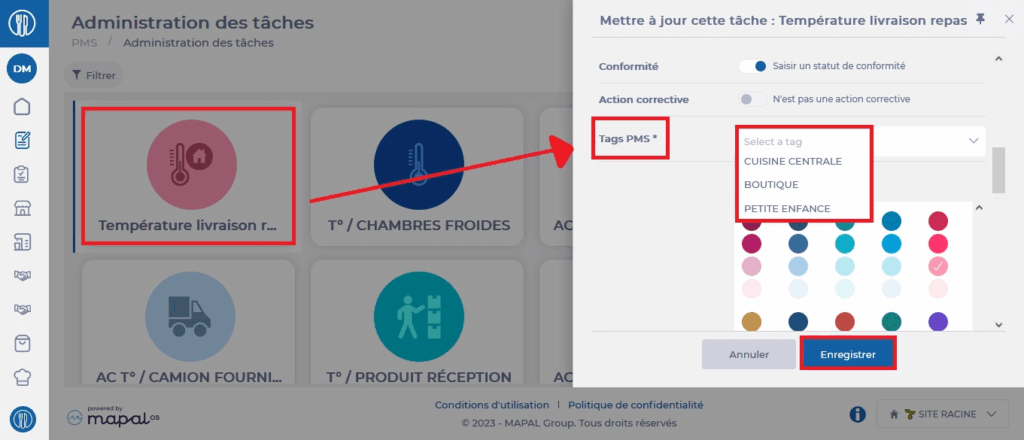
- Select a task. The task details are displayed on the right side of the screen.
- Select Edit.
- Add the tag(s) to the "PMS Tags" line.
- Select Save.
3. ADD THE TAGS ON THE SITES
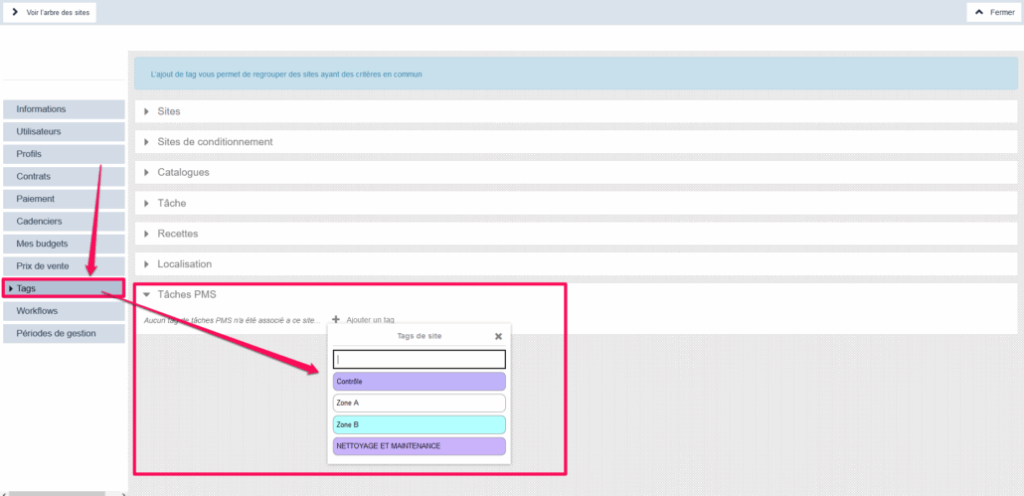
- Go to the site settings on which you want to add a "PMS Task" tag.
- Select the "Tags" tab.
- Add the "PMS Task" tag(s) that the site needs to see the PMS tasks that concern it.