Start from: The Easilys menu.
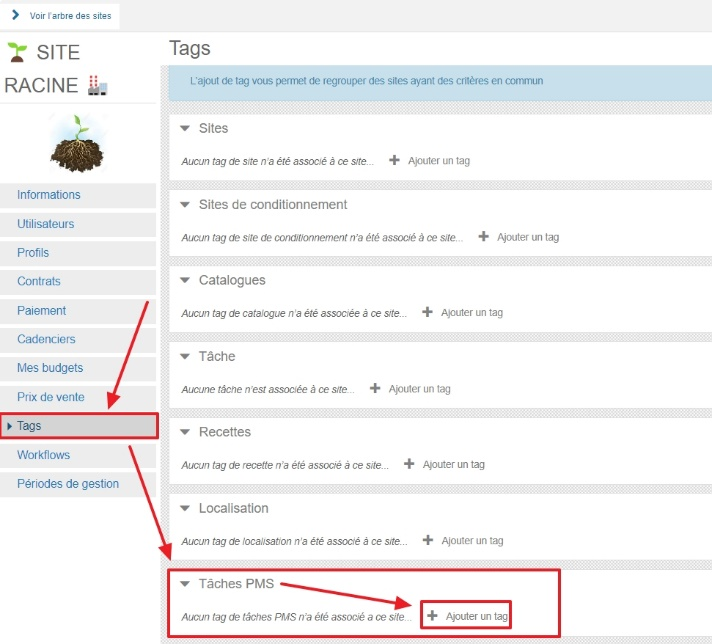
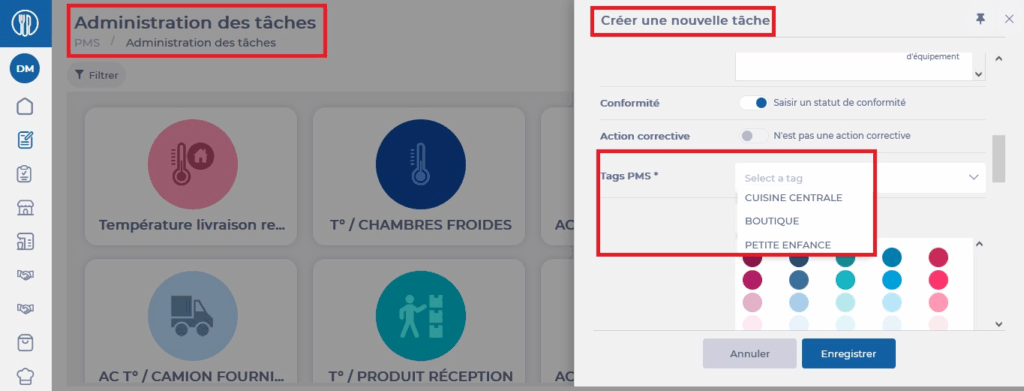
Tags of type "PMS Task" allow you to define which sites are subject to which PMS tasks. You need to add the "PMS Tasks" tag in the site settings, "Tags" tab.
By tagging a PMS task and applying this same tag to a site's settings, "Tags" tab, you tell Easilys that this site should only see PMS tasks bearing this tag.
To learn more about tags, refer to the article What is a tag and what is it used for?