


Start from: The Easilys menu.
Export invoices
- Select Supplier orders > Supplier invoices.
- Select Export at the top left of this screen.

The Export supplier invoices section appears on the right side of the screen:
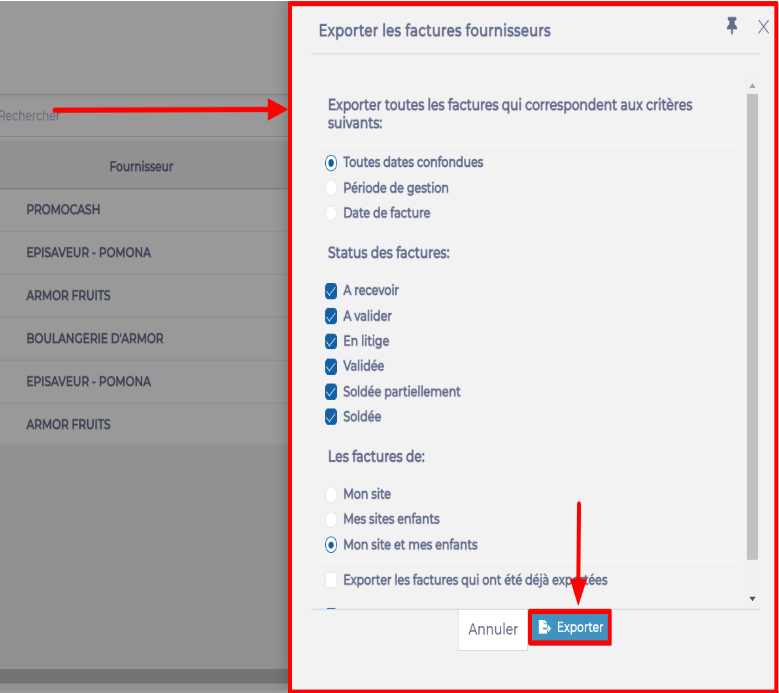
- Select Export.
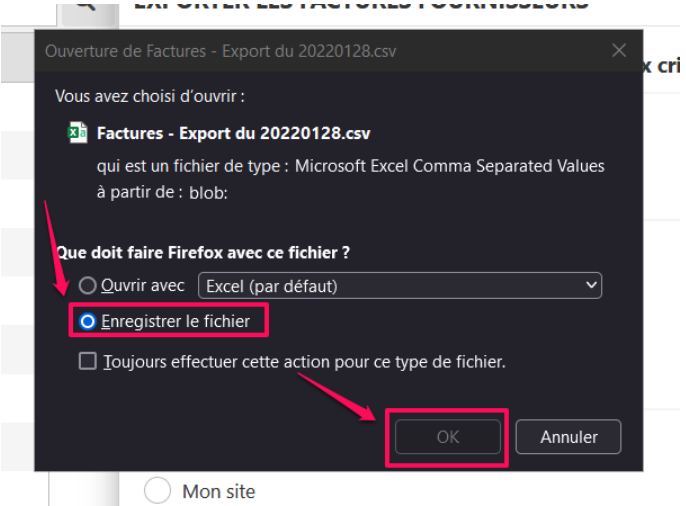
- Save the file in .csv format on your computer.
Understanding the exported file
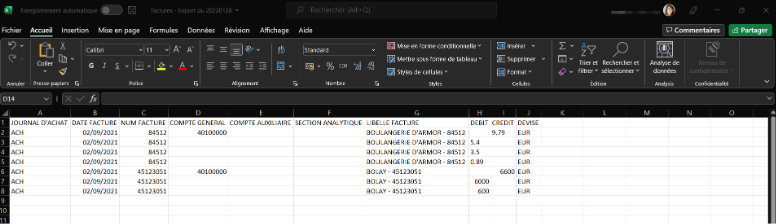
Column details
PURCHASE JOURNAL: ACHT for purchase invoices or AF for credit notes. This data is (for now) mandatory.
INVOICE DATE: Corresponds to the invoice date.
INVOICE NUMBER: Corresponds to the invoice number.
GENERAL ACCOUNT: Four possible accounting codes in this column:
- The general purchase account code, i.e. 4010000: this code is (for now) mandatory for all purchases.
- The general supplier account code, i.e. 6010000: this code is (for now) mandatory for all suppliers.
- The VAT account code, which must be entered beforehand in the VAT administration window by an administrator with the necessary rights. (VAT administration > Mercuriales screen, Products section > Select a mercuriale > Select a product > Edit industrial product > Gear icon at the Taxes field)
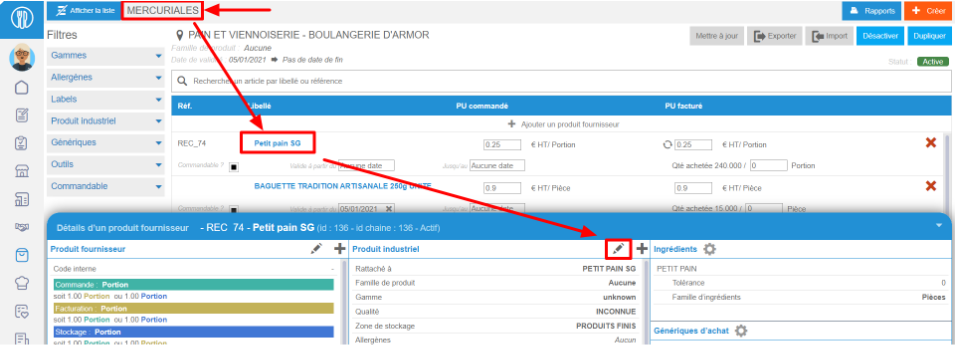
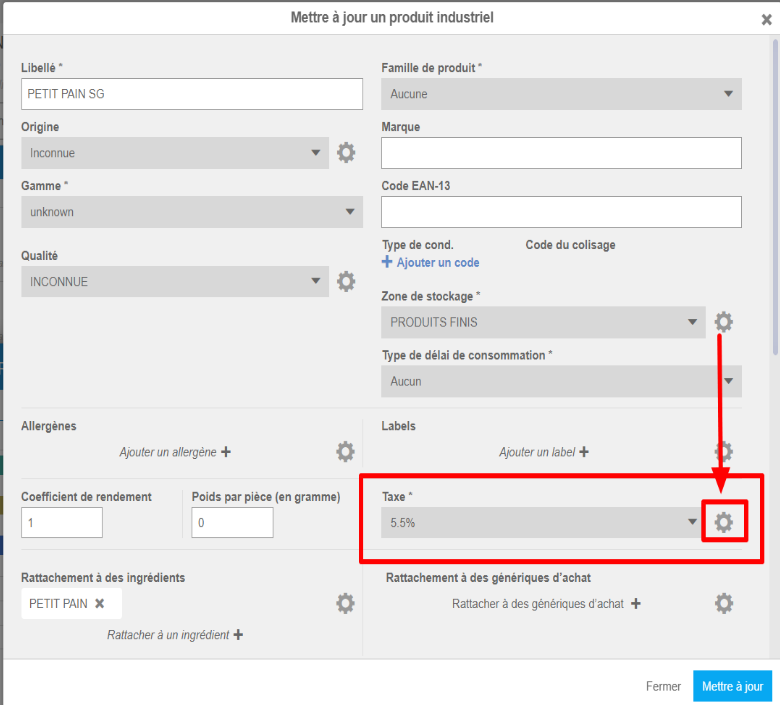
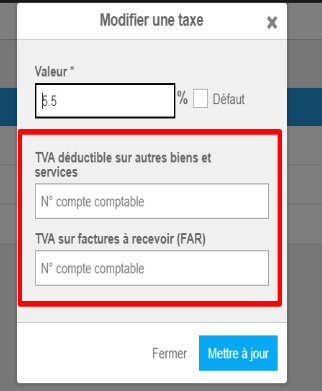
The analytical group account code, which must be entered beforehand in the analytical groups administration window by an administrator with the necessary rights:
Note: There are two account codes (On-site production and Supply / Trading):
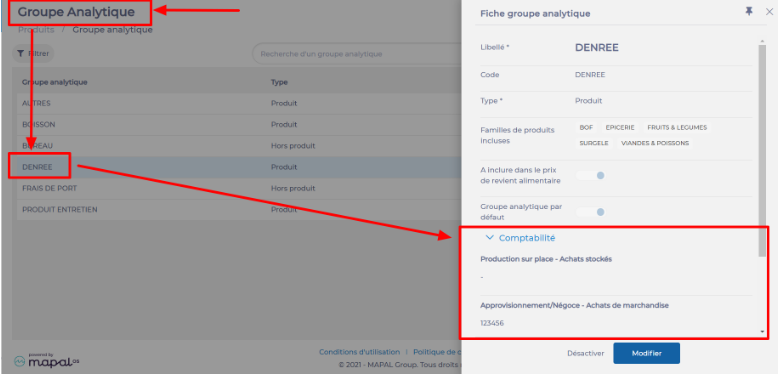
The displayed account code depends on the site activity specified in the site settings:

- If the site activity is On-site production, the account will be On-site production - Stocked purchases.
- If the site activity is Supply / Trading, the account will be Supply/Trading - Merchandise purchases.
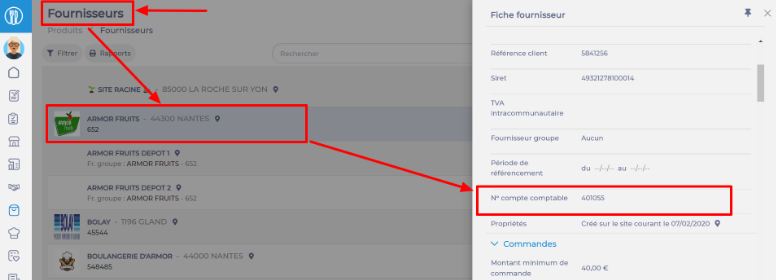
AUXILIARY ACCOUNT: Corresponds to the supplier's account code, to be entered on each supplier record. (Suppliers screen, Products section > Select a supplier record > Edit > Account number field)
ANALYTICAL SECTION: Corresponds to the site's analytical code, to be entered in each site's settings. (Site settings by clicking on the site name > Information tab > Update the Contact details section > Site analytical code field)

INVOICE LABEL: The label is automatically composed of the supplier's name followed by the invoice number.
DEBIT: Corresponds to the debit.
CREDIT: Corresponds to the credit.
CURRENCY: This is the supplier's currency. It is (for now) obligatorily entered by the Easilys technical team on each supplier record.
For more information, see the article Apply a currency according to the currency used by the supplier on purchase orders.
