Start from: The Workforce module.
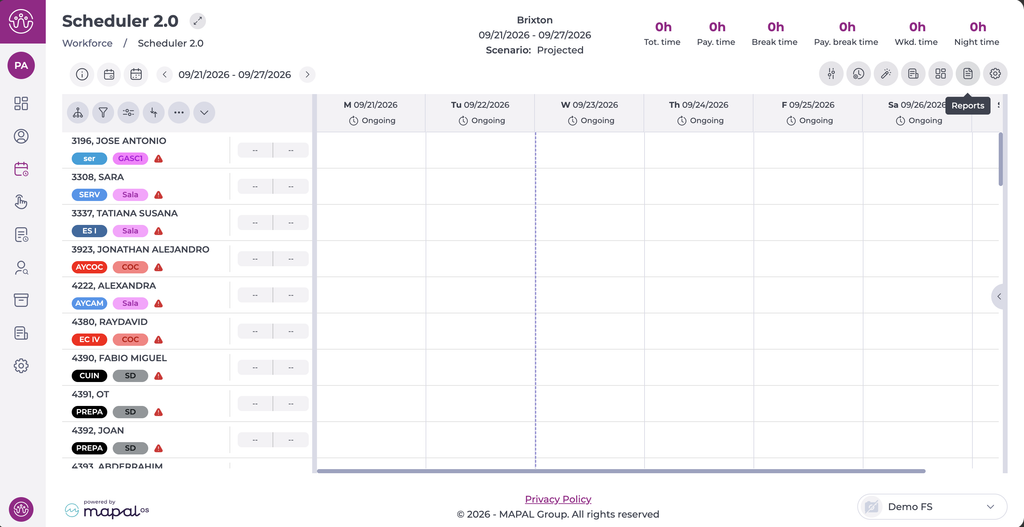
- Select Scheduling > Scheduler 2.0 from the main menu.
- Parameterize the planner to be able to access the main grid.
To make the parameterization, see Access the scheduler.
- Select the Reports icon. The Reports window opens.
- Select Hours per worker: with signature "Law chair" from the report list. To filter the list, enter part of the report name in the search field.
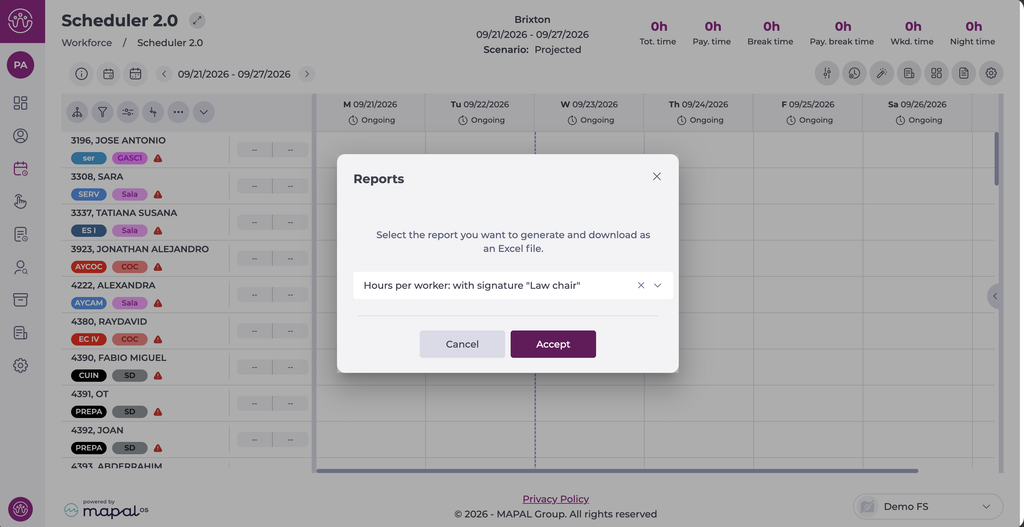
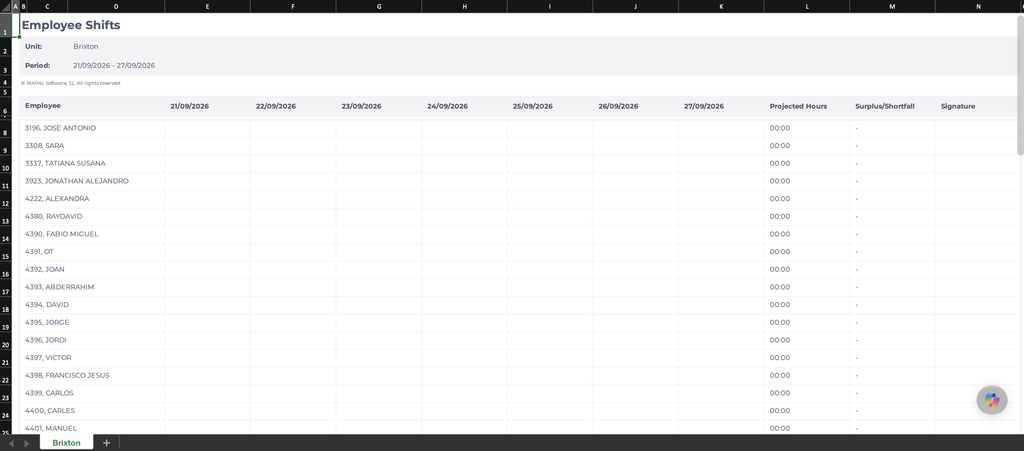
- Select Accept. The report downloads as an Excel file.