


Start from: The Easilys menu.
Principle
Finished product management is an option that must be activated in the settings of the site where you wish to manage production, storage, and—if operating in “lab flow” mode—price listing and delivery of your productions to your child sites.
Once this option is activated, you can store recipes that you have defined as storable.
If you are operating in lab flow mode, you can then add these finished products to a price list linked to the supplier record under your site’s name and manage the delivery of your productions to your child sites.
This guide is therefore one of the steps for setting up a lab flow system, in which a parent site sells finished products or resells raw materials to its child sites.
1. ACTIVATE FINISHED PRODUCT MANAGEMENT ON A SITE
The first step is to configure your site so that it can store finished products and be identified as a supplier for other sites.
- Select the Site parameters tab from the parent site.
- In the Contact information section, select Update.
- The Modify a site window appears.
- In the Finished Products section, tick Allow the storage of finished products.
- If you want all newly created recipes to be storable by default, also tick By default, recipes are stored finished products when created.
- Regardless of this setting, you can still define for each recipe whether it is storable or not.
- Check the box Authorize the storage of finished products.
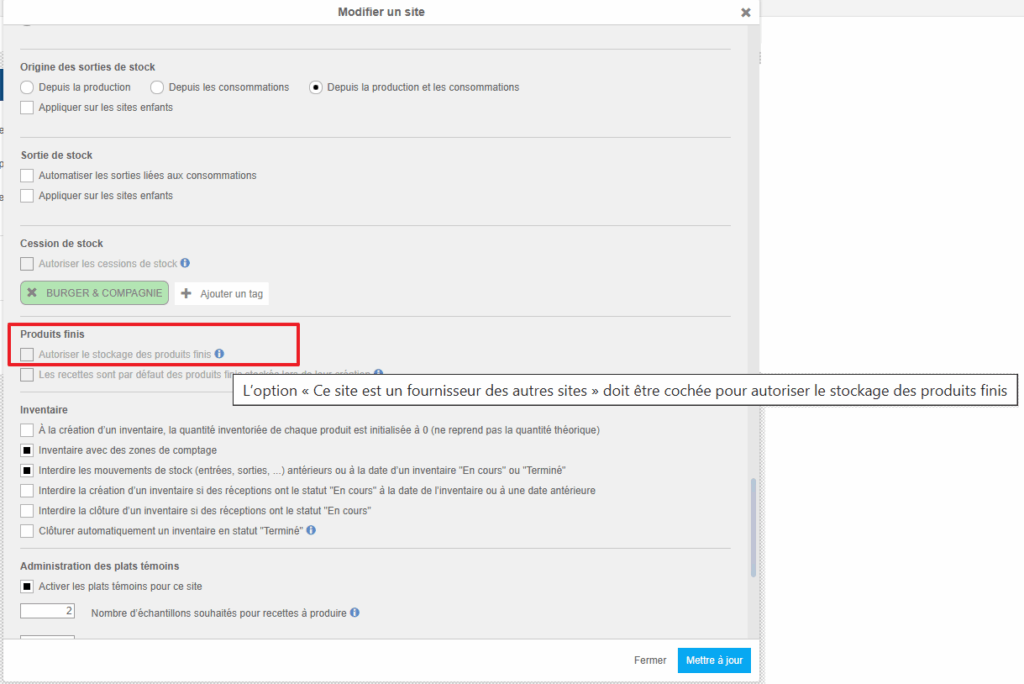
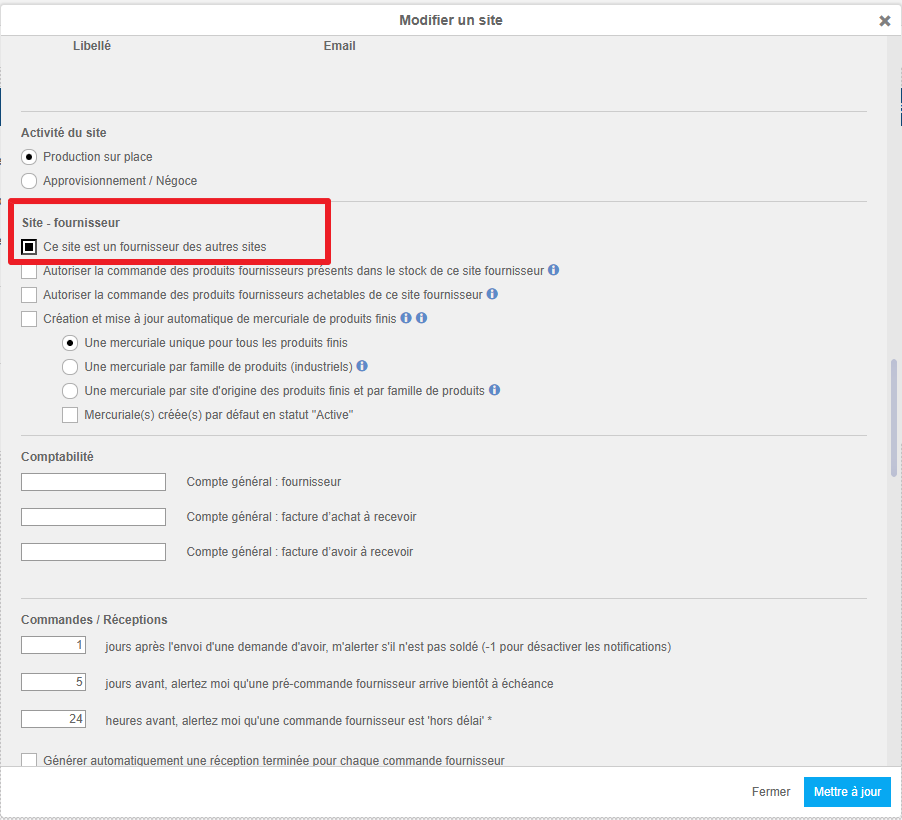
As indicated in the information message, this box can only be ticked if the site is identified as a supplier for other sites. Therefore, the option This site is a supplier for other sites (under “Sub Site – Supplier”) must also be ticked as soon as you wish to store finished products, even if you do not intend to manage finished product orders and deliveries.
Note: The other options in the Site- Supplier section may not be suitable for your operations and can have significant impacts. Contact your administrator or the support team before making any changes.
2. DEFINE A RECIPE TO BE USED AS A FINISHED PRODUCT
This step is required for any recipe you wish to add as a finished product, either to stock or to a price list.
- Select Recipes > Recipe Management.
- Use the Origin filter to display only local recipes.
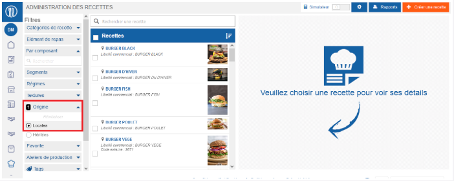
Note: Remember to disable the simulator in the top-right corner, otherwise you will not be able to update recipe files.
- Select a recipe you want to store. The recipe details appear on the right side of the screen.
- Select Update.
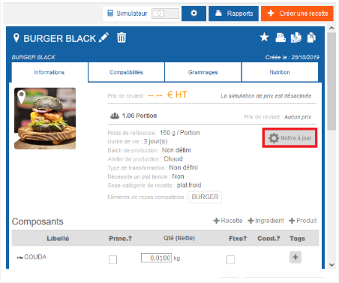
- Tick the box Make this recipe a stored finished product.
- Select Update.
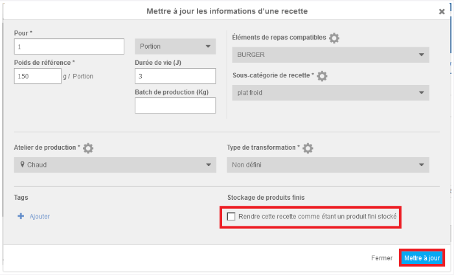
You can now store this recipe as a finished product or add it to your price list so that it can be ordered by your child sites.
When creating new recipes, the box will be ticked or not by default, depending on your site settings.
To learn more about ordering and shipping finished products (“lab flow”), refer to the related articles:
