Start from: The Easilys menu.
It is possible to create PMS tasks based on premises criteria. For example, you can create a task for cleaning premises and, when entering the task, specify the premises that was cleaned.
Let's now examine how to create your different premises.
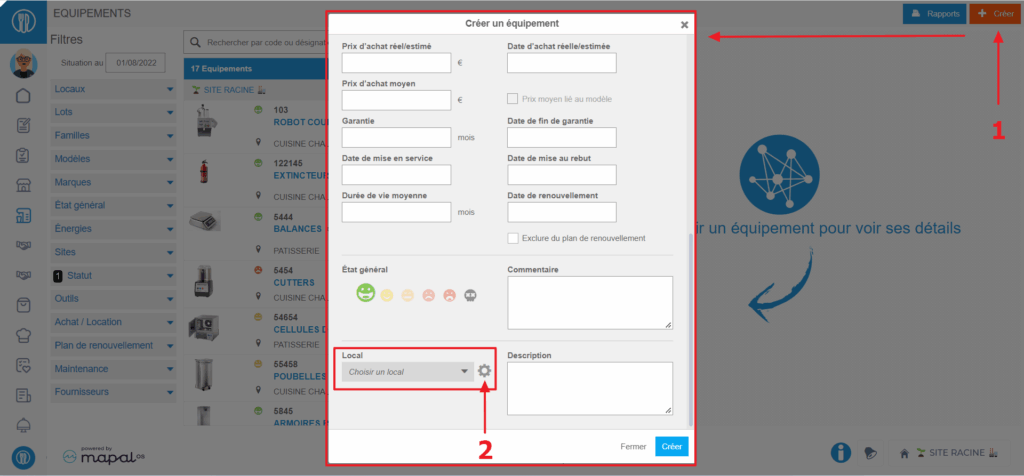
- Select the Equipment items > Equipment items tabs.
- Select + Create at the top right of the screen.
The "Create equipment" window appears on the screen.
- Scroll to the bottom of the window to see the "Premises" field.
- Select the gear wheel visible to the right of the "Premises" field.
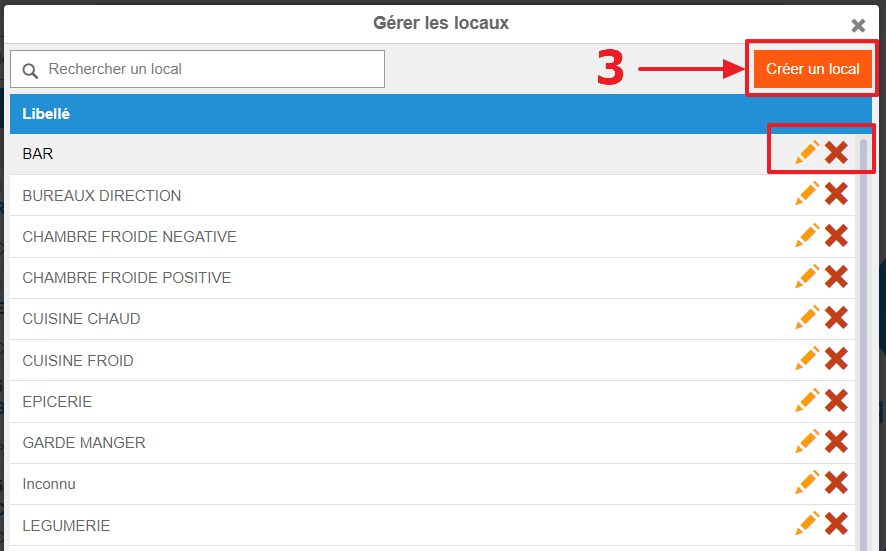
The "Manage premises" window appears on the screen.
- Select Create premises.
- To modify or delete existing premises, select the pencil or the cross.Once the premises list is ready, you will be able to use it in connection with PMS tasks linked to the "Premises" criteria.