


Note: each action performed on the application is subject to access permissions. If you are unable to carry out the recommended actions in the articles you are viewing, this may mean that the necessary rights have not been activated for your user profile. Contact the Support team, or your administrator, to find out more.
Start from: the Easilys menu.
Access the dashboards
Dashboards are available in several Easilys sections, depending on the type of data you want to analyse. You can access them from:
- Equipment items > Dashboards.
- Sales > Dashboards.
- Menus > Dashboards.
- Supplier Orders > Dashboards.
- Management > Dashboards.
- Stock > Dashboards.
- Waste Analysis > Dashboards.
Navigate the dashboards
- Once inside the dashboard, select the table you wish to view from the drop-down menu.
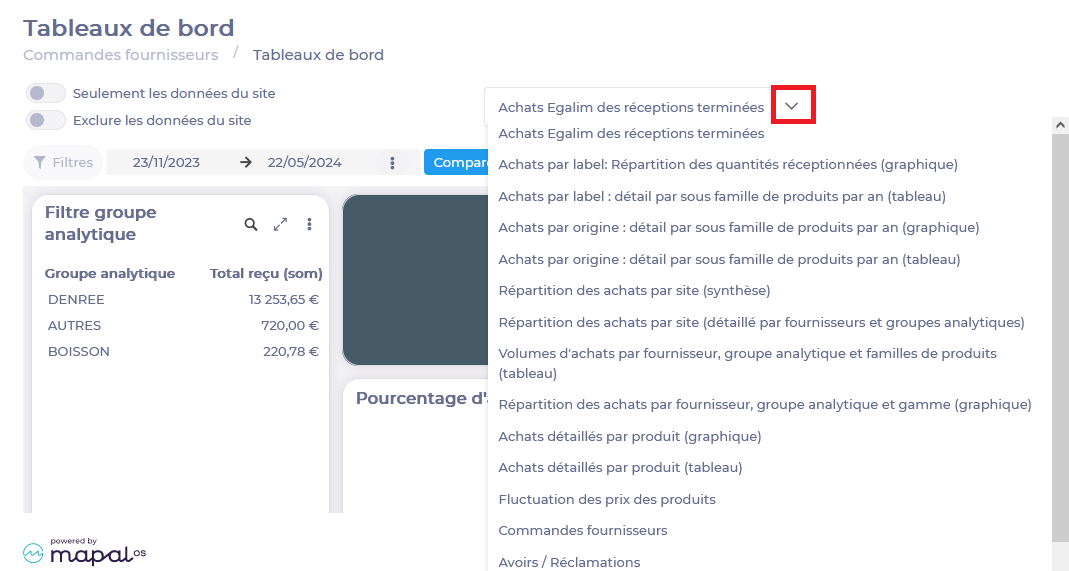
Scorecards take into account data over a selected period.
- You can choose the period by selecting the start and end dates, or by selecting a predefined period by clicking on the 3 dots.
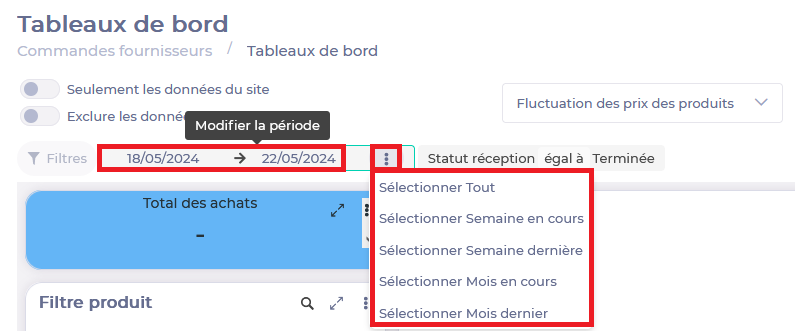
Note: If your rights allow you to do it, you can also select a comparison period. It works the same way.

Use filters
Dashboards feature filters to help you focus your analysis on specific points. For example, you can filter on one or more suppliers, to see only information about products from those suppliers.
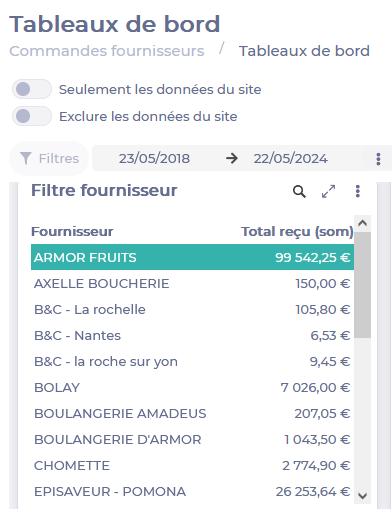
Selected filters appear at the top of the table. You can delete them by selecting the cross to the right of their name, or by reselecting their name in the filter.

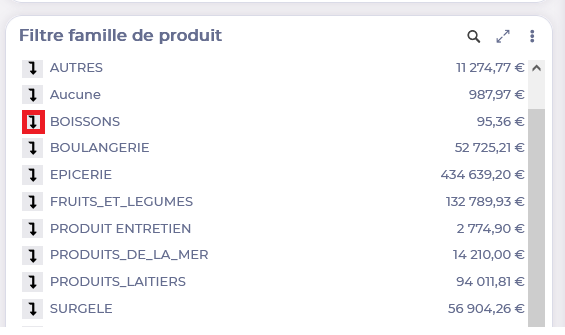
Some filters, such as the Sites filter or the Product family filter, allow you to select an item OR go down one level to access a product subfamily by selecting the arrow.
Use diagrams
- You can then hover over the diagrams to see the details. You can deactivate certain elements in the legend to view only what is of interest to you.

- You can download the diagram as an image by selecting the arrow to the right of the diagram.
- You can also, depending on your rights, export data for viewing in a spreadsheet by selecting the 3 dots then Export. Then select the desired format and Export.
