


Start from: The Easilys menu.
- Navigate to Management > Shrinkage.
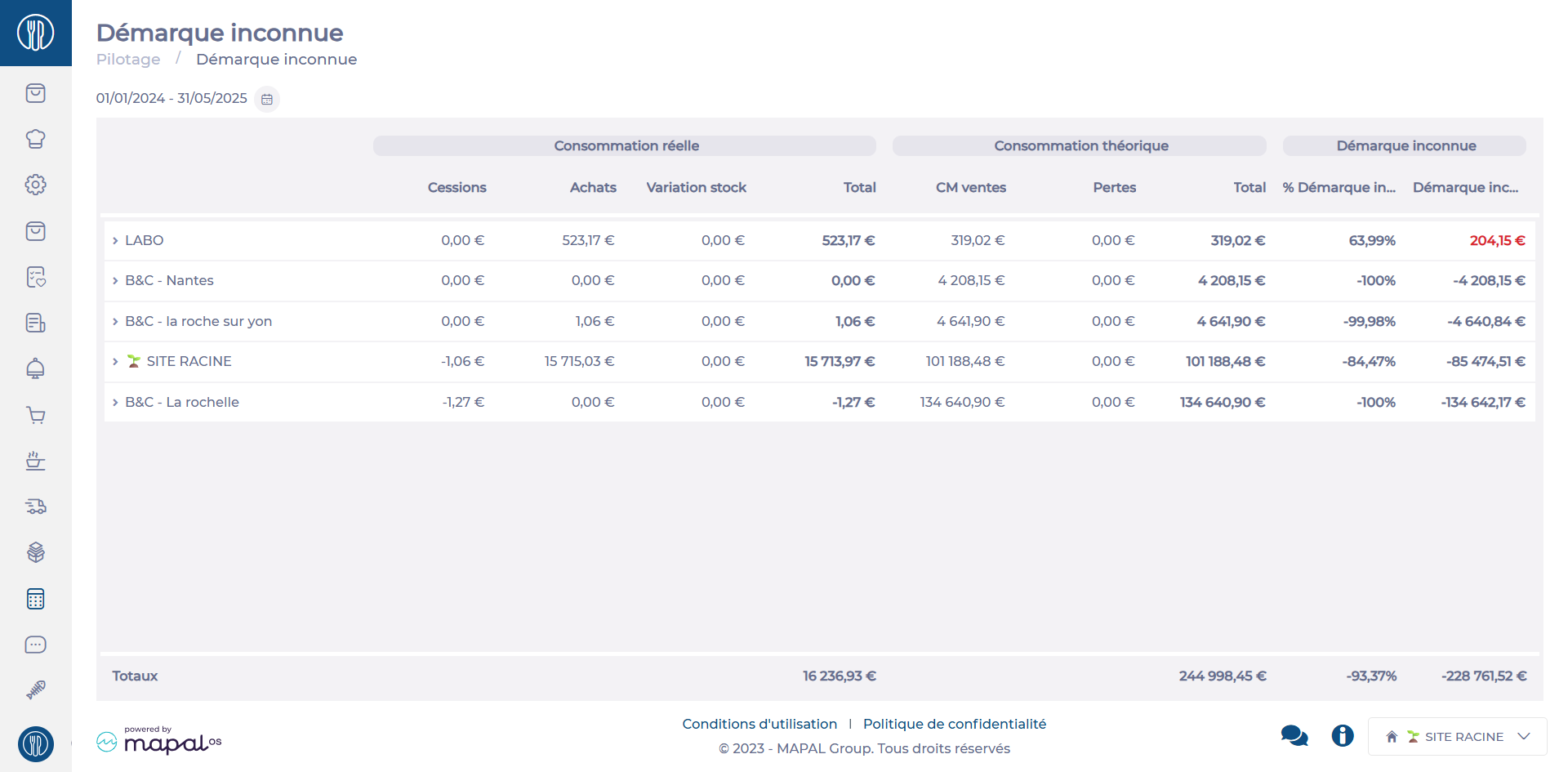
This feature is particularly useful for:
- Identifying high-loss points: Detect sales points with significant losses that may indicate theft, management errors, or inefficiencies.
- Comparing performance: Compare inventory shrinkage between centers to identify trends or areas for improvement.
- Prioritizing corrective actions: Focus efforts on problem areas and implement tailored solutions, such as strengthening controls or training teams.
Interpreting Shrinkage Rates
Very high rate
A very high shrinkage rate signals a serious issue, which could be caused by:
- Inventory errors or unreported spoilage/losses.
- Internal or external theft.
- System management problems (e.g., software misconfiguration or supplier delivery discrepancies).
High rate
A shrinkage rate that is still significant but less critical. It may indicate:
- Small but frequent thefts.
- Minor management errors.
- Undeclared breakage or losses.
Negative rate
Negative shrinkage is rare but possible, indicating that physical stock exceeds theoretical stock. This may be caused by:
- Errors during receipt or inventory counts.
- Poorly documented returns from suppliers or customers.
Low rate
A low shrinkage rate is acceptable and reflects good management practices, such as:
-
Rigorous stock control.
-
A well-defined loss management process.
-
A trained and vigilant team.
Product details per site
The detailed breakdown of shrinkage per center provides a list of products contributing to inventory losses. This helps:
- Identify causes: Detect thefts, breakage, or other issues.
- Prioritize corrective actions: Focus on addressing losses for sensitive items.
- Optimize purchases and stock: Avoid overstocking or unsold products.
- Monitor trends and anomalies: Respond quickly to unusual patterns or events.
