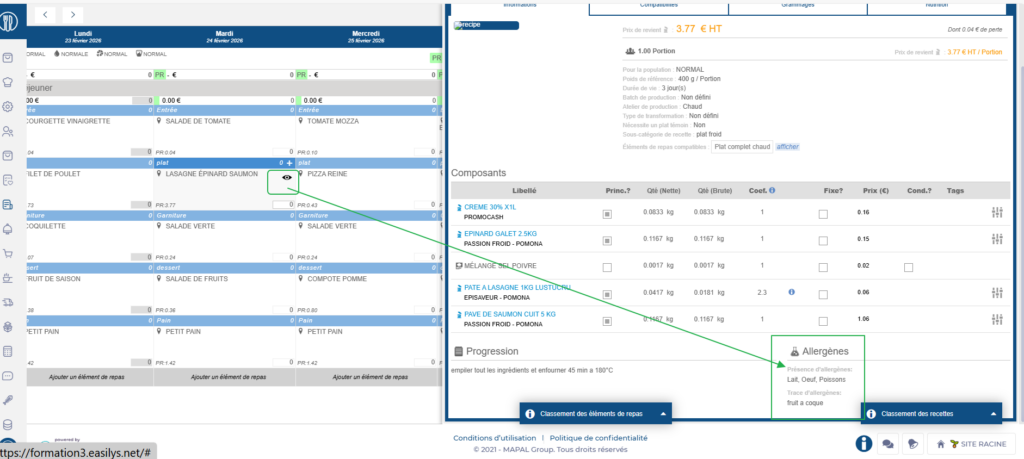
Start from: The Easilys menu.
Principle
In each product, you can indicate whether it contains allergens in the form of presence or trace. This information is taken into account in the recipe valuation calculation: in each recipe, you can view the allergens present as well as the risks of traces, given the composition of the recipe. This information is also visible from the menus.
Note: If an allergen appears as a trace in one product but as a presence in another, the recipe will indicate that it carries the presence (and not the trace) of that allergen.
1. Enter allergens in products
This can be done from the Price lists screen or from the Product administration V2 screen.
Method 1: From Price lists
- Select Products > Price lists from the main menu.
- Select the price list in which the product is located.
- Search for the relevant product in the list.
- Select the product name.
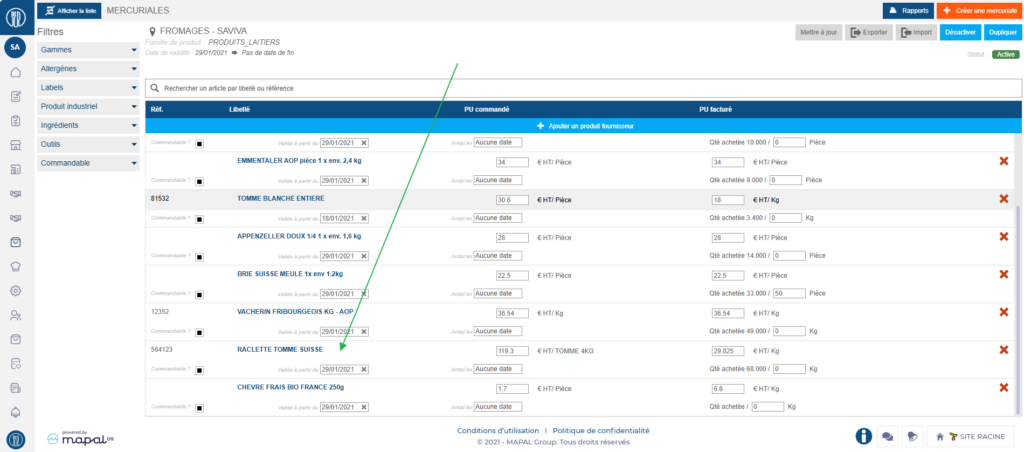
A Supplier product details window appears, made up of three columns.
- In the Industrial product section, select the pencil icon.
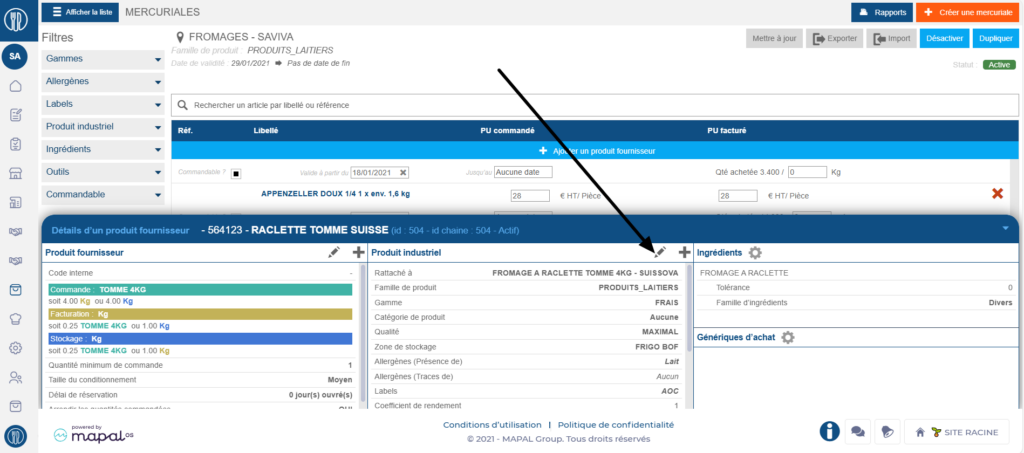
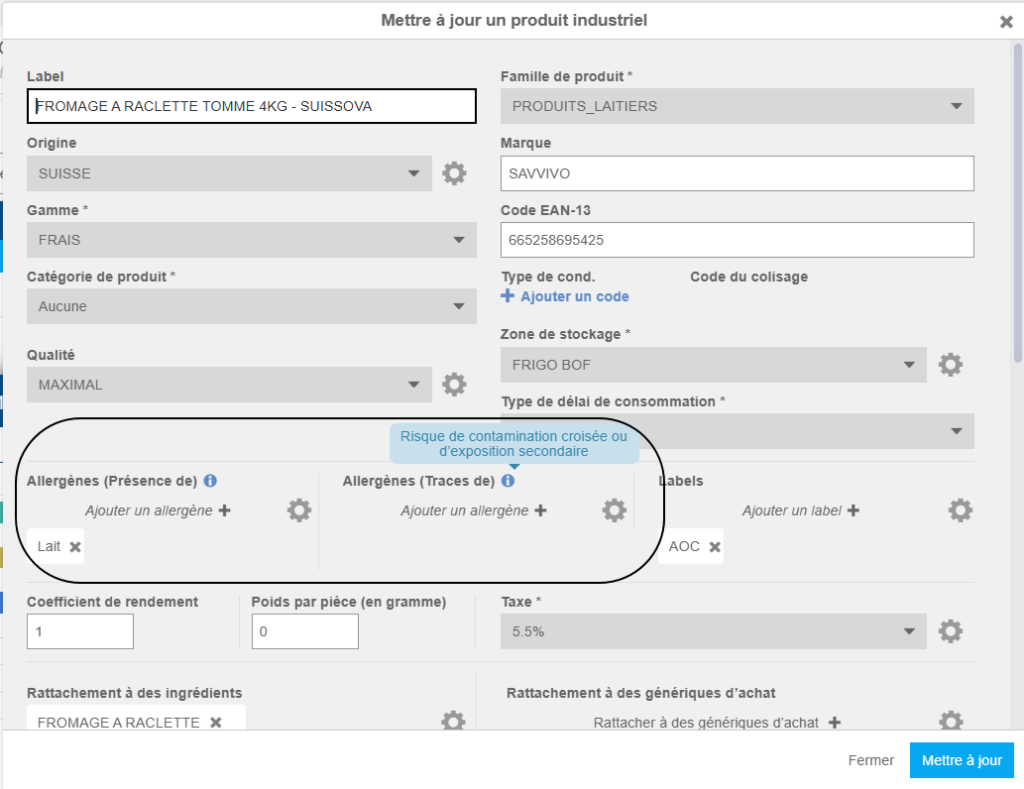
An Update an industrial product window appears.
- Select Add an Allergen + in the Presence of area or in the Trace of area, depending on the type of allergen to declare.
- Select Update.
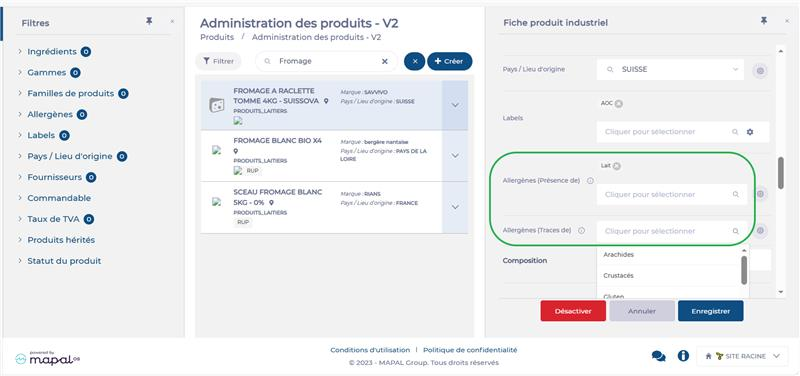
Method 2: From Product administration V2
- Select Products > Product administration V2 from the main menu.
- Search for and select the desired product.
- Select Edit.

- Select Add an Allergen + in the Presence of area or in the Trace of area, depending on the type of allergen to declare.
- Select Save.
2. View allergens in recipes
- Select Recipes > Recipe administration from the main menu.
- Select the recipe whose allergens you want to view.
- Activate the Simulator. If needed, see Simulate a recipe to verify its proper valuation.
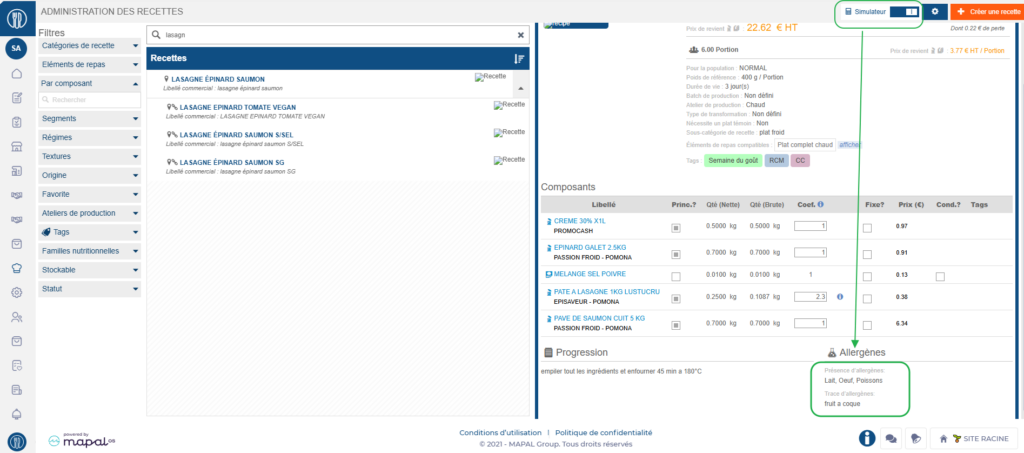
The allergens for the recipe are displayed in the lower part of the record, calculated based on the allergens of the products used in the recipe.
3. View allergens from the menus
- Select Menus > Menus from the main menu.
- Select the menu template containing the recipes whose allergens you want to view.
- Hover over the desired recipe.
- Select the eye icon.
The simulated recipe is displayed with an indication of the allergens it contains (presence and traces).