
Note: each action performed on the application is subject to a fee. If you are unable to carry out the recommended actions in the articles you are viewing, this may mean that the necessary rights have not been activated for your user profile. Contact the Support team, or your administrator, to find out more.
Start from: The Easilys menu.
Associating a group supplier gives you access to orderable products available in a price list managed by a parent site. This makes it possible to order products without having to administer the price lists and product information.
- Select the Products > Suppliers.
- Select Associate.
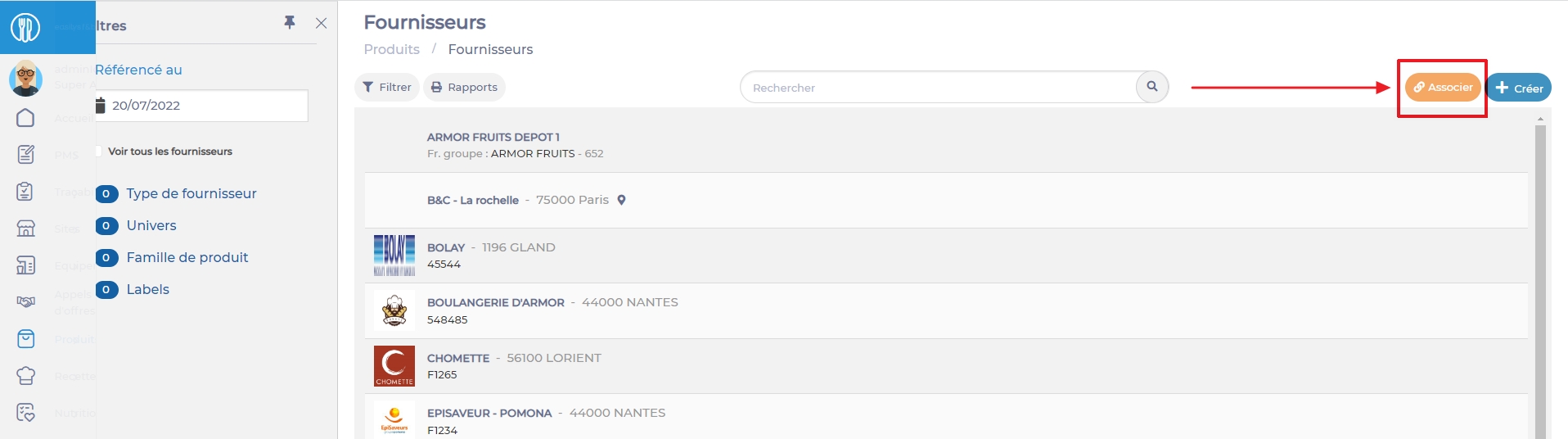
The "Associate an existing supplier" panel appears on the right of the screen.
- Fill in the necessary information in the Associate an existing supplier form.
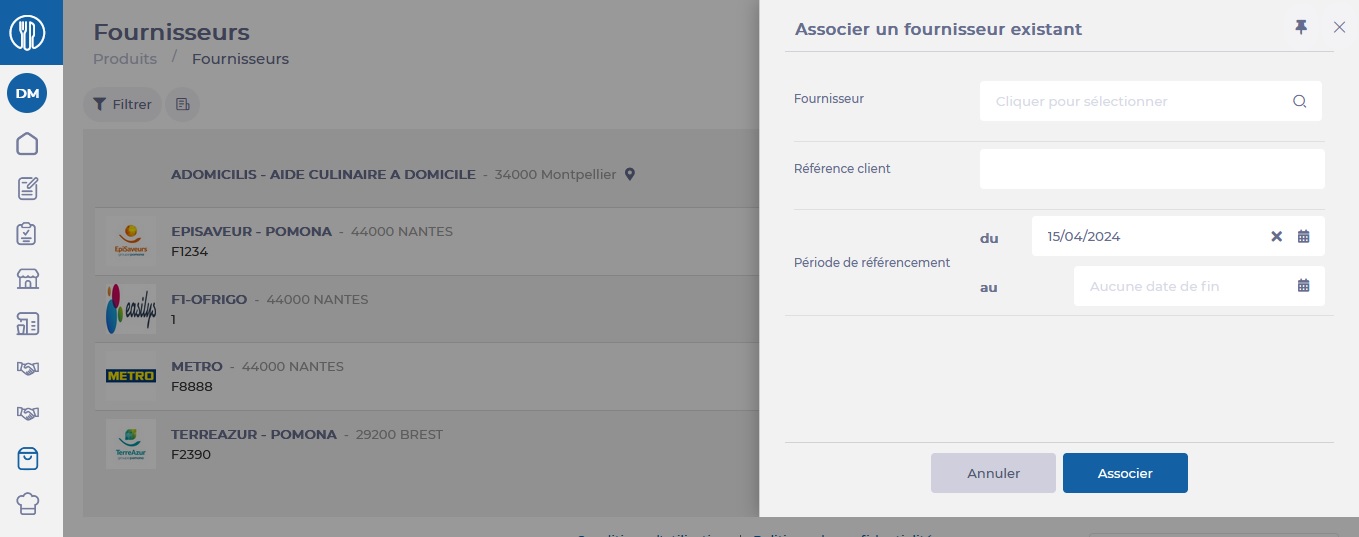
- Select Associate in the bottom right-hand corner of the Associate an existing supplier form.
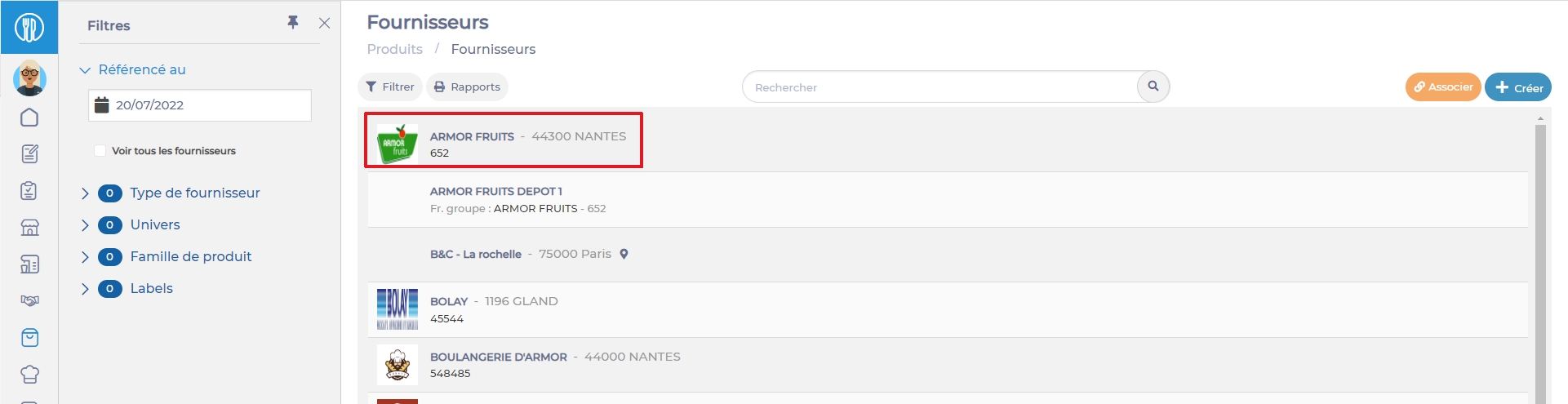
- Find the supplier's sheet in the list. You can then select it to update it and modify contacts, contact details, delivery days, etc. as required.
Once the supplier has been associated, you'll need to wait for the daily update of the product database before their products are available to order on the site.

Related Articles
Detach a supplier record administered by a parent site
- Parent site
You may want to detach a supplier from a site so that this site can…
The referencing period
- Suppliers
- Products
- Orders
The referencing period allows you to indicate from which date to which date the supplier…
Understand reception 'Pending' status for the EDI delivery note
- Receptions
There is an option in the supplier file, labelled "A reception status is 'Pending' until…
Order deadline and cutoff time
- Suppliers
- Orders
- Compliance
Orders created in Easilys should respect the minimum order deadline set by your supplier so…
Set delivery days
- Suppliers
- Orders
- Administration
As a restaurant manager, you may want to specify the delivery days for suppliers so…
Manage the delivery and consumption delay in a smart delivery rule
- Smart delivery
- Recognitions
Certain products subject to a Smart Delivery rule must be delivered on the day of…
Understand why it is suddenly not possible to order for the week, month or next year
- Price lists
As the manager of a restaurant, you're having trouble ordering certain products for future dates.…
Understand all parameters of the supplier form
- Recipes
- Forms
As a Restaurant Manager, it is important to understand how supplier records work, as they…
Elements inherited from parent site to child site
- Parent site
- Child sites
As a restaurant manager, when you create a supplier on a site, you must identify…
Locate supplier files that no longer appear in the list
- Suppliers
- Products
- Orders
There may be different reasons why one of the supplier files no longer appears in…


