


Note: actions performed on the Easilys platform are subject to user access permissions. If you are unable to carry out the actions described in the articles, it may be because you do not have the necessary permissions activated on your user profile. Contact the Support team, or your administrator, for help. Start from: The Easilys menu. If a product is not in stock when it should be, it may be for one of the following reasons.
A STOCK REMOVAL HAS ALREADY TAKEN PLACE
Sometimes a stock removal has already been carried out by mistake. To check, simply use the "Quantity in stock" filter.
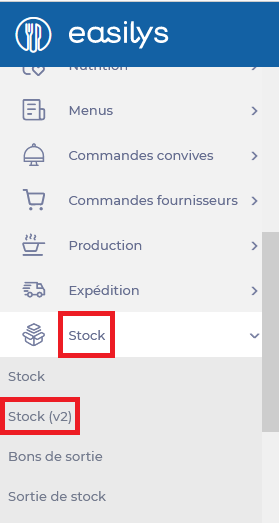
- Select the Stock > Stock tabs.
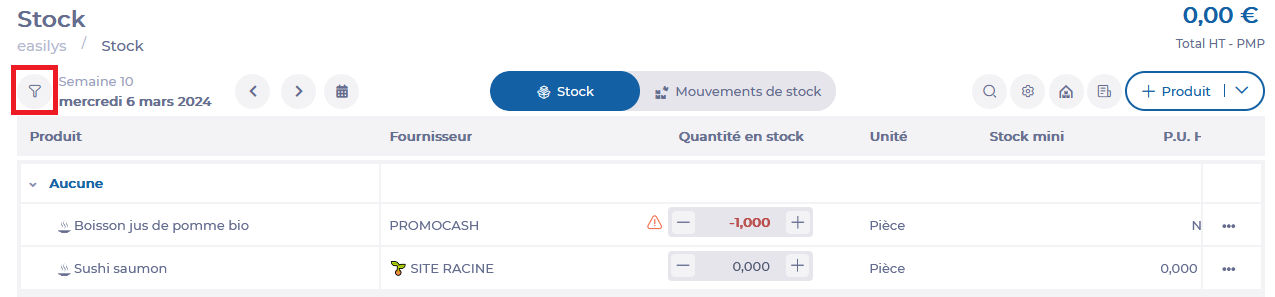
- Select the "Filters" icon at top left.
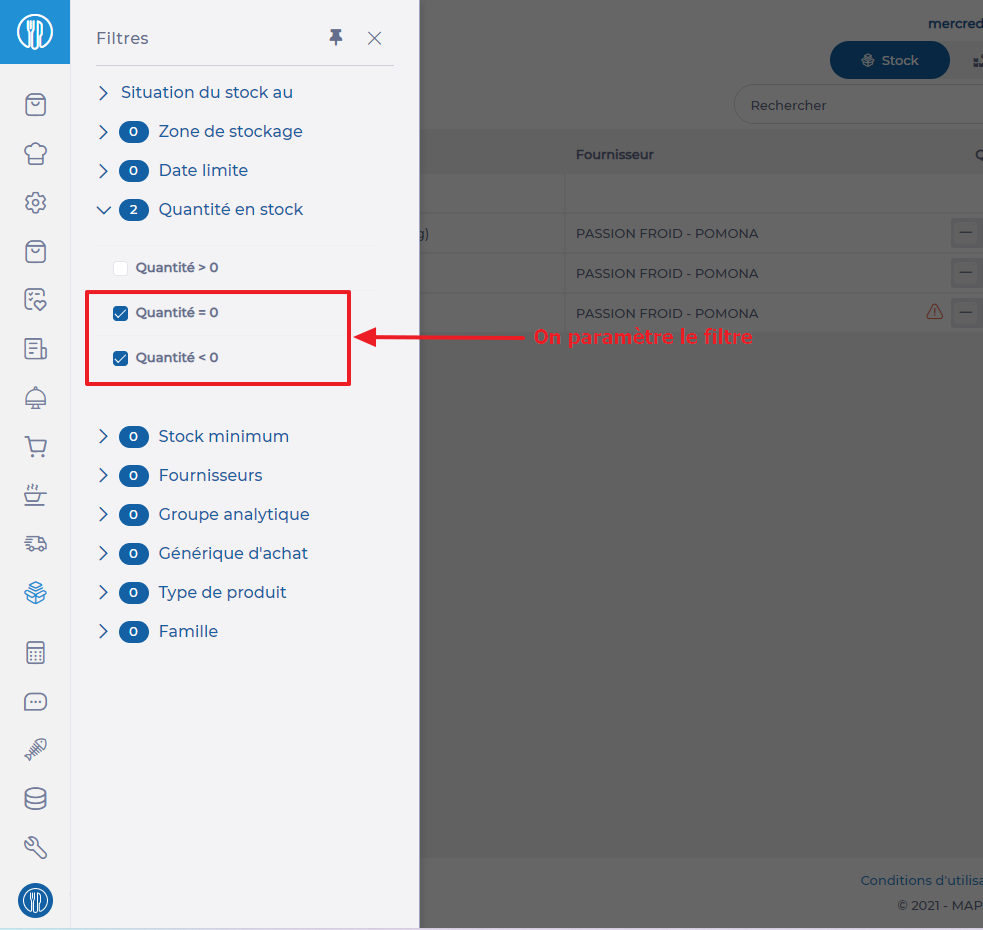
- Unfold the Quantity in stock filter.
- Select the Quantity = 0 and/or Quantity < 0 filter. Products previously in stock are listed.
- Search for your product, then select the 3 dots on the right-hand of the product line, then click on Consult stock movements.
- If the stock movement issued is incorrect, it can be deleted so that the product returns to positive stock.
THE "ENTER STOCK" OPTION WAS UNCHECKED IN RECEPTION
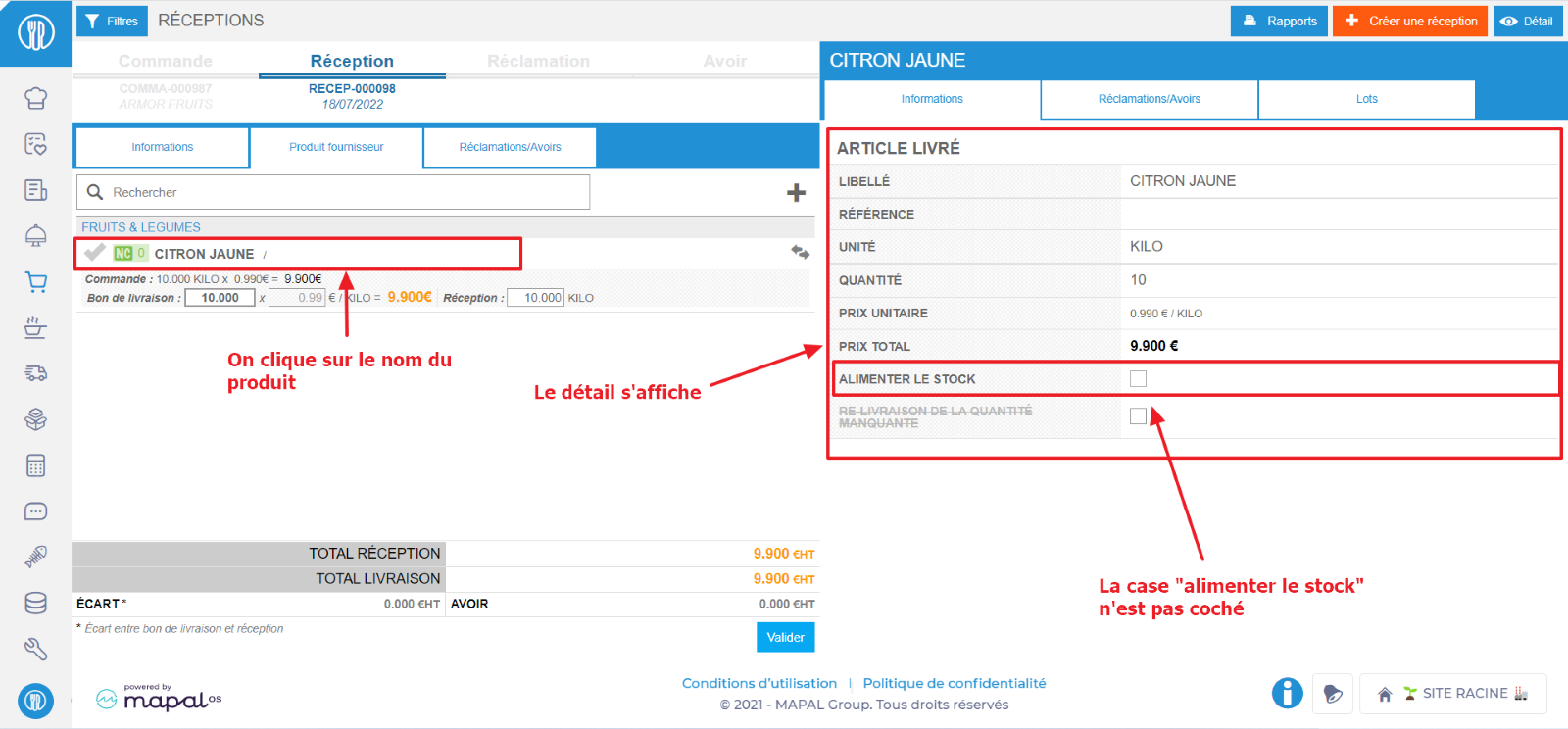
The "Enter stock" checkbox is ticked by default on receptions. It may have been unchecked by mistake.
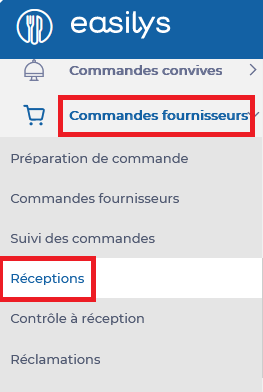
- Select the Supplier orders > Receptions tabs.
- Look for the reception containing the desired product.
- Select the product name in the reception. Details are displayed on the right.
- Check that the Enter stock box is unchecked.
- If this is the case, reopen the reception to recheck the Enter stock box and then revalidate.
To find out more, see Reopen a completed reception.
 ?AN INVENTORY HAS BEEN GENERATED PRIOR TO VALIDATION OF THE RECEPTION
It is possible that, once the inventory has been closed, the product was removed from the stock through an adjustment movement. To carry out an inventory, you need to make sure that all stock movements have been carried out on the day of the inventory and in the previous period. When an inventory is generated, a snapshot of the stock is taken at a given moment. If products are subsequently entered or removed, this is not reflected in the inventory. When the inventory is closed, the movements will be regularized so that the stock corresponds in all respects to the inventory.
- Select the Stock > Inventories tabs.
If the inventory is closed and you can't find the product in the list, you need to contact Easilys Assistance, who will suggest the best solution to resolve the situation.
