


Start from: The Easilys menu.
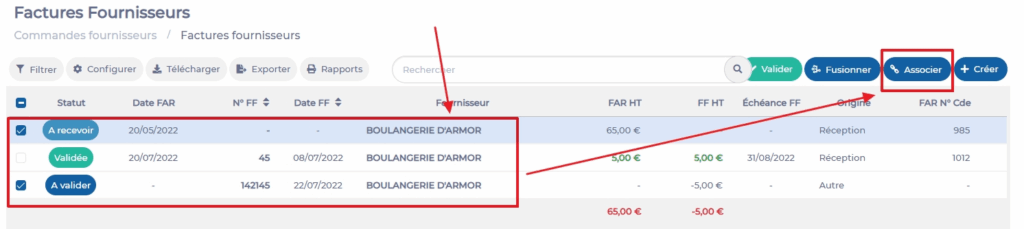
- Select the tabs Supplier orders > Supplier invoices.
- Select the ITR and the SI that you want to link. To do this, check the boxes in front of each invoice.
- Select Associate at the top right of the screen.
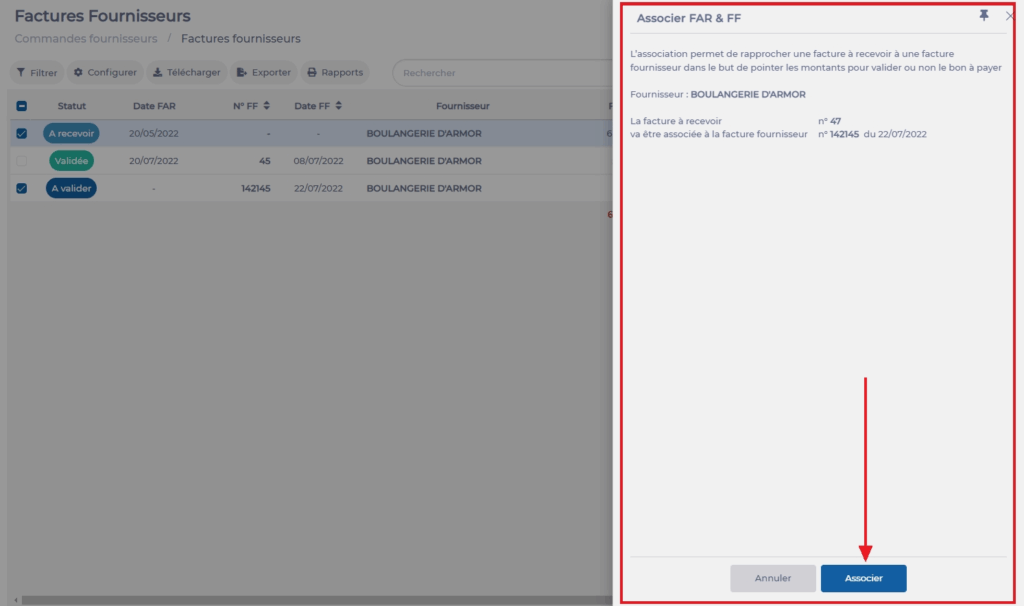
- Easilys displays a reminder message about the use of association. Select Associate.
The association is complete, the ITR as well as the SI are now linked. You can now proceed to reconcile the invoices, as indicated in the article Reconcile an ITR and a SI to identify any anomalies, to then change the invoice status to "Validated" or "In dispute".
Note that it is always possible to dissociate the ITR and the SI if you made an error.
