Start from: The Easilys menu. Your delivery note is automatically generated on the delivery date indicated on the order form you sent beforehand. In the case of a delivery note without an order, the delivery date is the date of the day on which you generate this note. In both cases, you can change the delivery date.
MODIFY THE DELIVERY DATE BEFORE VALIDATING ACCEPTANCE
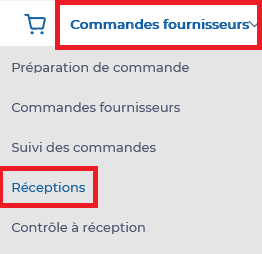
- Select the Supplier orders > Receptions tabs.
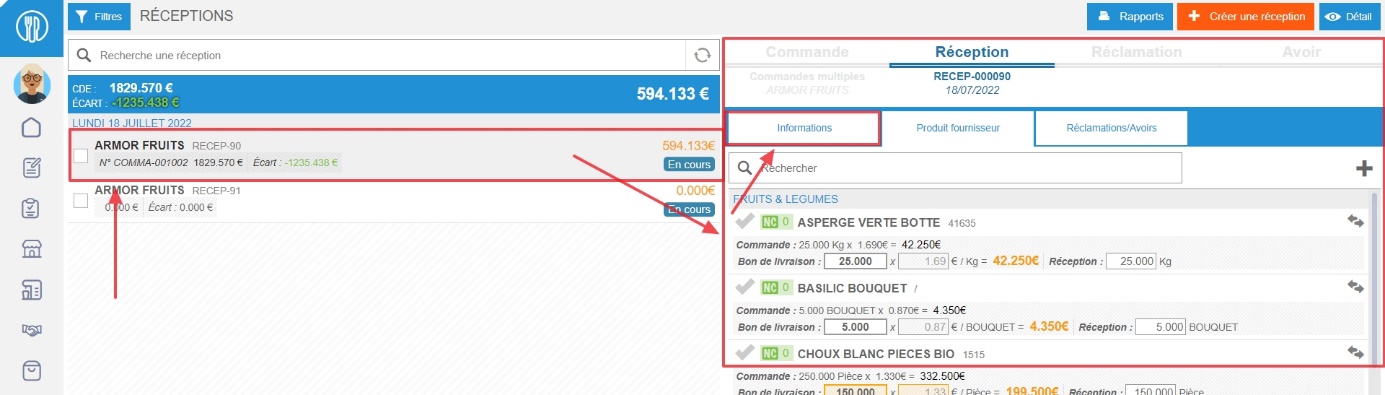
- Select your Receptions.
Receipt details are displayed on the right-hand side of the screen.
- Go to the Receptions Information tab.
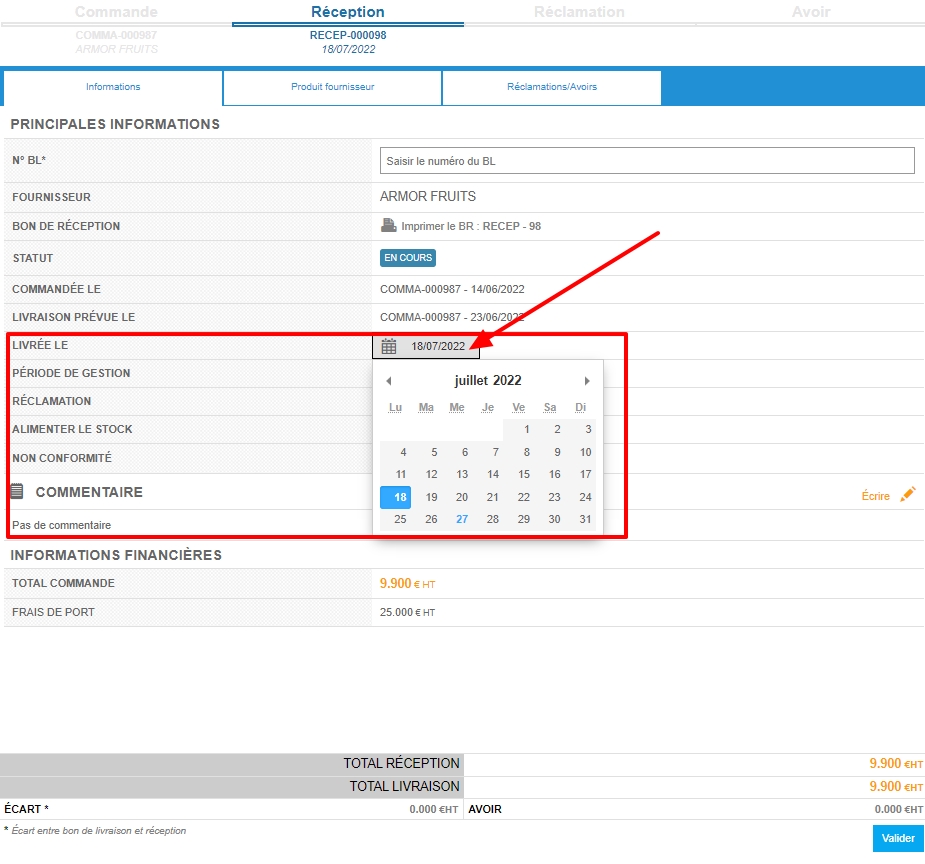
- Select the date in the “Delivered on” line to modify it.
- Select Validate to save your changes.
CHANGE THE DELIVERY DATE DURING ACCEPTANCE VALIDATION
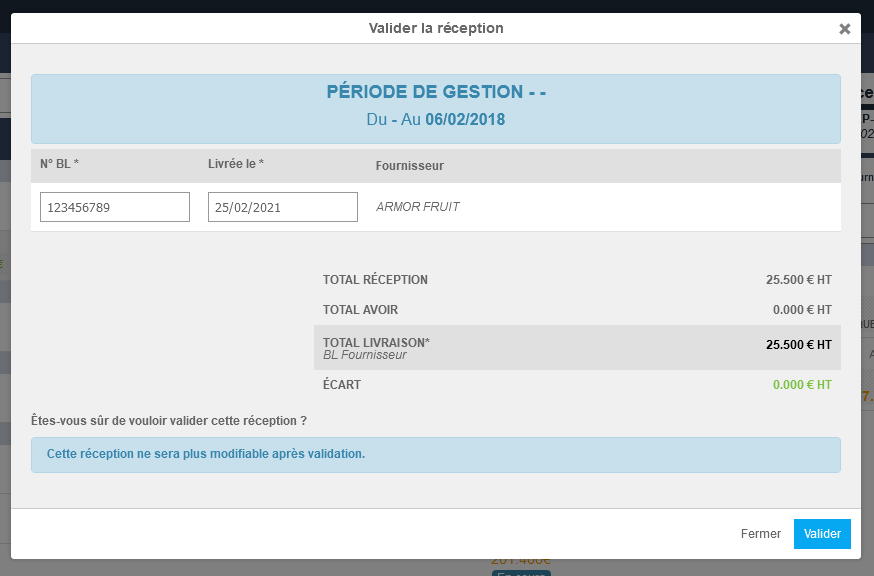
When you select Validate in the delivery note, a Validate the reception window appears on the screen. This window views the reception totals and allows you to modify the delivery date and enter the delivery note number, before selecting Validate again to confirm validation of the delivery note.